If you need UGC video prompt templates for product reviews, unboxing videos, TikTok hooks, faceless ads, app walkthroughs, and paid social variations, start with the structure of the video before you start writing the prompt. Good UGC AI video prompts tell the tool who the creator is, where the scene happens, what the product does, how the first two seconds should hook the viewer, and what action the viewer should take next.
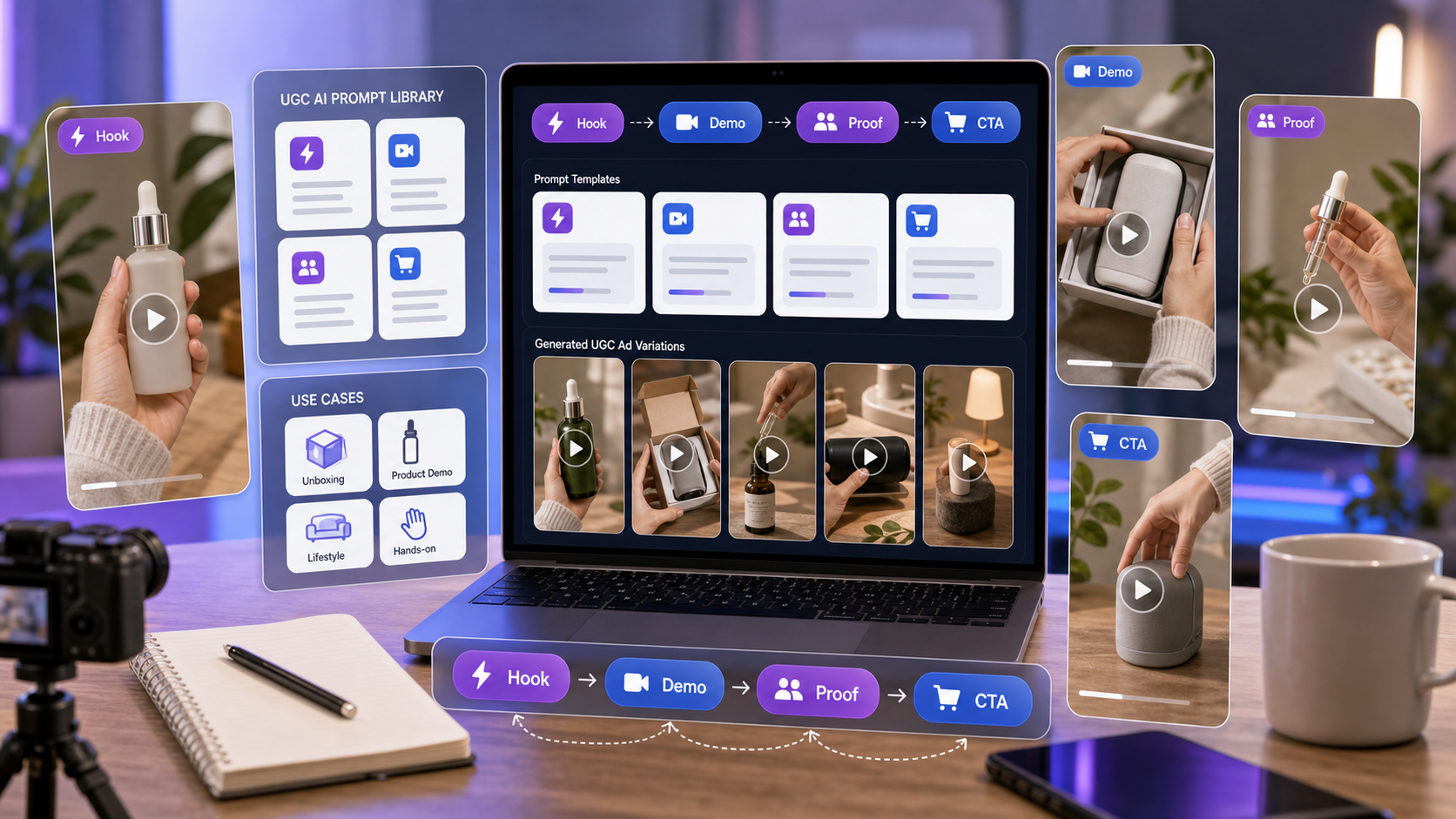
This prompt library is written for creators, e-commerce sellers, Shopify brands, ad agencies, TikTok marketers, short-form editors, and social media managers who want copy-and-paste UGC ad prompts they can quickly adapt. Use UGC Maker AI as the main platform when you want to turn product ideas, product images, scripts, and prompt templates into UGC-style video ads and short-form creative assets. For talking-head, spokesperson, testimonial, and creator-style script videos, start with AI UGC Maker. For product-image ad variations, use UGC Ads Generator. For TikTok-style hooks and mobile-first clips, use TikTok Video Generator.
Quick Prompt Framework for Native UGC Ads
A strong UGC AI prompt feels native to TikTok, Reels, Shorts, and paid social because it describes the creator behavior, not just the product. Instead of writing "make a product ad," describe a person casually using the product, showing a clear moment, and speaking in plain language.
Use this framework:
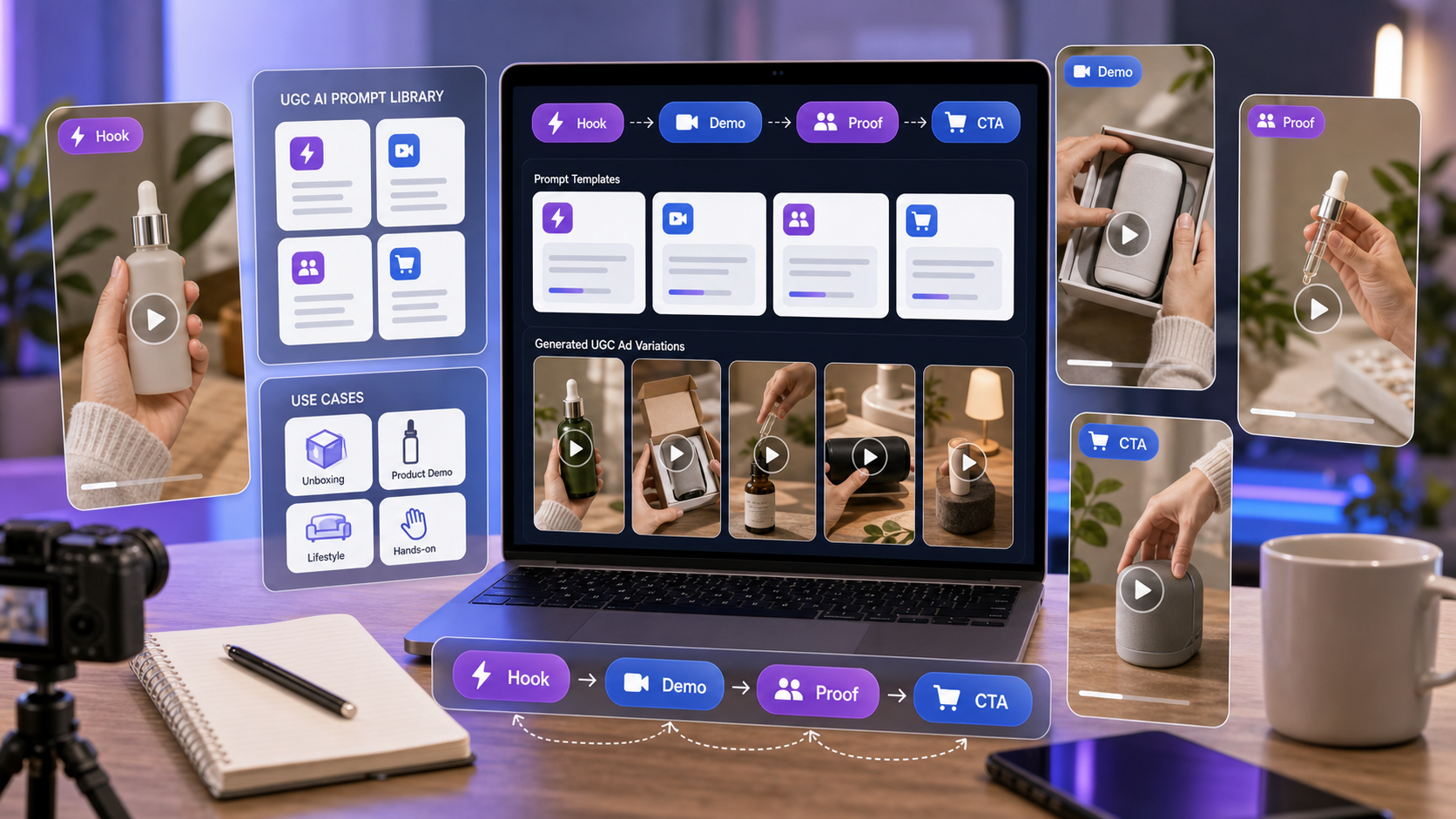
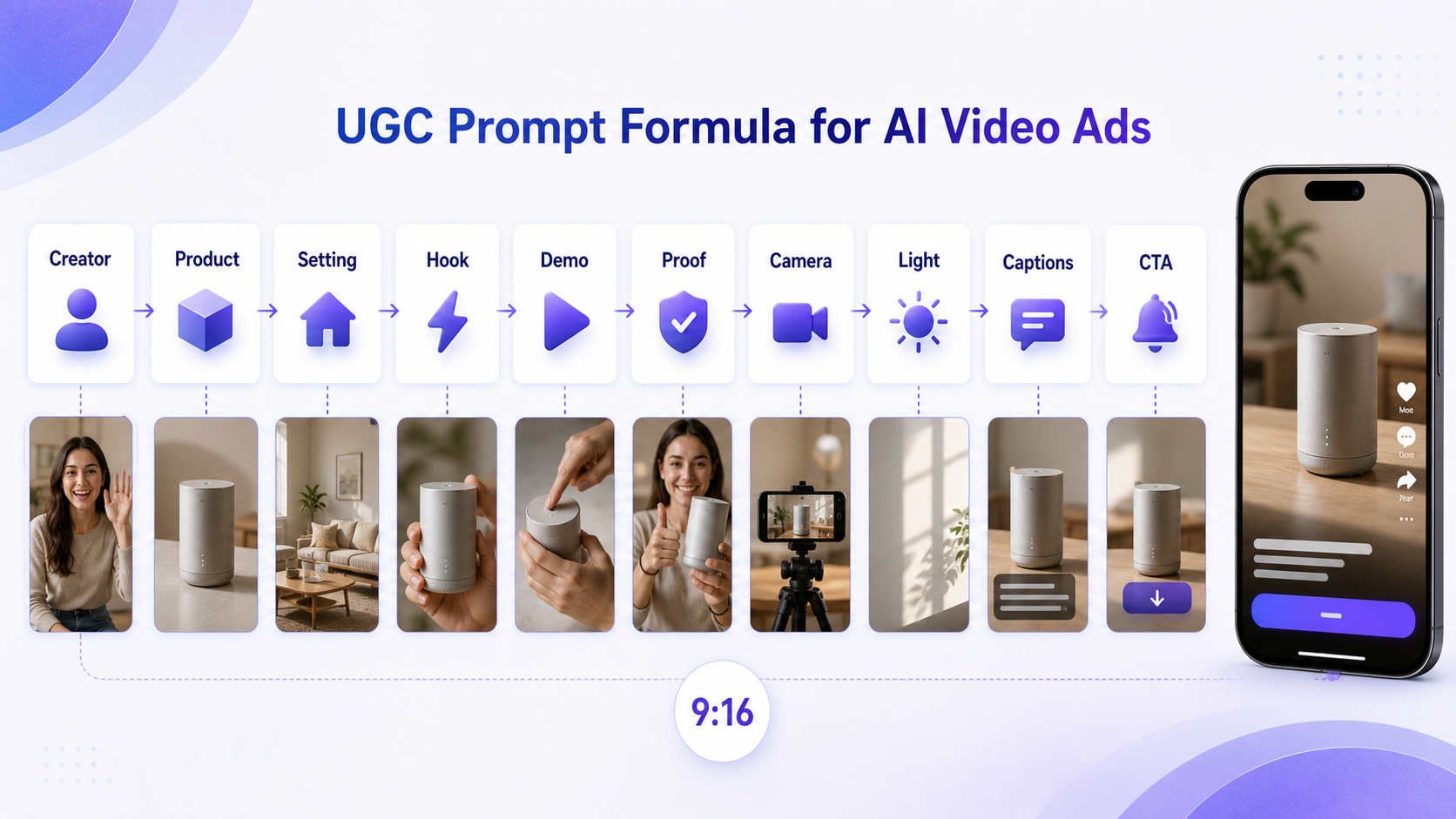
Creator + setting + product + hook + demo action + proof point + camera style + lighting + captions + CTA + aspect ratio
The more specific you are about the first two seconds, the easier it is to create a useful ad variation. The hook can be a problem, curiosity line, small surprise, or personal experience. The proof point should be simple and believable: "I noticed it was easier to organize my desk," "I like that it fits in my bag," or "Here is how I use it in my morning routine." Avoid medical, financial, body-image, or unrealistic performance claims unless they are approved, substantiated, and compliant for your category.
How to Use UGC Maker AI for Prompt-Based Ads
UGC Maker AI is useful because it connects several UGC production paths in one place. Use an AI UGC maker for talking-head videos when the concept depends on a creator speaking directly to the camera. Use an AI UGC maker for product reviews when the ad needs a personal reaction, product close-up, and simple review script. Use an AI UGC maker for testimonial videos when you want a believable experience-based format without implying a fake real customer endorsement.
For performance creative teams, a UGC ads generator for product videos helps turn product images and ad concepts into mobile-ready variations. A UGC ads generator for TikTok ads is especially useful when you need several hooks, pacing styles, and CTAs to test. Shopify teams can use a UGC ads generator for Shopify products when they already have product photos, benefit notes, and landing page angles.
If your workflow starts with platform-native content, use a TikTok video generator for UGC ads to shape hooks, product intros, reviews, and short clips around vertical viewing behavior. A broader AI Video Generator can support text, image, or audio-to-video workflows when the ad needs more than a basic product prompt. If you need better product stills before making the ad, a UGC Image Generator can help build lifestyle-style product visuals first.
Copy-and-Paste UGC AI Video Prompt Formula
Use this formula whenever you build copy and paste UGC AI video prompts:
Creator type + product + setting + first 2-second hook + demo action + proof point + camera style + lighting + voiceover line + caption text + CTA + 9:16 vertical format
The formula works because it keeps every prompt tied to a real short-form ad job. Creator type sets the personality. Product and setting create context. Hook and demo decide whether the opening is scrollable. Proof point makes the message feel grounded. Camera style, lighting, captions, and CTA make the output feel like a social ad instead of a polished commercial.
For each template below, replace the bracketed details with your product, creator, pain point, audience, and desired benefit. Generate at least three variations per concept: one problem-led version, one curiosity-led version, and one benefit-led version. Then compare the output for product visibility, natural pacing, caption space, and whether the CTA feels too aggressive.
12 UGC AI Video Prompt Templates
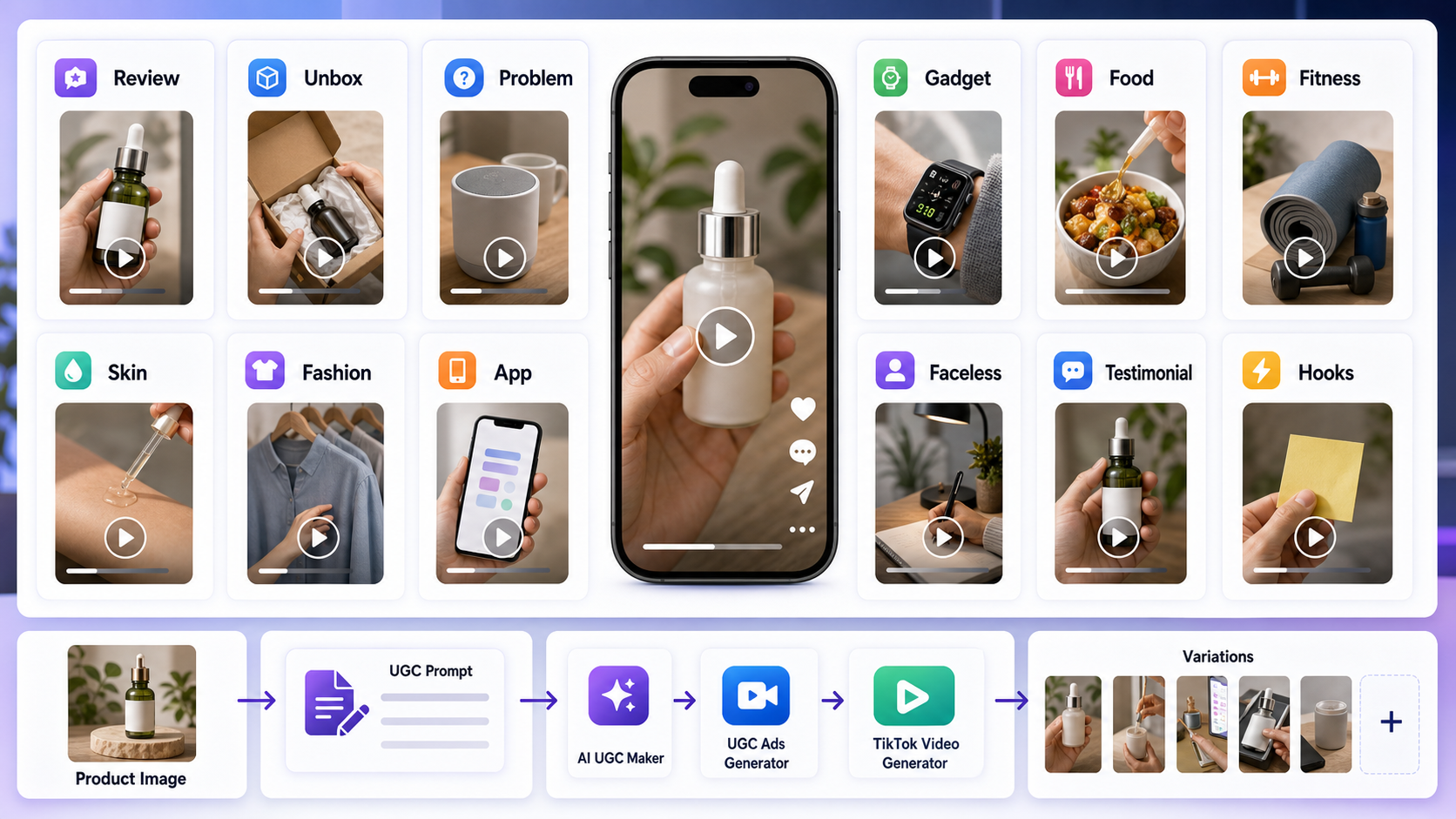
These UGC ad prompt examples for AI video are written for 9:16 vertical video. Keep captions short, leave clean space around the product, and ask for handheld phone footage when you want a native creator feel.
Template 1: Talking-Head Product Review
Use this when you need a creator on camera explaining why the product is useful. It works well for beauty, gadgets, home products, digital tools, fitness accessories, and simple e-commerce products that need a human voice.
"Create a vertical UGC-style talking-head video of a [creator type] reviewing [product name] in a [setting]. Start with the hook: 'I didn't expect [product benefit] to be this easy.' Show the creator holding the product, using it naturally, and reacting in a casual, believable way. Use handheld phone footage, natural indoor lighting, slight framing imperfections, friendly tone, captions under 8 words, and end with the CTA: 'Try it if you want [main benefit].' 9:16."
Best use: AI UGC maker for creator-style ads where the creator's tone matters as much as the product shot.
Template 2: Problem-Solution Ad
Use this when the product solves a clear everyday pain point. The structure is simple: show the friction, introduce the product, demonstrate the action, and end with a soft result moment.
"Create a UGC-style video for [product name] solving [pain point]. First shot: creator looks frustrated with [problem]. Second shot: creator introduces the product and says, 'This is what finally helped me with [problem].' Show a quick demo, close-up product moment, and simple result scene. Use casual home lighting, phone camera look, natural movement, short captions, and a soft CTA. 9:16."
Best use: UGC ad prompt generator for e-commerce when a product page has a clear problem and benefit.
Template 3: Unboxing UGC
Use this for products with packaging, texture, accessories, or a satisfying first impression. Unboxing works best when the video shows hands, surface details, and one practical feature instead of only the box.
"Create a handheld unboxing video for [product name]. Show hands opening the package on a desk, close-up of the product texture, quick reaction moment, and one practical feature demo. Use natural daylight, real creator desk setup, small camera shake, authentic TikTok pacing, captions like 'First impression' and 'Actually useful,' and end with 'Would you try this?' 9:16."
Best use: generate UGC ad variations with AI when you want several product-introduction cuts from the same item.
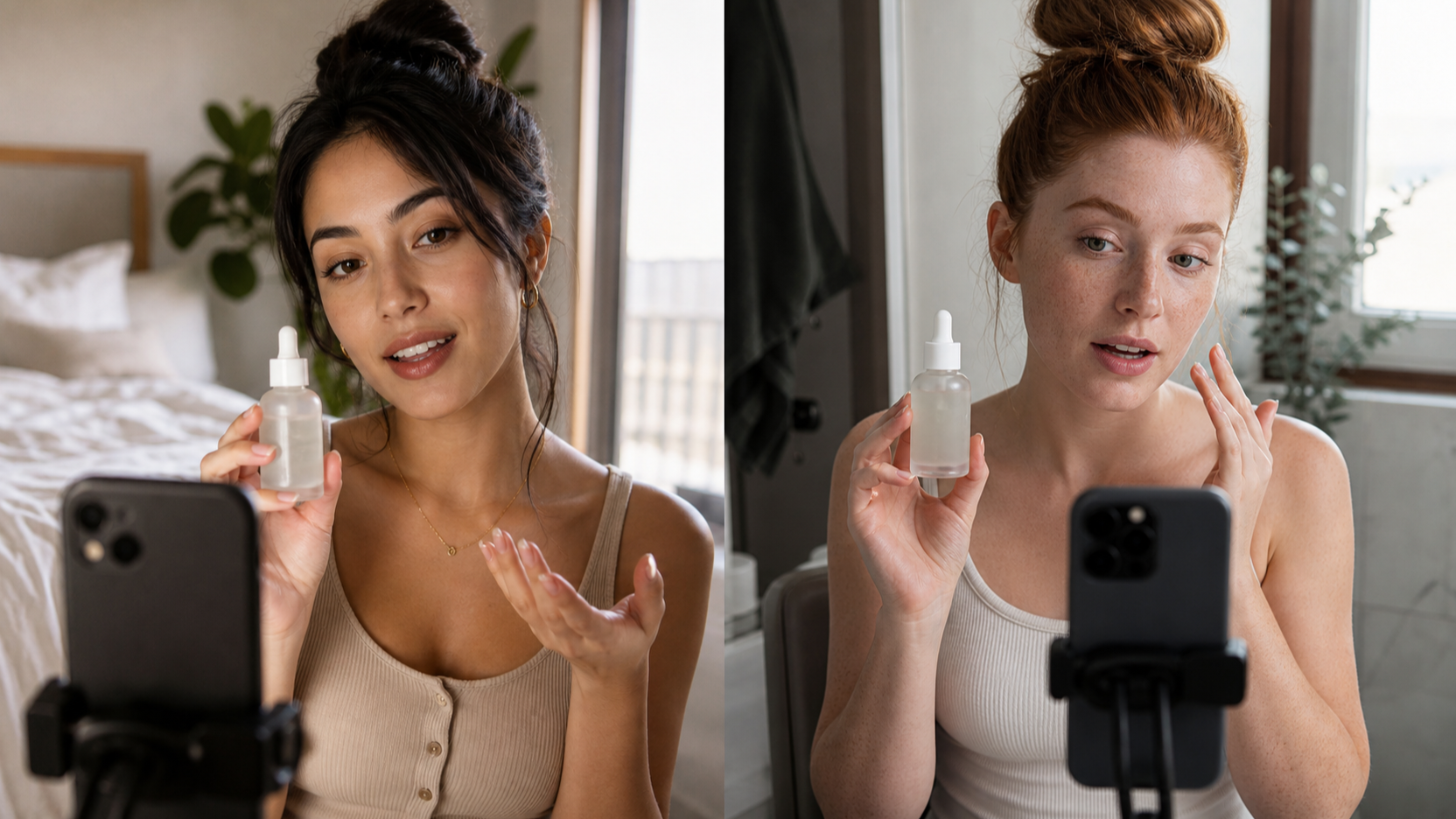
Template 4: Beauty / Skincare Demo
Use this for skincare, haircare, makeup, wellness accessories, and bathroom-routine content. Keep the language careful. Do not promise medical outcomes, permanent results, or exaggerated before-and-after changes.
"Create a skincare UGC video featuring [product name]. Film in a bathroom mirror setting with soft morning light. Start with the hook: 'My skin routine needed one simple upgrade.' Show product close-up, texture application on hand, creator applying it naturally, and a calm reaction. Use realistic phone footage, no exaggerated before-after claims, clean captions, and CTA: 'Check it out if you're building a simple routine.' 9:16."
Best use: AI UGC prompt templates for product ads in categories where trust and restraint matter.
Template 5: Fashion Try-On
Use this for clothing, shoes, accessories, bags, activewear, and styling videos. A neck-down or faceless version can help keep attention on fit, movement, and styling without using a specific influencer likeness.
"Create a UGC-style fashion try-on video for [product name]. Show a creator from neck-down only trying the item in a bedroom mirror. Start with a quick outfit reveal, then show three angles: front, side, walking movement. Use casual lighting, mirror selfie framing, fast jump cuts, captions like 'fit check' and 'easy to style,' and end with a soft shopping CTA. 9:16."
Best use: TikTok UGC prompt templates for creators when the ad needs quick visual proof.
Template 6: App / SaaS Walkthrough
Use this for digital products, apps, templates, subscriptions, dashboards, productivity tools, and courses. The key is showing one simple task, not every feature.
"Create a UGC-style app walkthrough for [app name]. Show a creator holding a phone and saying, 'I found a faster way to [task].' Cut to close-up phone screen-style shots showing three simple steps. Use clean desk setup, soft natural light, handheld phone footage, simple captions, friendly voiceover, and CTA: 'Try it for your next [use case].' 9:16."
Best use: AI UGC maker for short-form ad scripts where the script has to make a digital product feel concrete.
Template 7: Gadget Demo
Use this for desk gadgets, kitchen tools, phone accessories, travel items, small electronics, and home helpers. The demo should show the product in use, not only sitting on a table.
"Create a vertical UGC product demo for [gadget name]. First shot: creator says, 'This tiny thing fixed my [problem].' Show the gadget being picked up, plugged in or used, then show one clear result. Use kitchen/desk/home setting, close-up hands-on footage, natural lighting, believable reaction, fast proof shots, and CTA: 'Worth checking out.' 9:16."
Best use: UGC ads generator for product videos when the product benefit is easiest to understand visually.
Template 8: Food / Beverage UGC
Use this for snacks, drinks, supplements, meal kits, kitchen products, and food delivery offers. Focus on texture, preparation, serving, and the creator's experience, not unsupported health claims.
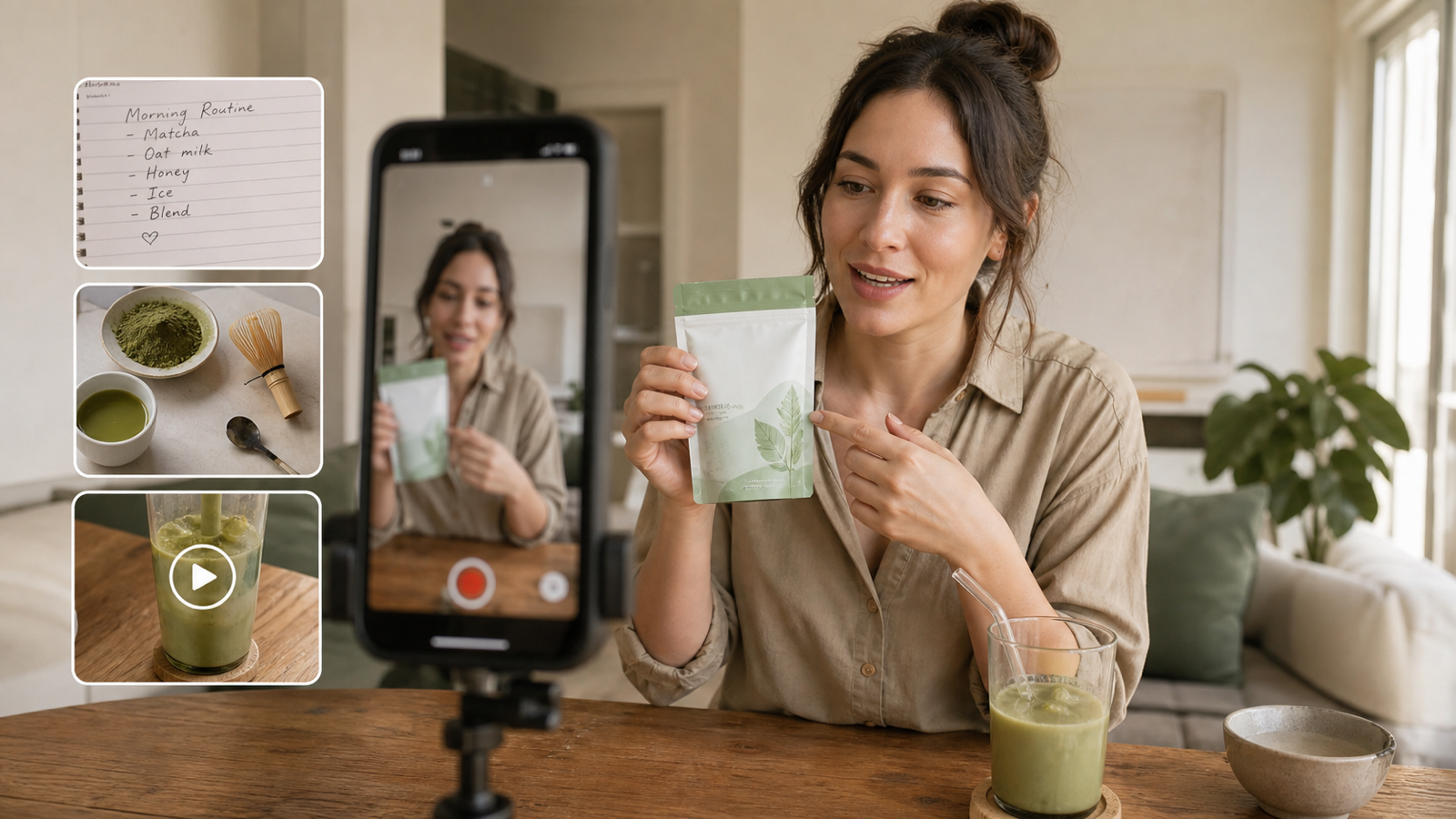
"Create a UGC-style food video for [product name]. Start with a close-up pour, bite, or preparation shot. Add a casual voiceover: 'I tried this because I wanted something [benefit].' Show texture, serving moment, creator reaction, and simple lifestyle scene. Use warm kitchen lighting, phone camera movement, quick captions, and CTA: 'Save this for your next snack run.' 9:16."
Best use: TikTok product video generator for brands when the strongest hook is a sensory product moment.
Template 9: Fitness Product UGC
Use this for home gym products, training accessories, fitness apps, recovery tools, activewear, and habit-based products. Keep the claim language realistic and avoid body transformation promises.
"Create a fitness UGC video for [product name]. Start with the hook: 'I needed something simple for [fitness goal].' Show the creator using the product in a home gym or outdoor setting, include close-up detail shots, natural effort, no unrealistic body claims, motivational captions, and CTA: 'Try it in your next routine.' 9:16."
Best use: AI TikTok ad maker for short-form campaigns when the creative needs energy without exaggerated performance claims.
Template 10: Faceless UGC Ad
Use this when a brand wants creator-style content without showing a face. It works well for product demos, app screens, desk setups, home goods, beauty texture shots, and product-image-to-video workflows.
"Create a faceless UGC video for [product name]. Show only hands, product close-ups, phone screen shots, and lifestyle moments. Start with text overlay: 'I wish I found this earlier.' Show a quick problem, product demo, benefit moment, and final product shot. Use handheld phone footage, natural lighting, casual pacing, no face visible, captions under 8 words, and CTA: 'See how it works.' 9:16."
Best use: short-form UGC video prompts for AI tools when product visibility is more important than a presenter.
Template 11: Testimonial-Style UGC
Use this for experience-led ad concepts where the creator explains what they noticed. Avoid presenting the video as a real customer testimonial unless you have the proper rights and disclosure.
"Create a testimonial-style UGC video for [product name]. A creator speaks casually in a bedroom or living room setting and says, 'I've been using this for [time period], and here's what I noticed.' Show product close-up, simple demo, personal experience wording, realistic tone, natural lighting, captions, and CTA: 'Might be worth trying if you need [benefit].' 9:16."
Best use: AI UGC maker for testimonial videos when you want experience-based wording such as "I noticed" or "I like."
Template 12: Hook Variation Test
Use this when you already have a product demo but need different openings for paid social testing. Keep the middle and ending consistent so you can judge the hook more clearly.
"Create three UGC ad hook variations for [product name]. Keep the same product demo but change the opening line: 1) problem hook, 2) curiosity hook, 3) result hook. Use phone camera style, casual creator energy, product clearly visible, natural room lighting, fast TikTok pacing, and CTA text at the end. 9:16."
Best use: AI UGC ads generator for social media campaigns when you need to test angles, proof points, and calls to action.
Prompt Variations by Ad Format
The fastest way to build a prompt set is to keep the product demo stable and change the first two seconds. This gives you useful ad variations without rewriting every detail.
For a talking-head review, test a problem hook, a surprise hook, and a "what I noticed" hook. For example, a creator might open with "I kept forgetting this one step," "I didn't think this would matter," or "After a week, here's what I noticed." This works well with an AI UGC video maker for e-commerce brands because the video can stay product-focused while the script changes.
For an unboxing ad, test first impression, feature discovery, and "would I use it?" versions. For a problem-solution ad, test frustration-first, demo-first, and result-first versions. For a faceless UGC video, test text overlays such as "I wish I found this earlier," "This made my setup easier," and "One thing I use every day."
For TikTok, keep the opening direct. An AI TikTok video generator for product hooks should be prompted with a specific first line, product visibility in the first few seconds, and short captions that leave room around the subject. To create TikTok UGC videos with AI, ask for vertical phone footage, casual pacing, natural room lighting, and a soft CTA that fits the feed.
Category Prompt Tips for UGC Ads
Skincare and beauty prompts should show texture, application, routine context, and calm reaction. Avoid "clears acne," "removes wrinkles," or guaranteed before-and-after claims unless they are verified and compliant. Safer wording includes "I like how it feels," "my routine feels simpler," or "this fits into my morning routine."
Fashion prompts should show fit, movement, angles, and styling context. Ask for mirror framing, quick jump cuts, natural lighting, and neck-down options when you want a faceless format. Avoid copying a known influencer's look or using a celebrity likeness.
Fitness prompts should show use and motivation without body-image pressure. Use "simple for my routine," "easy to store," "helped me stay consistent," or "good for quick home workouts" instead of unrealistic transformation promises.
Food and beverage prompts should show preparation, texture, serving, and reaction. The best clips often start with a pour, bite, crisp sound, steam, or plating moment. Avoid medical or weight-loss claims unless they are properly supported.
Home, gadget, and digital product prompts should show the problem, the demo, and the result in plain visual terms. For software, keep the walkthrough to three steps. For home products, show the product in a real room. For gadgets, include hands-on footage and one clear use case.
Workflow: Product Image to UGC Ad Variations
A practical UGC workflow starts with the product asset, not the final ad. If you have product photography, use a generate TikTok-style videos from product images workflow or a UGC ad generator path that can turn product images into vertical concepts.
- Upload or reference the product image.
- Choose the ad format: review, unboxing, problem-solution, demo, faceless, testimonial, or hook test.
- Paste one of the templates and replace every bracketed placeholder.
- Generate three variations with different hooks.
- Review product visibility, natural pacing, caption space, and claim safety.
- Export the strongest version and adjust captions, CTA, or final crop for each placement.
This is where a UGC video prompt formula for ads becomes useful. The formula keeps every output tied to a testable creative angle instead of a vague request for a "viral ad."
How to Make UGC AI Videos Feel Native to the Feed
Native UGC videos usually feel specific, casual, and lightly imperfect. Ask for handheld phone footage, small framing imperfections, natural lighting, quick cuts, and product visibility in the opening seconds. Leave room for captions, especially near the lower third and center of the frame, because many viewers watch without sound.
Keep the creator's voice simple. Lines such as "I didn't expect this to be useful," "here's what I noticed," and "I use it when..." feel more believable than broad claims. For paid social, make the CTA soft and context-aware: "See how it works," "Try it for your next routine," "Worth checking out," or "Save this for later."
Avoid misleading testimonials. If a video is AI-generated or based on a fictional creator, do not imply that a real customer gave the testimonial. Avoid real celebrities, private individuals, copyrighted characters, real brand endorsements, and copied influencer likenesses. For sensitive categories, use approved claims and compliance review before publishing.
Testing Hooks, Proof Points, and CTAs
When testing paid social ad variations, change one major variable at a time. If you change the creator, setting, hook, proof point, and CTA all at once, you will not know what made the ad stronger or weaker.
Useful hook types include:
- Problem hook: "I kept running into [problem]."
- Curiosity hook: "I didn't think this would matter."
- Result hook: "Here's what changed for me."
- Demo hook: "Watch how fast this works for [task]."
- Contrarian hook: "I thought this was unnecessary until..."
Useful proof point styles include a close-up product moment, a three-step walkthrough, a before-use and after-use scene without exaggerated claims, or a personal observation. For CTAs, match the action to the funnel. "Save this" fits soft awareness. "See how it works" fits product education. "Try it for [use case]" fits warmer traffic.
Related Articles
- UGC Prompts for Seedance 2: How to Create Native AI Video Ads
- UGC Video Ads Guide: How to Make UGC Ad Videos With UGC Maker AI
- How to Use Seedance 2 to Create AI UGC Ads That Actually Feel Native
- Seedance 2.0 for TikTok Videos: How Creators Can Turn Ideas Into Scroll-Stopping Clips
- Kling 3.0 UGC Video Generation Guide
- ChatGPT Image 2 UGC Prompt Guide: Make Ads That Feel Real, Scrollable, and Fun
- UGC Image Generator User Guide: How to Create Better UGC-Style Product Visuals Faster
People Also Read
- How to Make TikTok UGC Videos with AI Talking Avatar Generator
- How to Create TikTok Videos with HeyDream AI That Actually Feel Native to the Feed
- Seedance 2.0 Video Generation Guide: Tutorial + Prompts
- Wan 2.7 Prompt Tips: How to Make AI Videos Feel More Human and Realistic
- Seedance 2.0 vs Seedance 1.0: What's Better for AI Video
FAQ
What should a UGC AI video prompt include?
A useful UGC AI video prompt should include creator type, product, setting, first two-second hook, demo action, proof point, camera style, lighting, voiceover, caption direction, CTA, and 9:16 vertical format.
What is the best UGC prompt for TikTok ads?
The best TikTok UGC prompt is usually short, specific, and product-visible. Start with a hook, show the product in use, add a simple proof point, keep captions short, and end with a soft CTA.
Can AI-generated UGC ads guarantee conversions?
No. AI-generated UGC ads can help create and test more creative variations, but they do not guarantee conversions, virality, or sales. Performance still depends on the product, offer, audience, platform, creative quality, and testing process.
Can I use AI UGC videos commercially?
Do not assume commercial rights automatically. Check UGC Maker AI's current license terms, plan details, uploaded asset rights, ad platform policies, and any required disclosures before publishing or running paid ads.
How many UGC ad variations should I generate?
Start with three to five variations for one product angle: a problem hook, curiosity hook, result hook, demo-first version, and faceless version. Review the outputs for product clarity, pacing, claim safety, and CTA fit before scaling.
Conclusion
The best UGC AI video prompts are not long for the sake of being long. They are structured. Give the tool a creator, setting, product, hook, demo, proof point, camera style, lighting, captions, CTA, and 9:16 format, then test several variations before choosing a final ad.
UGC Maker AI is a practical place to build this workflow because it supports creator-style videos, UGC ad variations, TikTok-style clips, broader AI video generation, and image-led creative assets. Use the templates above as a starting library, replace the bracketed details, and keep every claim honest, experience-based, and safe for your product category.
SEO Meta
SEO Title: Excerpt:
Meta Description:
Tags: , , , , TikTok video generator, UGC ad prompts