
Choose a Thumbnail Template
YouTube Thumbnail Generator with AI Templates
Create YouTube thumbnail images from a video idea, a reference photo, or a ready-to-use prompt template. Choose a style, make the brief your own, and generate a wide cover image on UGC Maker AI.
Explore YouTube Thumbnail Examples
See complete thumbnail designs and reference images paired with their finished results.
Lifestyle and Product Review Thumbnails
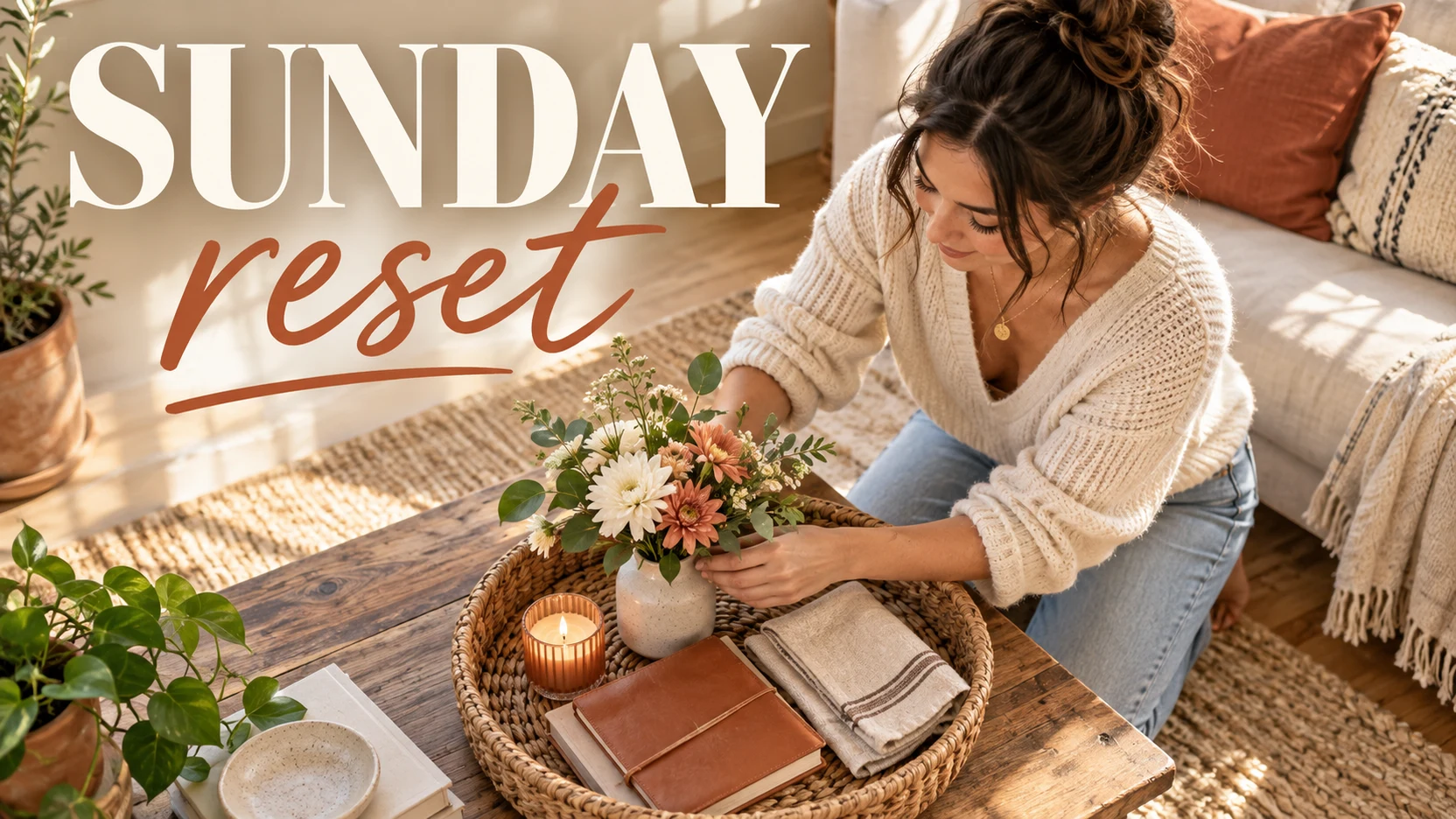
Sunday Reset (Prompt)
Finished lifestyle vlog YouTube thumbnail. In a bright, tasteful apartment, a non-identifiable adult kneels beside a low coffee table and arranges fresh flowers, a journal, folded linen, and a small candle into a woven tray. Keep the person in the lower-right two-thirds and make the action immediately readable. Cream, terracotta, and sunlit wood palette; soft natural morning shadows; polished creator photography. Render the exact text "SUNDAY" in enormous warm-white high-contrast serif capitals across the upper-left, and "reset" directly beneath it in oversized flowing handwritten terracotta script; add one thin terracotta underline under "reset". Keep the text crisp, legible, and clear of the face. No logo, watermark, extra copy, app UI, or brand identifiers. 16:9 landscape.
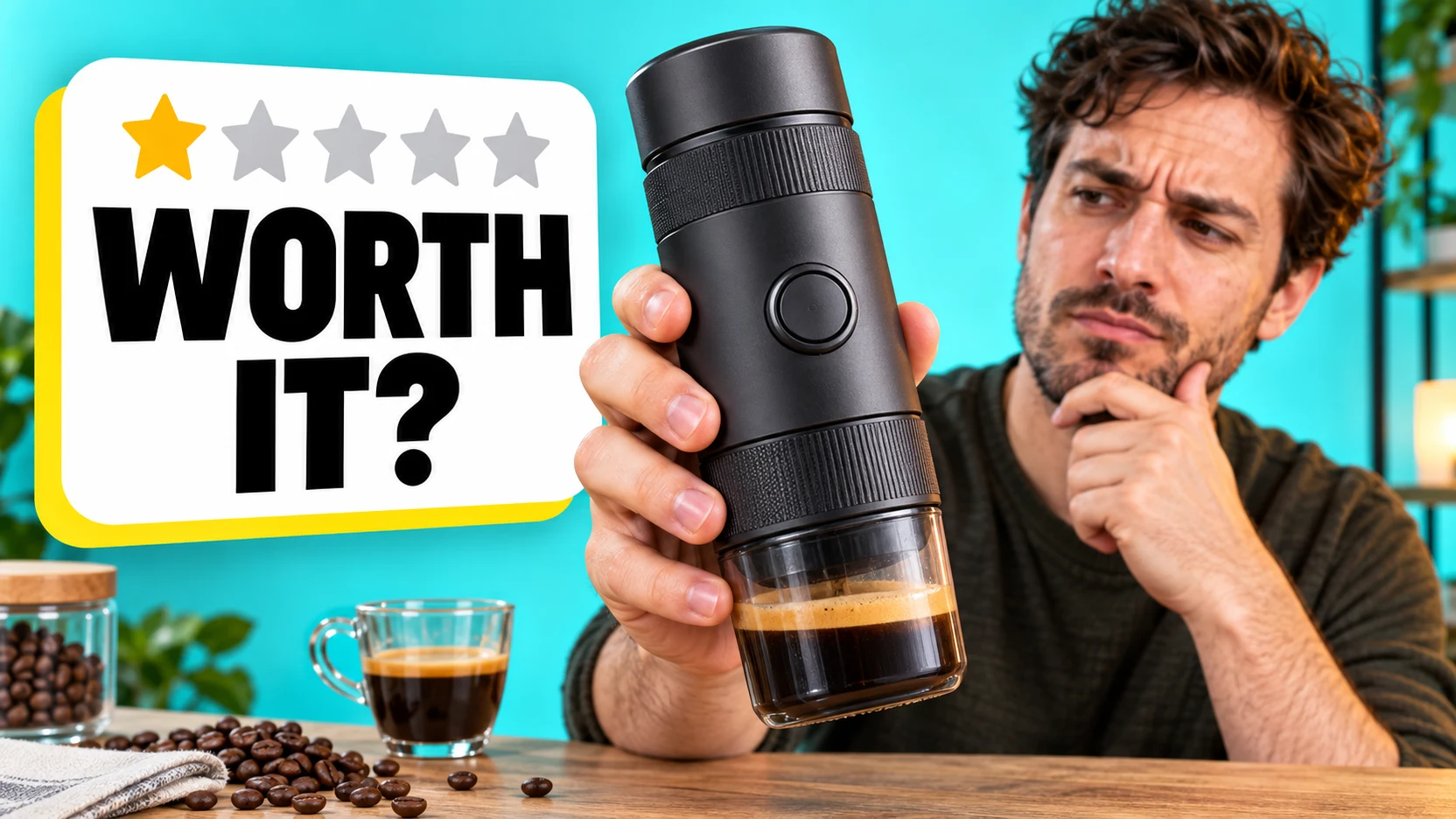
Worth It? (Prompt)
Finished product-review YouTube thumbnail. A non-identifiable adult creator in a clean home test studio holds an unbranded compact portable espresso maker close to the camera while inspecting it with an intrigued, slightly skeptical expression. The product is oversized and sharply readable in the foreground; a simple cup and coffee beans sit on the workbench. Bright aqua backdrop, warm key light on the face, high-contrast commercial photography. On the left, add a large rounded white review card with one gold filled star and four pale-gray stars at the top. Render the exact text "WORTH" in huge black sans-serif capitals and "IT?" directly below in huge black sans-serif capitals. Add a restrained yellow offset shadow behind the card. Keep the text sharp and readable. No logo, watermark, extra copy, app UI, or brand identifiers. 16:9 landscape.
Food Review Thumbnail
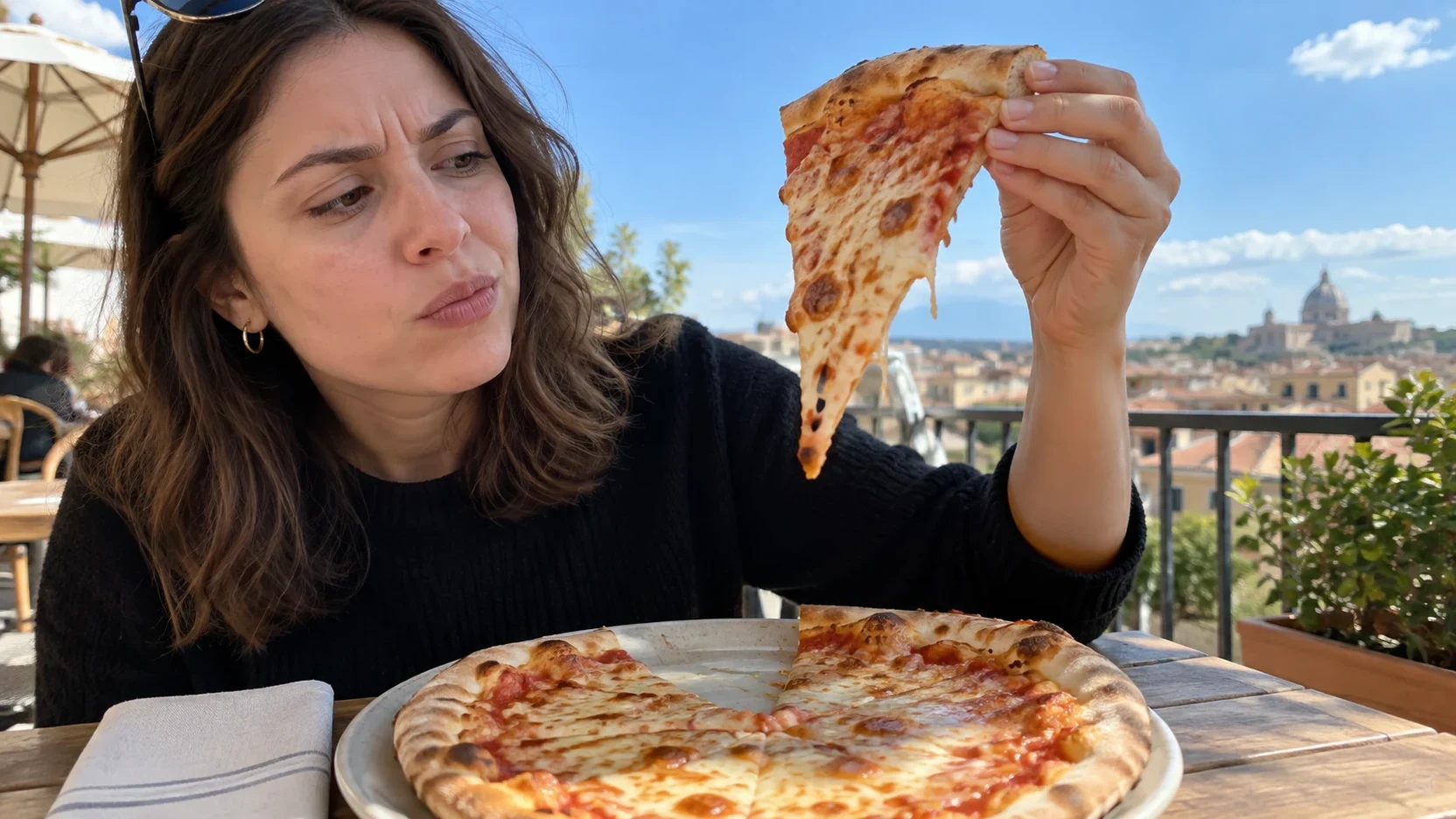
Reference Image (Prompt)
A non-identifiable adult food creator stands at a small outdoor cafe table and closely inspects one raised slice of cheese pizza, turning it toward daylight with a doubtful but subtle expression. A simple unbranded plate and napkin sit below, with a softly blurred blue-sky city terrace behind. Fresh natural food detail, realistic hand anatomy, close wide-angle editorial framing with the pizza and face both prominent. No text, restaurant signs, logos, review stars, cards, arrows, watermark, or collage. 16:9 landscape.
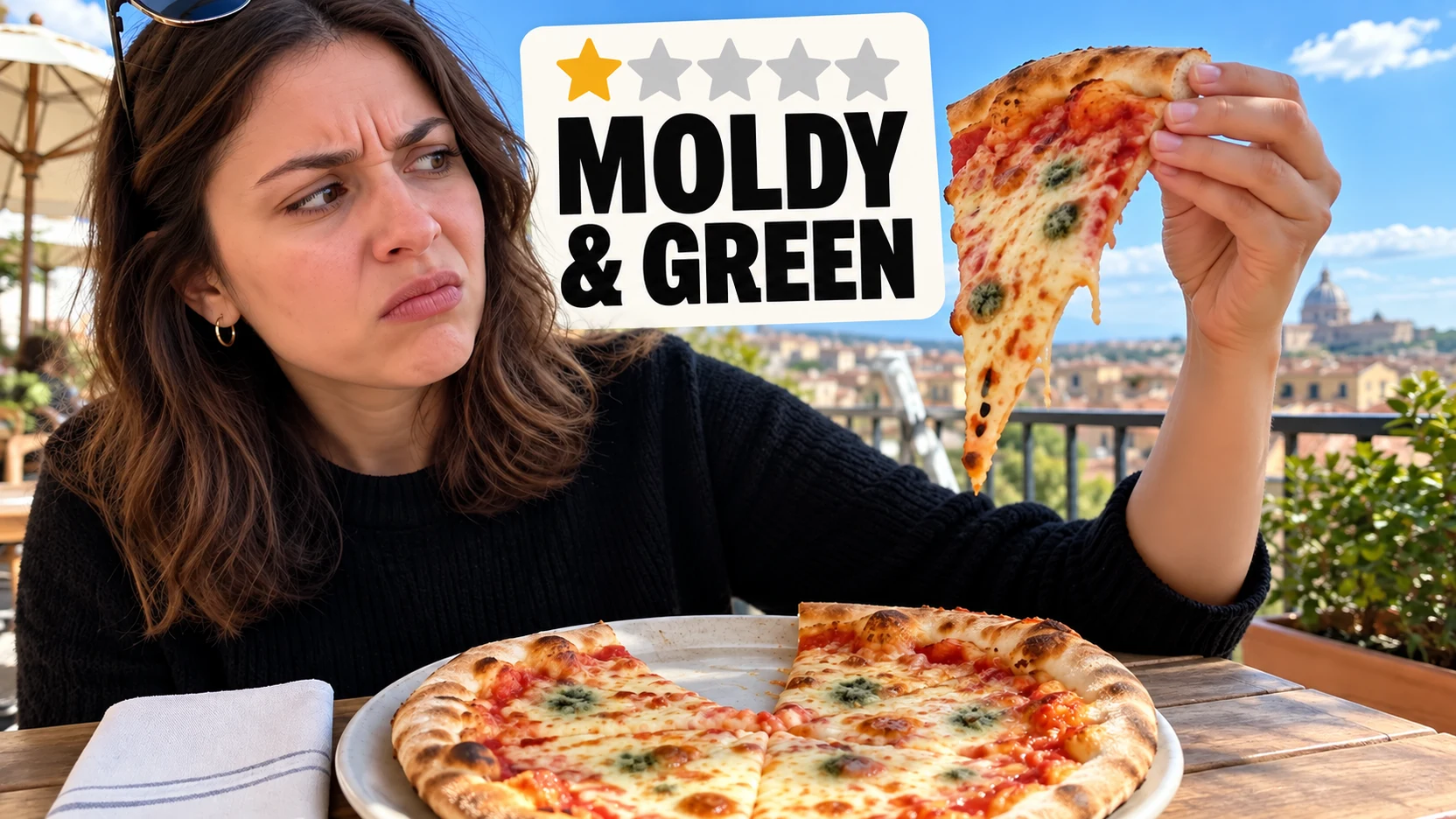
Finished Thumbnail (Prompt)
Use the supplied base image. Keep the same person, face, raised pizza slice, hand position, cafe table, sky terrace, camera angle, and daylight direction unchanged. Make the pizza surface show a few believable but subtle greenish suspicious spots, and make the subject's concerned expression slightly stronger. Add a large rounded off-white review card in the upper-left sky area without covering the face or pizza. Show one filled yellow star and four pale-gray stars at the top of the card. Render the exact title "MOLDY" on the first line and "& GREEN" on the second line in extremely large black clean sans-serif type. Keep the text crisp and legible at thumbnail size. No restaurant branding, logos, watermarks, extra people, or collage frames. 16:9 landscape.
Podcast Thumbnail
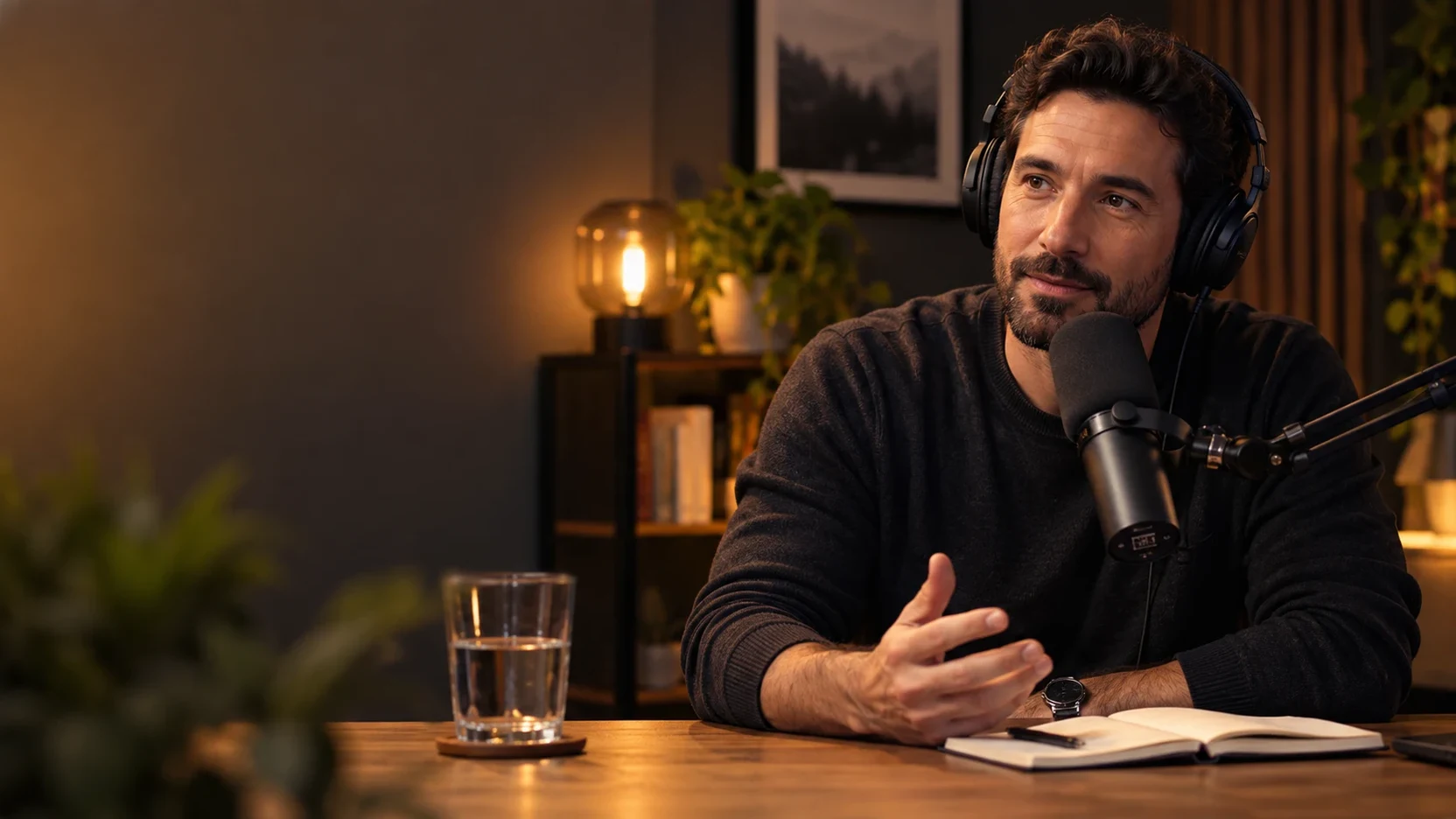
Reference Image (Prompt)
A non-identifiable adult podcast host sits at a wooden desk in a warmly lit recording studio, leaning naturally toward a large studio microphone while speaking and listening through over-ear headphones. A glass of water, notebook, and softly glowing practical lamp create believable depth; the host has an engaged, thoughtful expression. Cinematic editorial portrait, medium close-up with clean negative space on the left. No text, logos, guest portrait, title block, cards, arrows, watermark, or collage. 16:9 landscape.
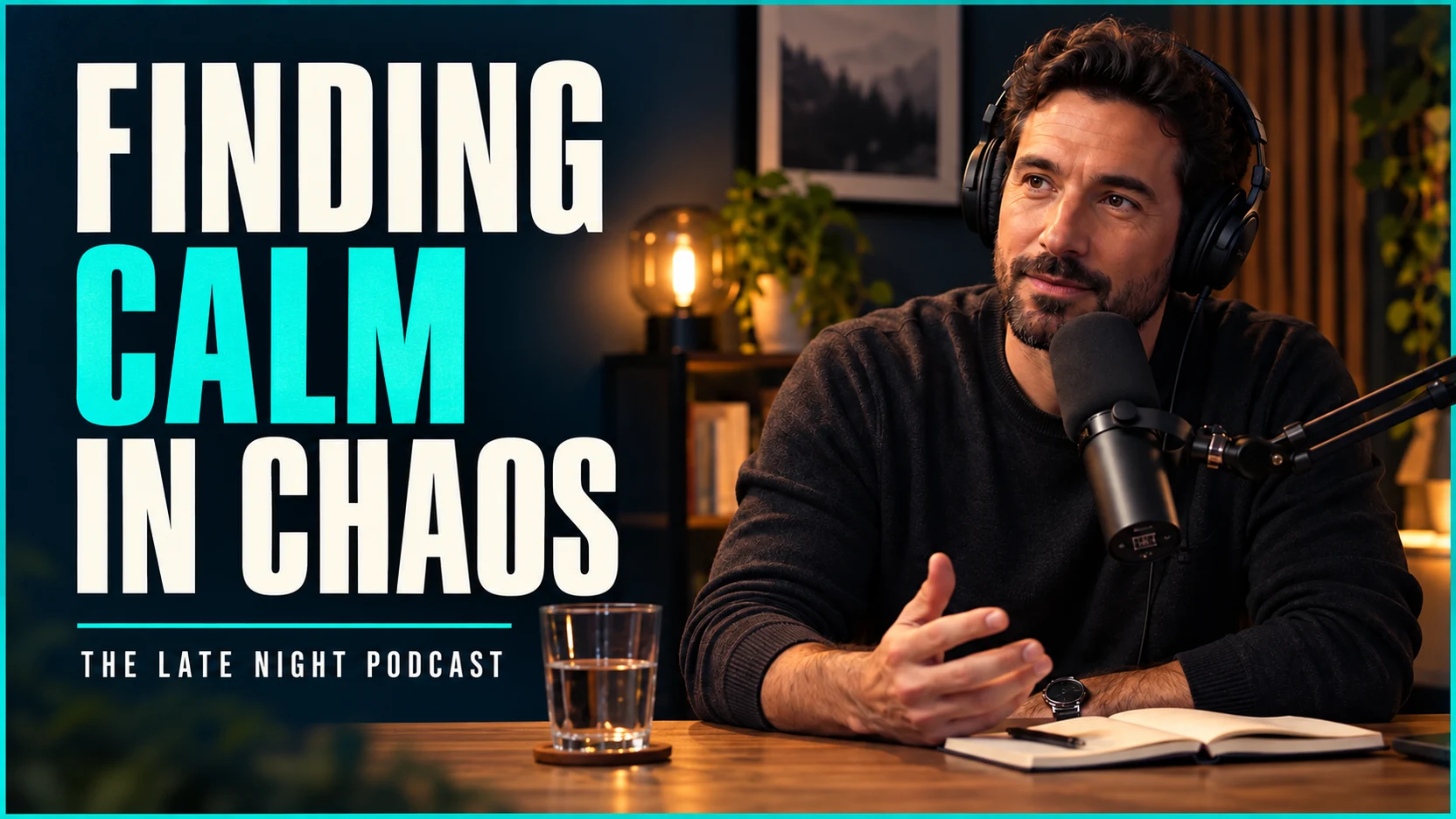
Finished Thumbnail (Prompt)
Use the supplied base image. Keep the same host, face, hairstyle, headphones, microphone, desk, notebook, pose, camera crop, and warm studio lighting unchanged. Deepen the left background into a refined dark navy panel with a narrow teal outer border, while retaining the host and microphone unobstructed on the right. Render the exact text "FINDING" on line one in tall warm-white condensed capitals, "CALM" on line two in tall vivid-teal condensed capitals, and "IN CHAOS" on line three in tall warm-white condensed capitals. Add a thin turquoise divider line under the headline and render "THE LATE NIGHT PODCAST" below it in small warm-white condensed capitals. Keep the typography crisp, left aligned, and readable at thumbnail size. Do not add logos, watermarks, other people, celebrity likenesses, or collage frames. 16:9 landscape.
Turn a Video Idea into a Thumbnail
Shape the subject, composition, and visual style before you generate.
Templates You Can Adapt
Choose a product review, tutorial, comparison, or lifestyle preset, then edit the prompt to match your video.
Reference Image Guidance
Upload a presenter photo, product image, or other visual reference using an image model that supports it.
Wide Thumbnail Composition
Start with a 16:9 layout and describe the focal point, background, and space for your headline.
Image History in One Place
Review generated images in your account history and download the version that fits your upload.
Thumbnail Ideas for Your Channel
Build a visual direction around the actual subject of your video.
Product Reviews
Put the featured product and presenter at the center of a clear, expressive composition.
Tutorials and Explainers
Highlight a result, key object, or visual contrast that helps viewers understand the lesson.
Comparisons and Transformations
Create a before-and-after layout or side-by-side concept with a consistent subject.
Travel and Lifestyle Videos
Combine a recognizable person, place, or moment with a simple background that supports the story.
How to Generate a YouTube Thumbnail
Choose a starting style, add your details, and review the result.
Choose a Template
Select a thumbnail preset to fill the prompt, or write your own idea from scratch.
Personalize the Brief
Replace the subject details, specify any exact headline text, and optionally upload reference images. Keep 16:9 selected for a wide thumbnail.
Generate and Download
Generate the image, inspect faces and lettering, then download your preferred result from image history.

Explore More AI Creative Tools
Build your next visual idea with image and video tools on UGC Maker AI.






Read MoreShow Less





















YouTube Thumbnail Generator FAQs
More Articles about YouTube Thumbnails
Loading...