Wait… the football star is sitting in the audience?! ⚽️
Kling 3.0 Turbo AI Video Generator: Fast Kling AI
Create UGC short AI videos with Kling 3.0 Turbo AI Video Generator. Generate text-to-video and first-frame image-to-video UGC clips with audio, 720p or 1080p output powered by Kling AI.
Video Creations
Kling 3.0 Turbo AI Video Introduction
Explore Kling 3.0 Turbo, Kuaishou's fast AI video generator for text-to-video and first-frame image-to-video creation.
This overview highlights Kling 3.0 Turbo's text-to-video generation, first-frame image animation, 3 to 15 second duration settings, 720p and 1080p output, 16:9, 9:16, and 1:1 aspect ratios, and structured multi-shot prompting for creator and marketing workflows.
Kling 3.0 Turbo AI Video Examples
Kling 3.0 Turbo turns product ideas, social hooks, visual concepts, and first-frame references into short dynamic clips. Use it for UGC-style ads, product reveals, creator channel content, campaign tests, and polished short-form video variations.
Original Image
Video
Prompt
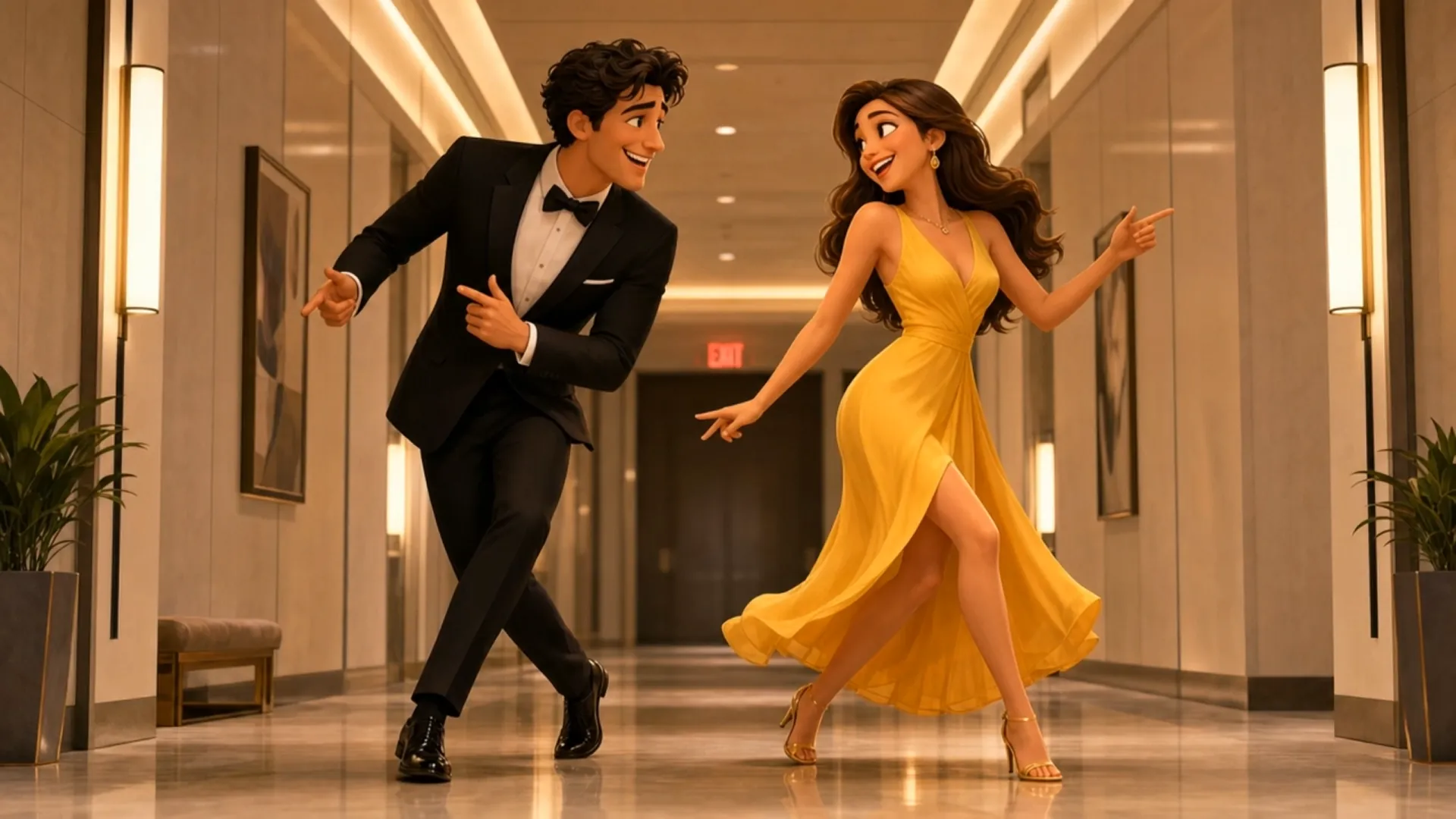
3D Pixar-style animation, romantic comedy vibe, highly detailed. A handsome man with wavy dark hair, wearing a sleek black tuxedo, and a beautiful woman with long brown hair, wearing a vibrant sleeveless yellow dress, are dancing enthusiastically down a modern hallway. They are grooving, laughing, and gesturing playfully toward each other with expressive, joyful faces. The hallway has light grey walls, polished floors reflecting the warm lighting, and a red glowing 'EXIT' sign in the background. The animation style is ultra-smooth, featuring warm, romantic, and dreamy lighting with cinematic depth of field. Soft colors, highly expressive character designs, capturing a sweet and affectionate connection between a loving couple. 8k resolution, masterpiece.
Core Features of Kling 3.0 Turbo
Kling 3.0 Turbo combines text-to-video, first-frame image-to-video, multi-shot prompt planning, and flexible output settings for faster short-form AI video production.
Generate short videos from text prompts
Describe the subject, scene, camera movement, shot timing, visual style, and atmosphere to create short AI videos for social media, ads, and content testing.
Animate first-frame images with motion
Upload a supported JPG, JPEG, or PNG first frame and guide how the scene should move, reveal, or transition through your prompt.
Control pacing with multi-shot prompts
Use structured shot descriptions to plan up to six shots, assign timing, and create compact narrative sequences within a 3 to 15 second video.
Match common social video formats
Create landscape, vertical, or square videos with supported 16:9, 9:16, and 1:1 aspect ratios, plus 720p or 1080p resolution options.
Advantages of Kling 3.0 Turbo AI Video Generator
Kling 3.0 Turbo helps creators, marketers, agencies, and e-commerce teams move from concept to short video output faster, with practical controls for prompt structure, duration, resolution, and publishing format.
Faster creative testing
Produce multiple short video directions for hooks, product scenes, and ad variations without filming footage or editing every scene by hand.
Better control for short-form pacing
Multi-shot scene planning helps define scene order, shot duration, and camera direction, making compact stories, storyboard previews, and short-form ad variations easier to plan.
Flexible text-to-video and image-to-video workflow
Start with a written concept or a first-frame reference image, then refine motion, atmosphere, and visual style in one generation flow.
Useful output settings for campaigns
Supported duration, aspect ratio, and resolution options make it easier to prepare videos for Reels, TikTok, YouTube Shorts, ads, storefronts, and landing pages.
Use Cases for Kling 3.0 Turbo AI Video Generator
Kling 3.0 Turbo fits social video production, UGC ad testing, e-commerce promotion, brand storytelling, concept previews, and creator workflows that need short AI videos with repeatable structure.
UGC ads and social hooks
Generate short clips for TikTok, Instagram Reels, YouTube Shorts, paid social campaigns, and creator-style product hooks.
Product and e-commerce videos
Animate product first frames, create lifestyle scenes, and test product reveal clips for storefronts, marketplaces, landing pages, and campaign briefs.
Creator channel shorts
Turn quick ideas into repeatable short-form videos for intros, transitions, visual stories, tutorials, and content calendar experiments.
Campaign concept previews
Use multi-shot prompts to preview scene order, camera direction, and creative pacing before investing in full production.
Share Kling 3.0 Turbo Video AI on X.com
Kling 3.0 Turbo brings fast text-to-video and first-frame image-to-video creation into a practical short-form workflow. From multi-shot prompt control to 720p and 1080p output settings, it helps creators and brands produce AI video clips for ads, product promotion, storytelling, and social media.

First Look New Kling Update! Upgraded O3 There's also Fast versions Looks noticably better! Image to Video Use the uploaded image as the exact identity reference for the woman: confident playful expression, light skin, stylish modern look. Convert her into realistic


Kling 3.0 Turbo and O3 upgrades is now live on fal! Turbo: faster generation, lower costs, superior lip-sync, stable motion Omni: stronger prompt and reference consistency Up to 15s clips with full 4K generation with Omni Smarter storyboards and high quality multishot workflows

The Kling vs Seedance race is getting spicy. Kling will drop 3.0 Fast / Omni upgrade tomorrow. Kling😊: Here’s 3.0 Fast — faster, cheaper, better lip-sync. Seedance 😁: Cute. Here’s 2.0 Mini, cheaper and faster than Fast. Kling 🙄: Also Omni supports 15s and 4K in/out. Seedance


Comparing Seedance 2.0 vs. Kling 3.0 Turbo Which one wins your workflow? Dropping my full initial review in the comments soon!
Kling 3.0 Turbo and O3 upgrades is now live on fal! Turbo: faster generation, lower costs, superior lip-sync, stable motion Omni: stronger prompt and reference consistency Up to 15s clips with full 4K generation with Omni Smarter storyboards and high quality multishot workflows
How to Use Kling 3.0 Turbo AI Video Generator
Create short AI videos with Kling 3.0 Turbo in a few simple steps.
Enter text or upload a first-frame image
Write a detailed prompt for the scene, subject, motion, camera angle, and style, or upload a supported first-frame image as the starting visual reference.
Set video options
Choose supported duration, resolution, and aspect ratio options based on your campaign, platform, or creative testing goal.
Generate and refine
Start the generation task, preview the result, then adjust prompt details, shot descriptions, or settings to improve pacing, motion, composition, and visual consistency.