
Opus Clip AI Review: Find Your Short Video Workflow
Explore what OpusClip does for long-video repurposing, then create original videos with UGC Maker AI. Use the video generator below to turn prompts or images into fresh clips for your next campaign.
0 / 5000
Explore AI Video Examples
Watch fitness and travel creator concepts, and explore the prompts behind each video.
Original Image
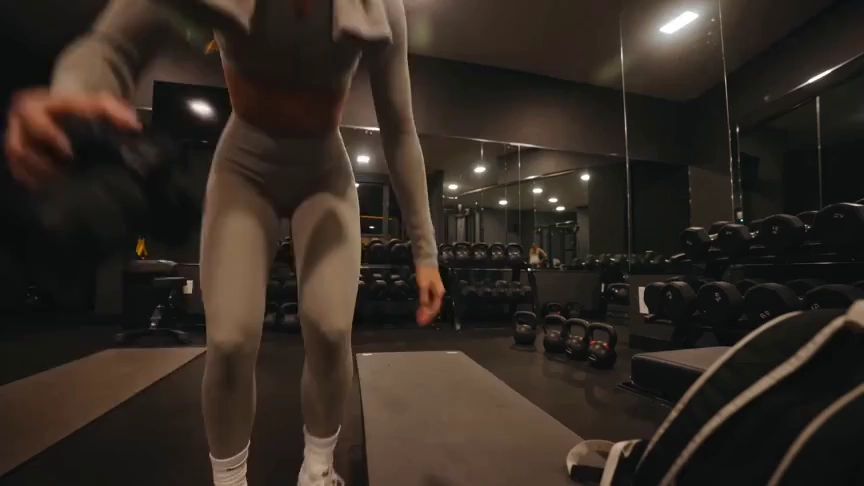
Prompt
Create a 15-second, 16:9 intimate end-of-workout vlog starring one consistent fictional 24-year-old Brazilian fitness creator, CHASE: slim athletic build, real glowing skin, expressive brown eyes, and long wavy chestnut-brown hair in a loose ponytail. She wears a fitted long-sleeve workout top, high-waisted leggings, white socks, sneakers, and a towel over her shoulders. Handheld DV-camcorder vlog footage with warm 16mm-inspired analog tape: CHASE films herself at arm’s length, then sets the camera on a bench, gym bag, or beside a stretching mat; the camera never appears in frame or reflection. Include subtle shake, drifting framing, autofocus hunting, rushed reframes, uneven zooms, occasional face crops, tape grain, soft lamp halos, exposure shifts, low contrast, and accurate skin. In a mostly empty boutique gym late evening with warm lights, darker corners, mats, mirrors, dumbbells, workout bag, and protein shake, keep her tired, funny, unpolished, breathing audibly, relaxed, and natural. Sequence: on the mat, “Okay… that session is officially over.” Stretching, “I definitely pushed that last set too far.” Shoulder roll, “Tomorrow is going to be interesting.” Close-up sipping a shake, “Wait… this one is actually good.” Side lean, “I’d call today a solid eight and a half.” Resting on one knee, “Exhausted, but in the best way.” Finally bags up and waves: “I’m calling it. See you at the next workout.” Natural English lip sync, blinking, micro-expressions, identical face, hair, wardrobe, and physique. Avoid polished commercial styling, plastic skin, robotic movement, face swaps, added people, captions, logos, watermarks, visible camera, or AI artifacts.
Video
OpusClip Review: What Does It Do?
OpusClip focuses on turning existing footage into short clips. Its editing tools help creators prepare those clips for social platforms.
AI Video Clipping
OpusClip identifies moments in longer videos and turns them into shorter clips. It suits creators who already have interviews, recordings, or other footage to repurpose.
Captions and Reframing
Caption and reframing tools help adapt existing clips for social viewing, keeping the speaker or subject in focus.
Editing After Clipping
Its editor provides text-based editing, layouts, and AI B-roll to refine clips after the initial selection.
Where UGC Maker AI Fits
Use UGC Maker AI when you want to generate a new scene from an idea or image. The generator on this page creates original footage rather than automatically cutting a long recording.
Choose the Right Starting Point
Your source material helps determine which workflow fits the job.
Recorded Interviews and Podcasts
OpusClip is designed to help repurpose an existing conversation into shorter moments for social distribution.
New Product Concepts
Start with a product image and describe the movement, setting, or interaction you want UGC Maker AI to generate.
Social Video Hooks
Explore new opening scenes from prompts when you need original visuals for a short-form campaign.
Creative Variations
Use UGC Maker AI to try different scene directions from the same brief, then review generated videos in your history.
Create a Video with UGC Maker AI
Try the alternative generation workflow directly on this page.
Start with a Prompt or Image
Describe a scene or upload an image to guide the subject and appearance of your video.
Choose a Video Model
Select an available model and adjust its supported duration, layout, and generation settings.
Generate and Review
Sign in, submit your video, and review the result in your video history. Refine your prompt to explore another direction.

Explore More AI Creative Tools
Build your next visual idea with image and video tools on UGC Maker AI.


























