MiniMax H3 AI Image Generator for Product Photos and Social Ads
Turn a product brief into campaign images with MiniMax H3 Image on UGC Maker. Generate from text, combine product and setting references, or revise an existing shot with instructions for the changes you want.
Explore Style, Setting, and Layout in One Product Ad
Follow an amber bottle through three visual treatments, a move to a sunlit shelf, and a headline repositioning. Read each prompt to see how the advertising brief changes between images.
Three Visual Treatments
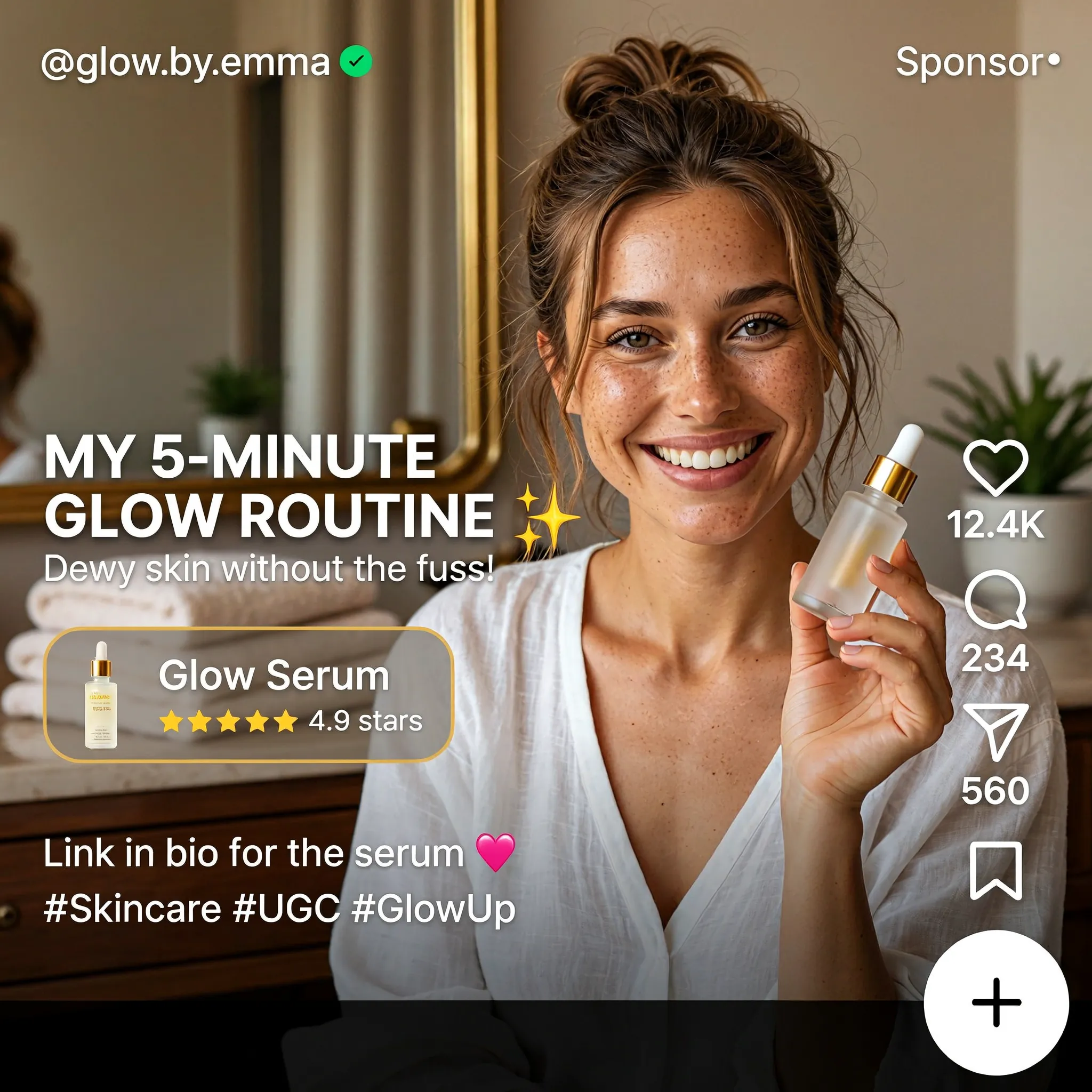
Create a square English-language skincare UGC advertisement styled as a short-video social media screen. Feature a smiling woman with brown hair in a casual bun, wearing a white blouse and holding a small glass serum bottle in a warmly lit home. Use natural skin texture and authentic handheld-video aesthetics. Add "MY 5-MINUTE GLOW ROUTINE", a translucent "Glow Serum" product card with a rating, the handle "@glow.by.emma", a small sponsored label, and familiar like, comment and share icons along the right edge. Keep the face and product clearly visible.
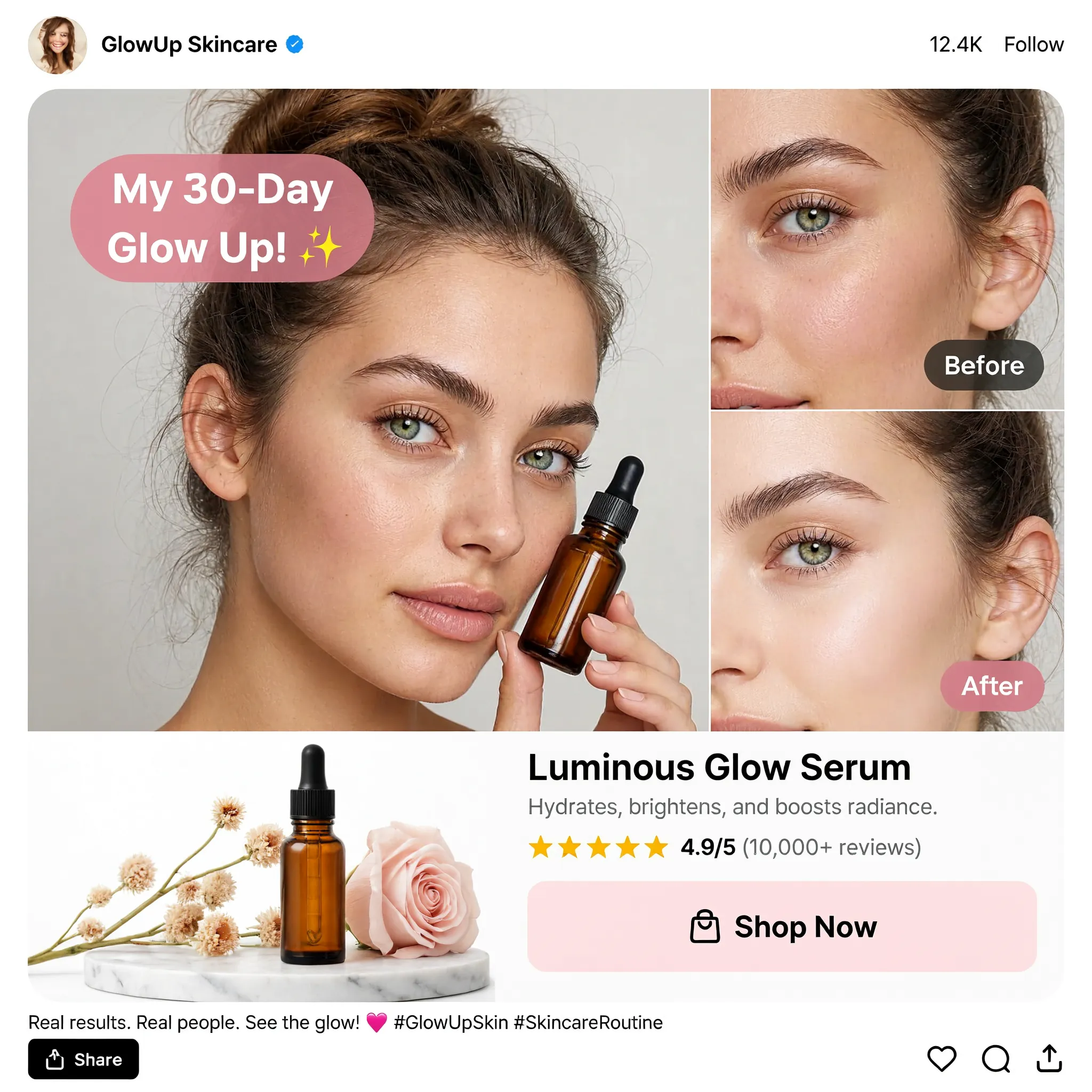
Design a square English skincare UGC social advertisement on a clean white background. Place a large portrait of a young woman holding an amber dropper bottle on the left and two stacked cheek close-ups labeled "Before" and "After" on the right. Add a pink speech bubble reading "My 30-Day Glow Up!", a product still life with flowers, the product name "Luminous Glow Serum", a star rating and a "Shop Now" button. Use realistic beauty photography, warm neutral tones, restrained pink accents and a compact social-post header and footer.

Create a square image showing a narrow mobile landing-page design centered on a warm off-white background. Use the brand name "BrandX" and the headline "TURN YOUR VIDEOS INTO ADVERTISING". Build the page with a creator video portrait, a compact workflow diagram, three UGC content example cards and a bright pink "Join the Campaign" button. Combine white cards, black sans-serif text, rounded corners and pink interface accents. Show all copy in English and maintain generous empty margins around the mobile page.
Change the Setting
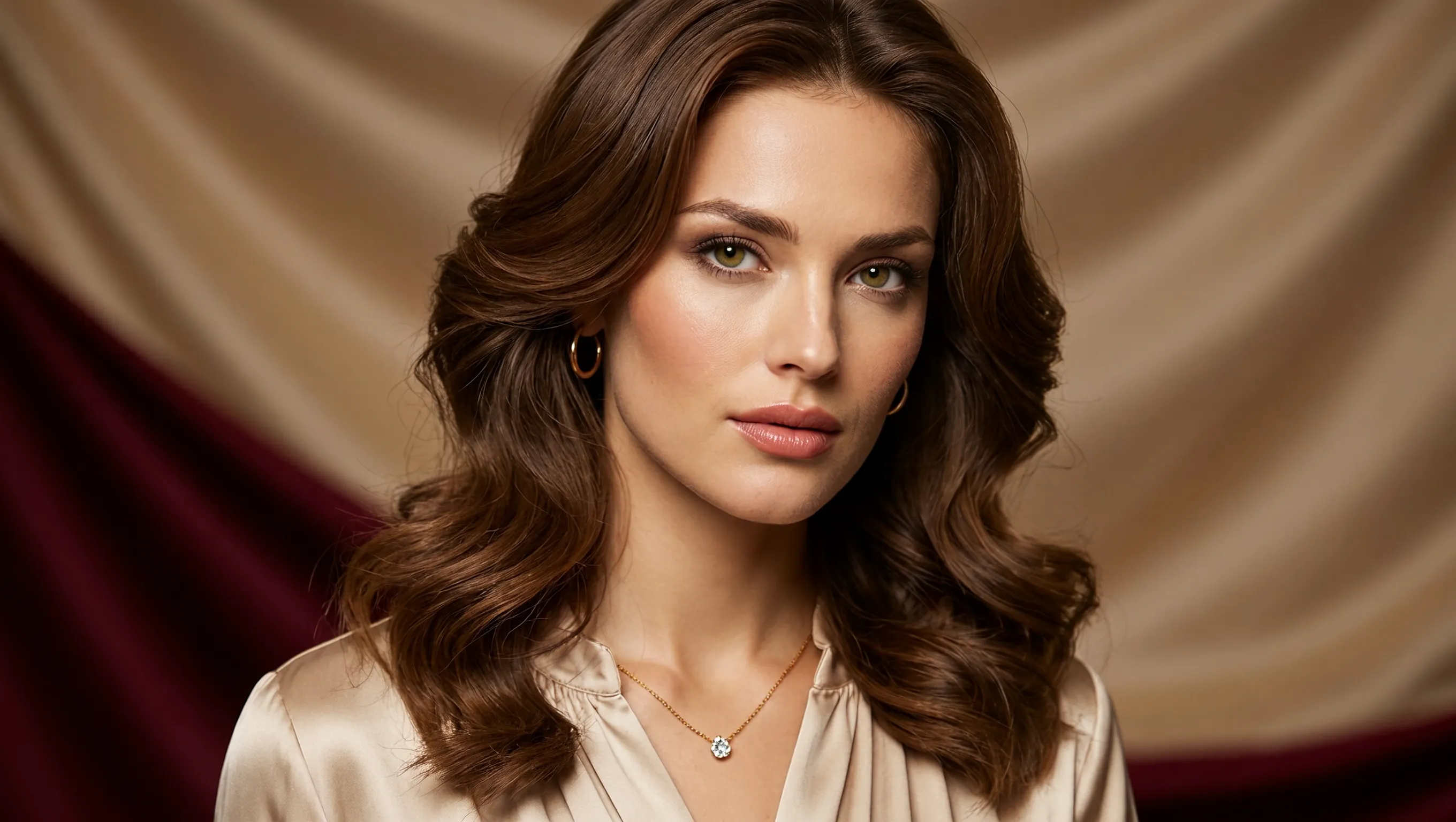
Create a photorealistic horizontal portrait of a European woman aged 20 to 25 with long wavy brown hair, light green eyes and delicate natural makeup. She wears a cream satin blouse and a fine gold necklace, looking calmly toward the camera. Use warm studio light, detailed skin texture and a softly draped champagne-colored fabric background. Frame her head and shoulders in a wide 16:9 composition.
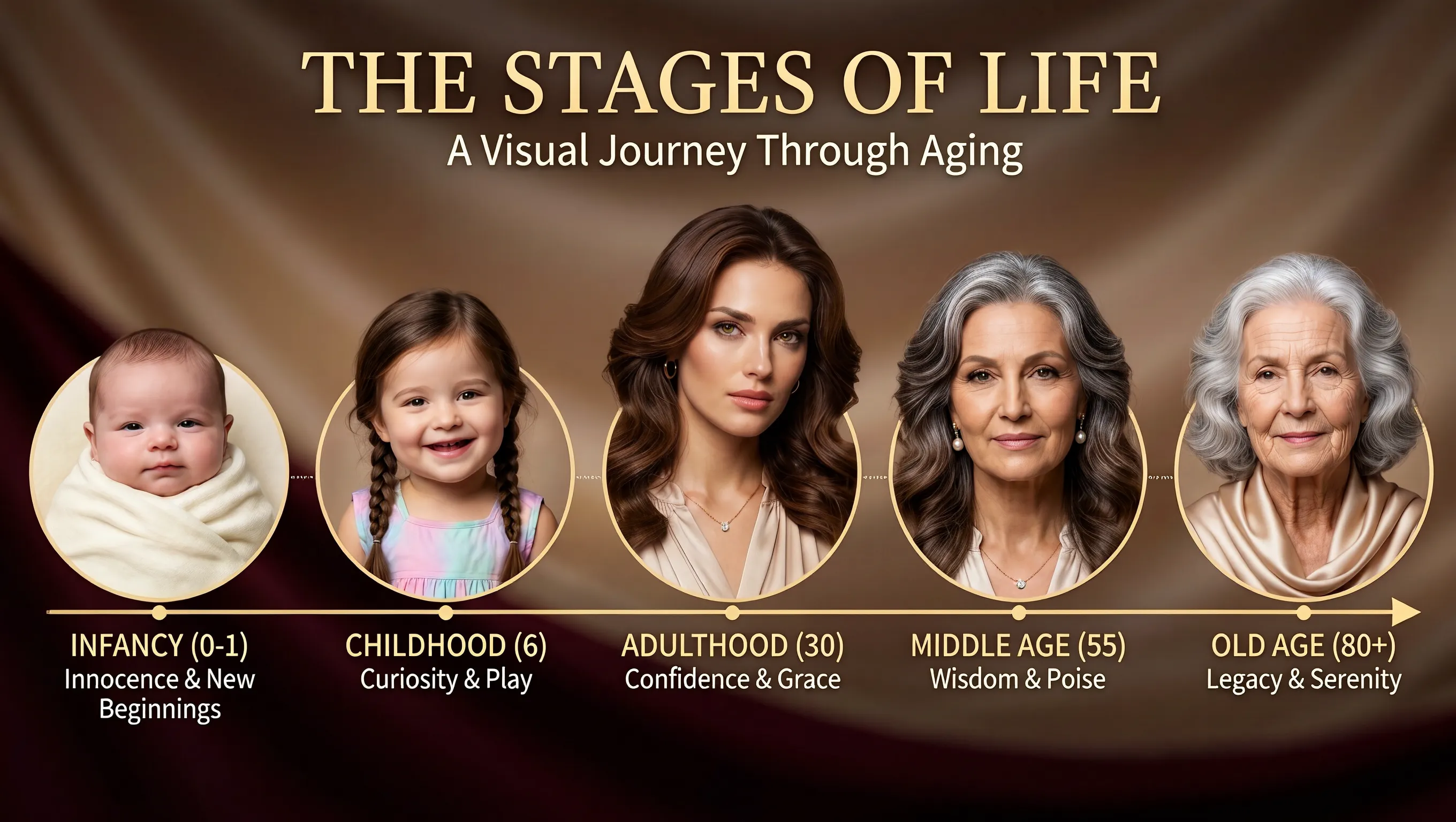
Using the supplied portrait as the identity reference, create a horizontal age-progression presentation showing the same person from infancy to old age. Arrange five oval portraits across a warm brown draped background: infancy, childhood, adulthood, middle age and old age. Preserve recognizable facial features across the stages while changing age, hair and clothing naturally. Add the title "THE STAGES OF LIFE", the subtitle "A Visual Journey Through Aging", and short English labels beneath each portrait. Keep the layout clear and all text in English.
Reposition the Headline
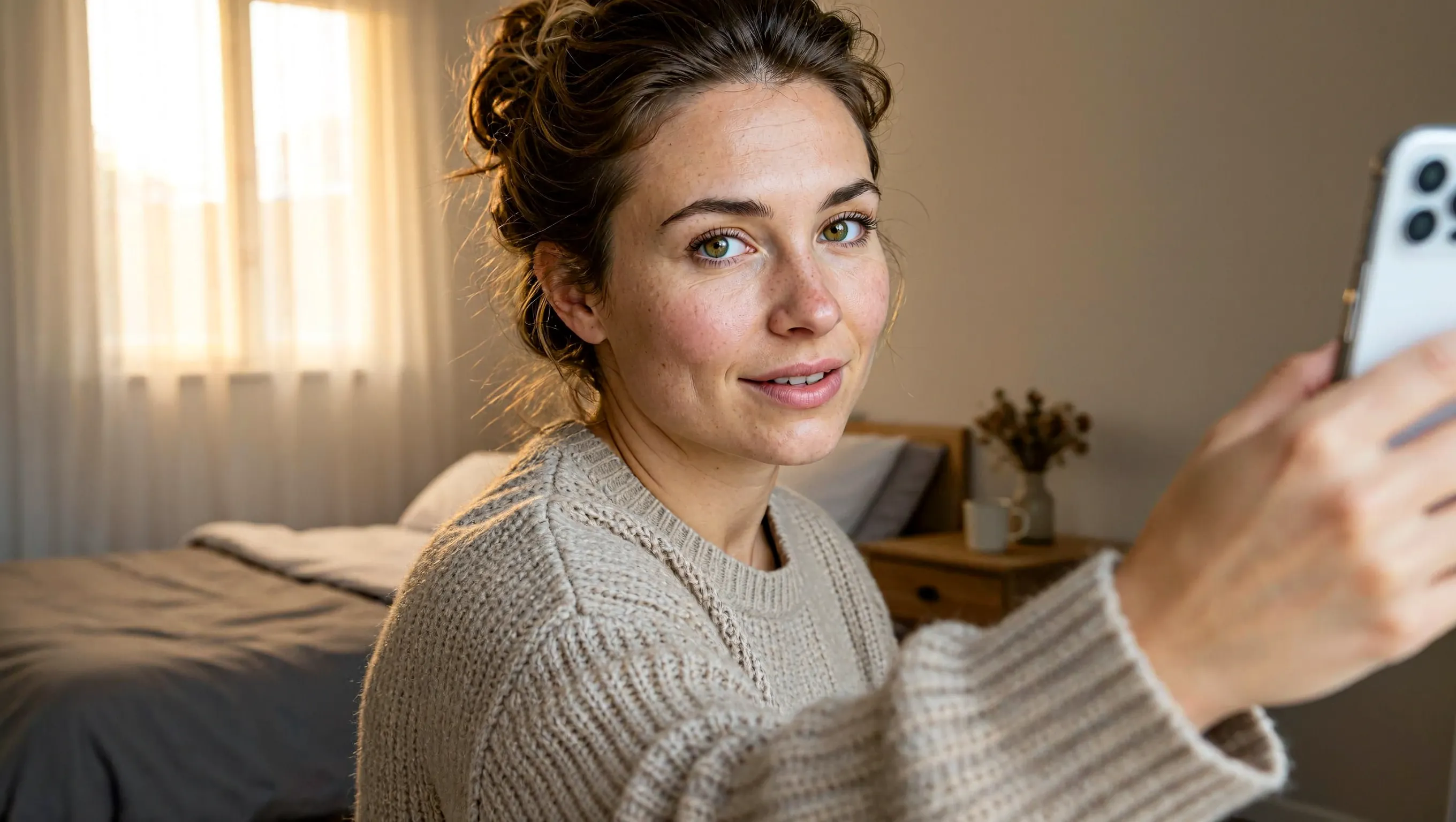
Create a realistic horizontal photograph of a makeup-free young European woman taking a smartphone selfie in her bedroom. She has loosely tied brown hair, green eyes, visible freckles and natural skin texture, and wears a light beige knitted sweater. Show her from the chest up at a casual selfie angle, with the phone and extended hand visible at the right. Include an unmade bed, a wooden bedside table and soft warm daylight through a curtained window. Use a candid, unretouched everyday look.
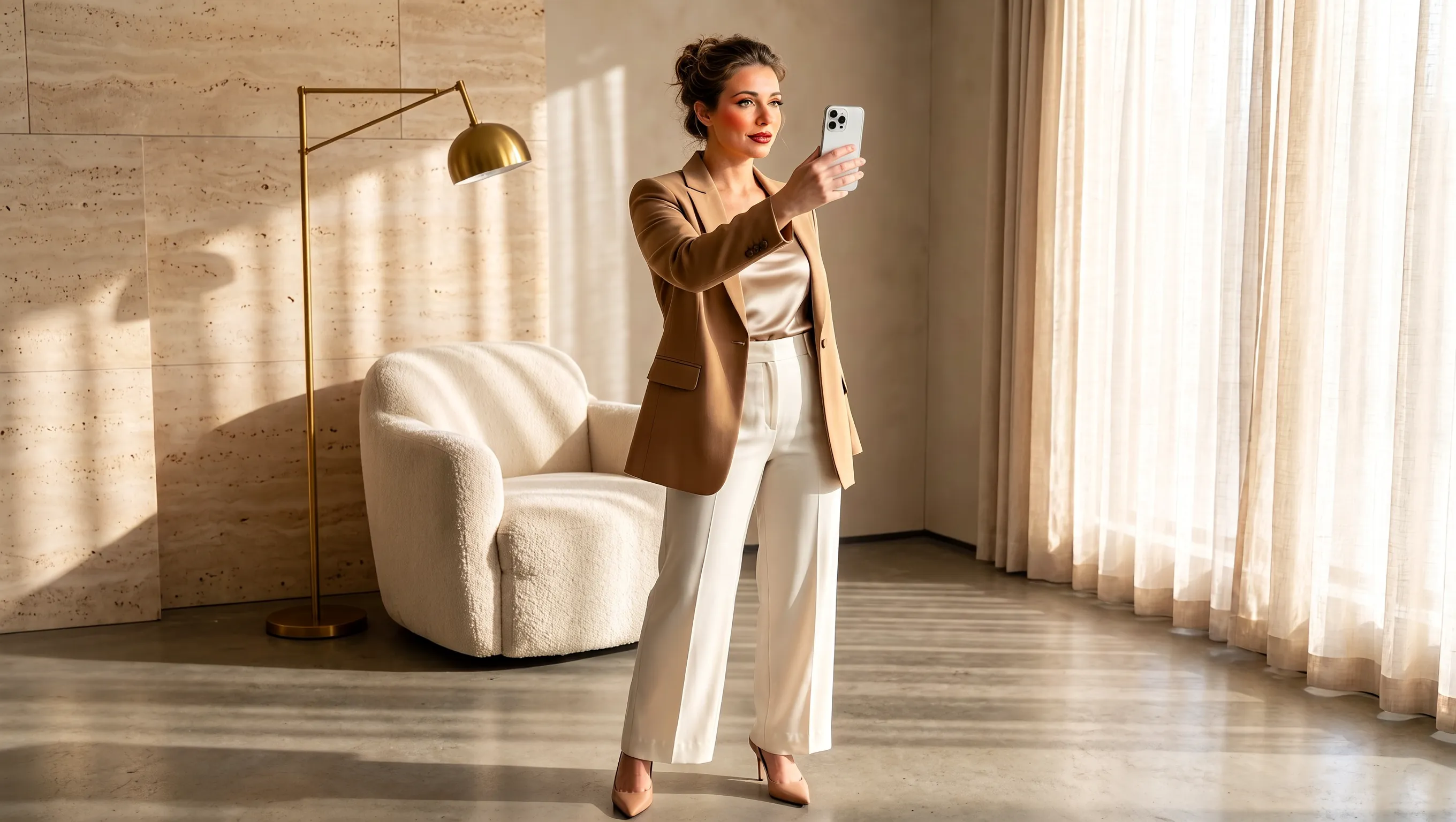
Using the supplied selfie, design makeup and a complete outfit suited to the same woman. Preserve her facial identity and loosely tied brown hair. Dress her in a tailored camel blazer over an ivory top, cream cropped trousers and beige pointed heels, with subtle polished makeup and minimal jewelry. Show a full-body smartphone mirror selfie in a refined sunlit beige interior with a rounded armchair, pale rug, light curtains and stone surfaces. Adjust the background to complement the outfit while keeping the same person recognizable. Use a horizontal composition.
Build a Product Image from Brief to Export
Choose how to start, give each reference a role, and set the canvas for the image you want to make.
Create from a Written Idea
Describe the product, materials, lighting, and intended mood to develop a campaign concept from text. Include the customer context to give the first image a clear direction.
Give Each Reference a Role
Use one reference for the product, another for the setting, and another for the palette. Identify the packaging details each image contributes to the campaign brief.
Compose for the Destination
Choose a square, landscape, or portrait canvas before generating. Describe where the main subject should sit and how much surrounding space the finished placement needs.
Choose the Detail for Your Final Image
Generate at 1K, 2K, or 4K to suit your project. Export the selected image as a PNG for the next stage of your design workflow.
Product Visuals for Launches, Storefronts, and Social Campaigns
Give each image a job in your campaign, from introducing a new item to explaining how it fits into everyday life.
Product Launch Announcements
Introduce a new item with its name, a key feature, and a campaign message. Describe the information hierarchy so the product and launch details are easy to find.
Storefront Collection Images
Present a product family or bundle in one scene. Name each item and its place in the arrangement to communicate what the collection includes.
Everyday Product Stories
Show a product in the context of a daily routine, such as a bottle beside a bathroom sink or a drink on a breakfast table. Describe the activity and props that make the use clear.
Campaign Pitch Boards
Give a team a concrete image of a proposed promotion. Include the audience, occasion, and visual theme so collaborators can discuss the campaign before developing it further.
How to Use MiniMax H3 Image
Take a brief or reference image through generation, review, and export on UGC Maker.
Write a Brief or Add References
Describe your product photo or social ad. For an edit, upload references and state what to change and which details to keep.
Set the Frame and Resolution
Choose one of nine aspect ratios and select 1K, 2K, or 4K. The page starts with a square canvas at 2K.
Generate and Review
Review the packaging, label text, and composition, then download the PNG. To make another revision, upload the result and describe the next change.