商品写真やSNS広告を作るMiniMax H3 AI画像生成ツール
UGC MakerのMiniMax H3 Imageで商品の制作ブリーフをキャンペーン画像に。テキストから生成するほか、商品と背景の参照画像を組み合わせたり、変更点を指示して既存のカットを修正したりできます。
一つの商品広告でスタイル、背景、レイアウトを試す
アンバー色のボトルを使った三通りの表現、日差しの入る棚への移動、見出しの位置変更を見比べてみましょう。各プロンプトを読むと、画像ごとに広告の指示がどう変わるか分かります。
三通りのビジュアル表現
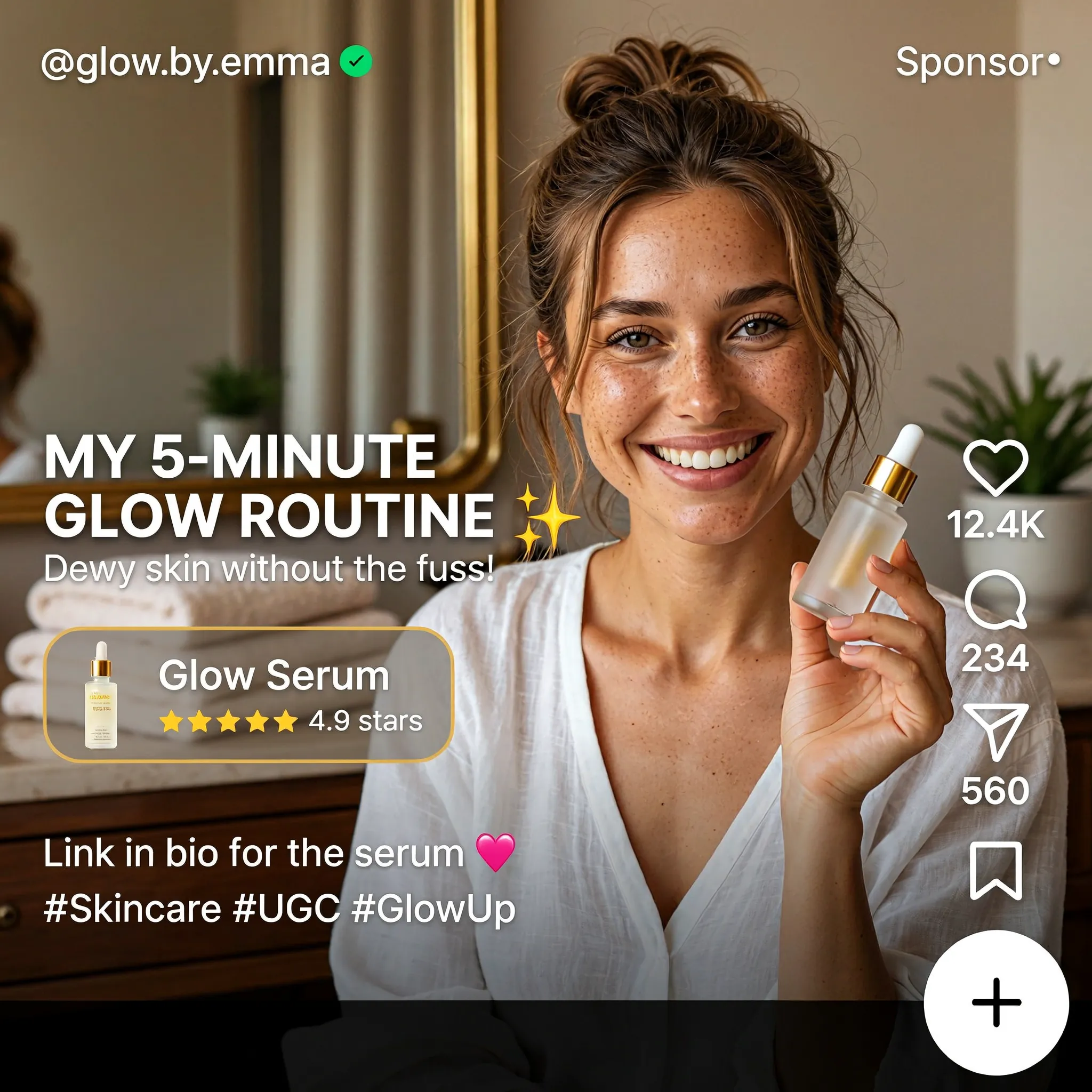
Create a square English-language skincare UGC advertisement styled as a short-video social media screen. Feature a smiling woman with brown hair in a casual bun, wearing a white blouse and holding a small glass serum bottle in a warmly lit home. Use natural skin texture and authentic handheld-video aesthetics. Add "MY 5-MINUTE GLOW ROUTINE", a translucent "Glow Serum" product card with a rating, the handle "@glow.by.emma", a small sponsored label, and familiar like, comment and share icons along the right edge. Keep the face and product clearly visible.
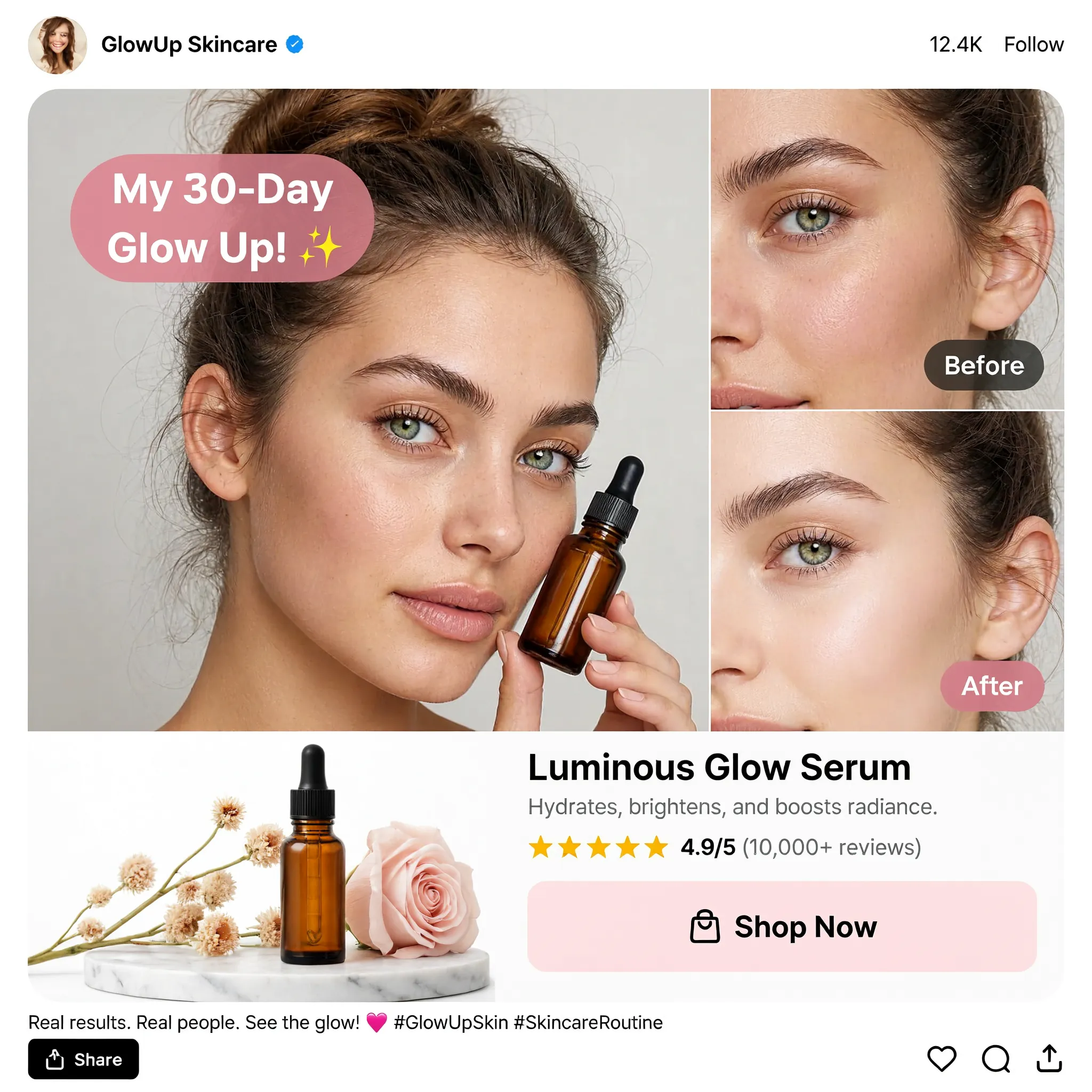
Design a square English skincare UGC social advertisement on a clean white background. Place a large portrait of a young woman holding an amber dropper bottle on the left and two stacked cheek close-ups labeled "Before" and "After" on the right. Add a pink speech bubble reading "My 30-Day Glow Up!", a product still life with flowers, the product name "Luminous Glow Serum", a star rating and a "Shop Now" button. Use realistic beauty photography, warm neutral tones, restrained pink accents and a compact social-post header and footer.
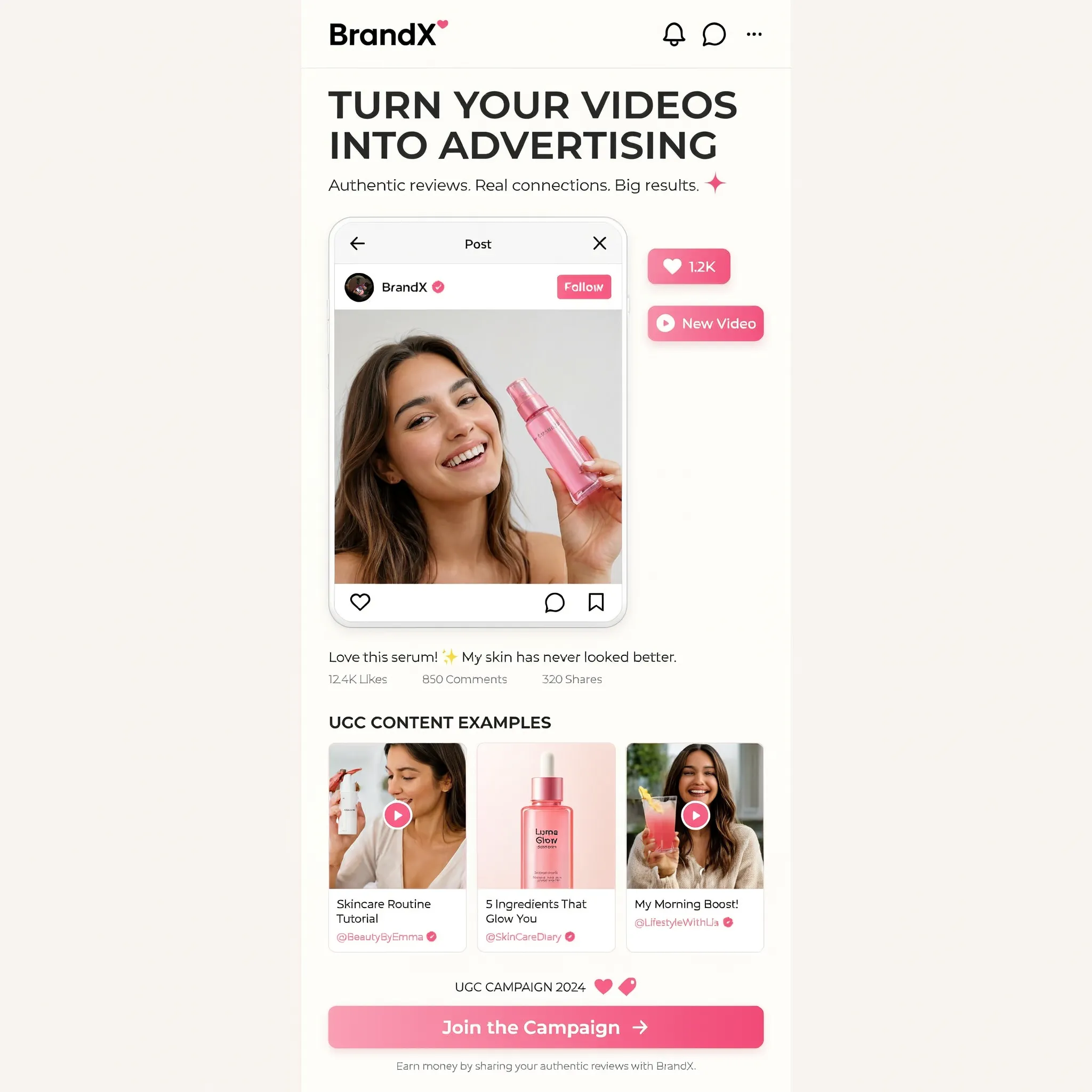
Create a square image showing a narrow mobile landing-page design centered on a warm off-white background. Use the brand name "BrandX" and the headline "TURN YOUR VIDEOS INTO ADVERTISING". Build the page with a creator video portrait, a compact workflow diagram, three UGC content example cards and a bright pink "Join the Campaign" button. Combine white cards, black sans-serif text, rounded corners and pink interface accents. Show all copy in English and maintain generous empty margins around the mobile page.
背景を変える
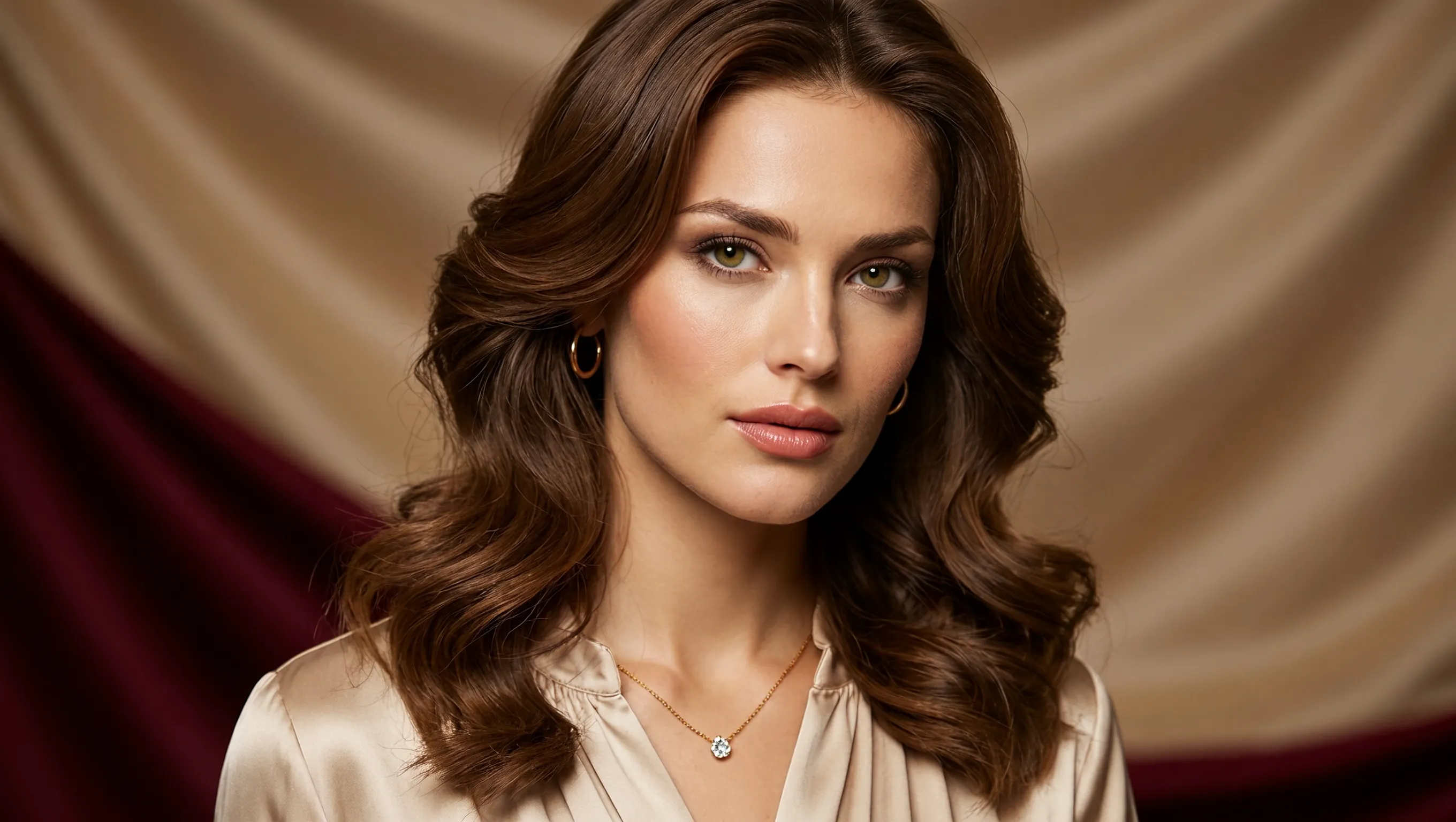
Create a photorealistic horizontal portrait of a European woman aged 20 to 25 with long wavy brown hair, light green eyes and delicate natural makeup. She wears a cream satin blouse and a fine gold necklace, looking calmly toward the camera. Use warm studio light, detailed skin texture and a softly draped champagne-colored fabric background. Frame her head and shoulders in a wide 16:9 composition.
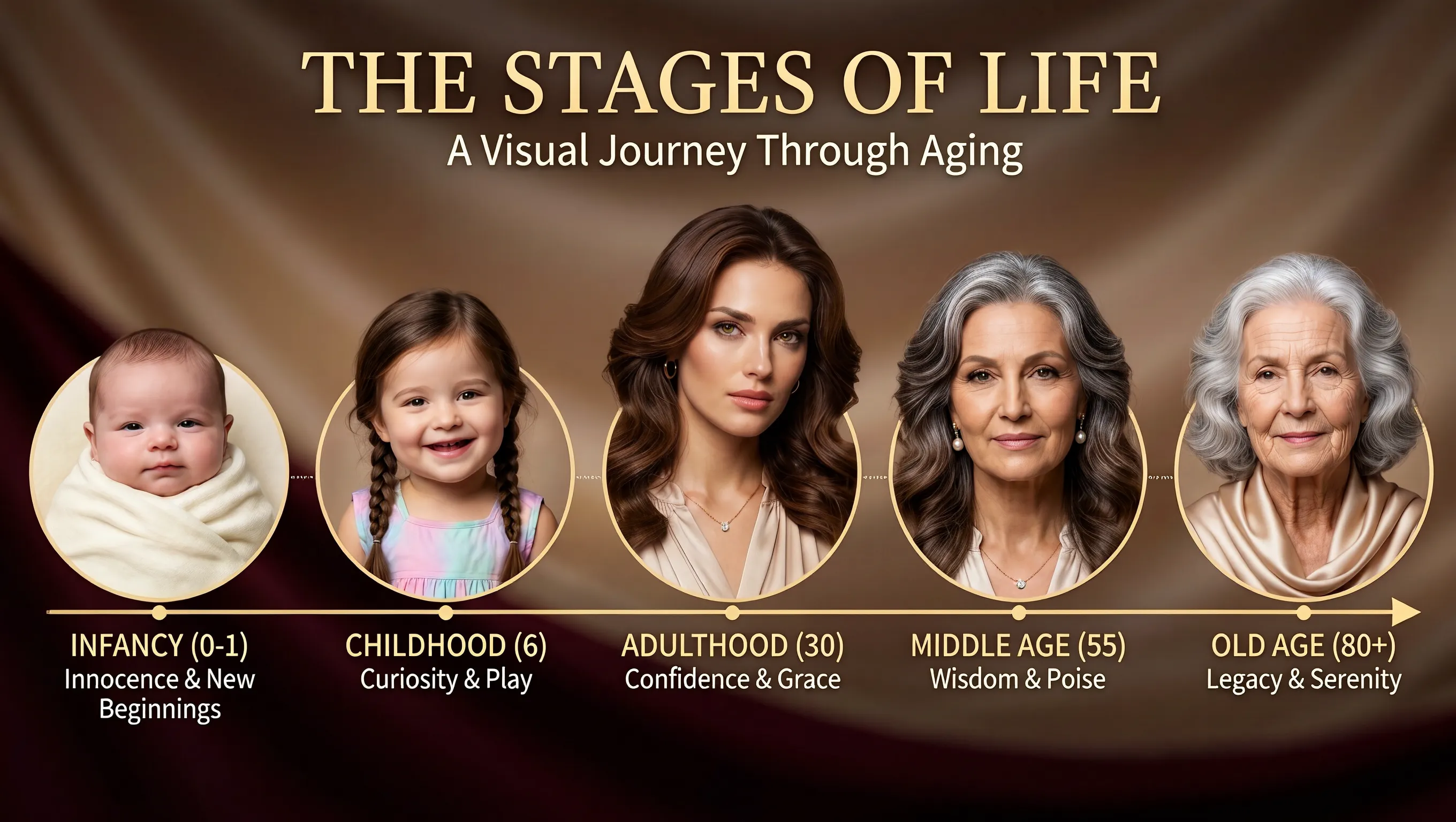
Using the supplied portrait as the identity reference, create a horizontal age-progression presentation showing the same person from infancy to old age. Arrange five oval portraits across a warm brown draped background: infancy, childhood, adulthood, middle age and old age. Preserve recognizable facial features across the stages while changing age, hair and clothing naturally. Add the title "THE STAGES OF LIFE", the subtitle "A Visual Journey Through Aging", and short English labels beneath each portrait. Keep the layout clear and all text in English.
見出しの位置を変える
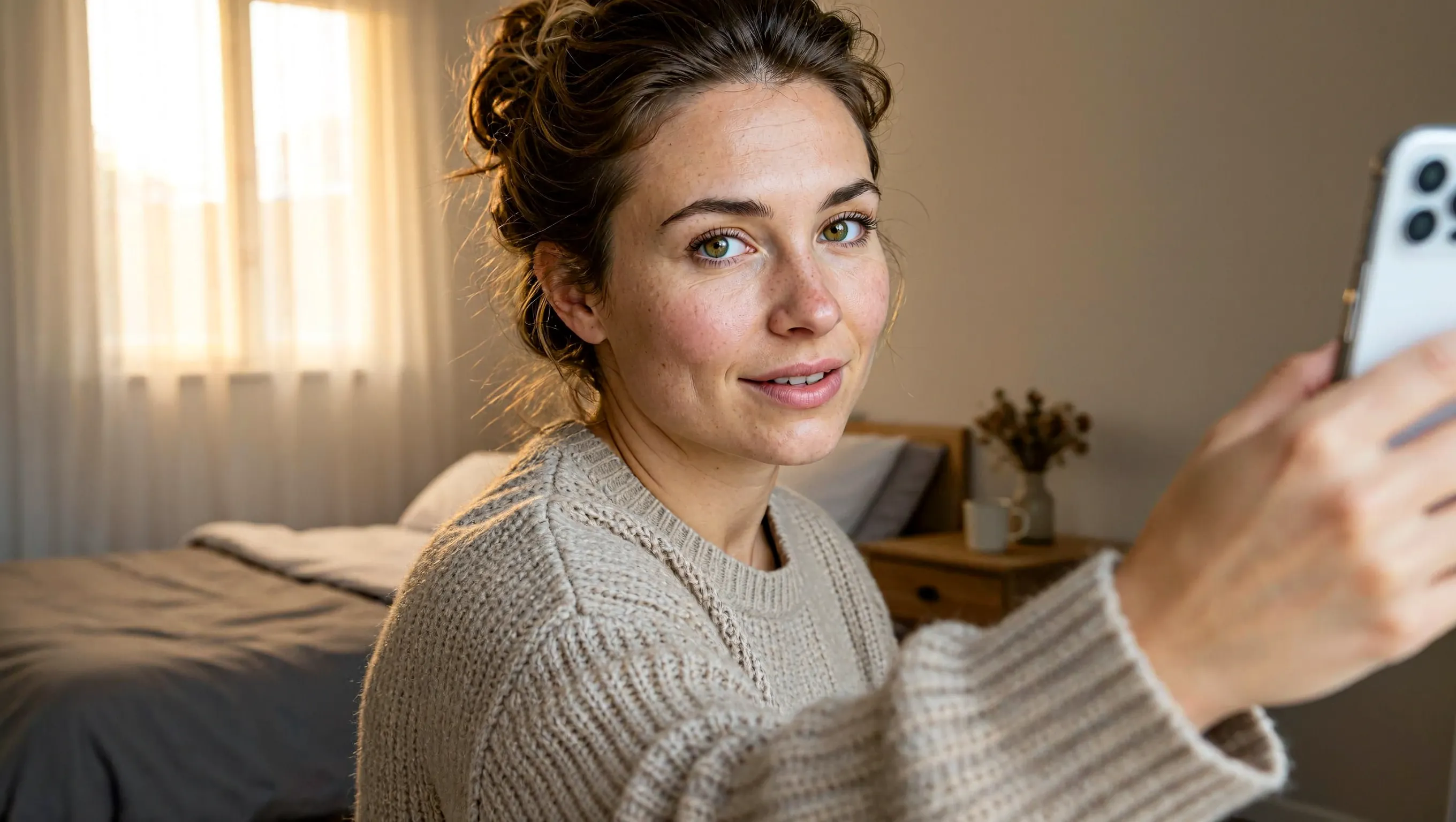
Create a realistic horizontal photograph of a makeup-free young European woman taking a smartphone selfie in her bedroom. She has loosely tied brown hair, green eyes, visible freckles and natural skin texture, and wears a light beige knitted sweater. Show her from the chest up at a casual selfie angle, with the phone and extended hand visible at the right. Include an unmade bed, a wooden bedside table and soft warm daylight through a curtained window. Use a candid, unretouched everyday look.
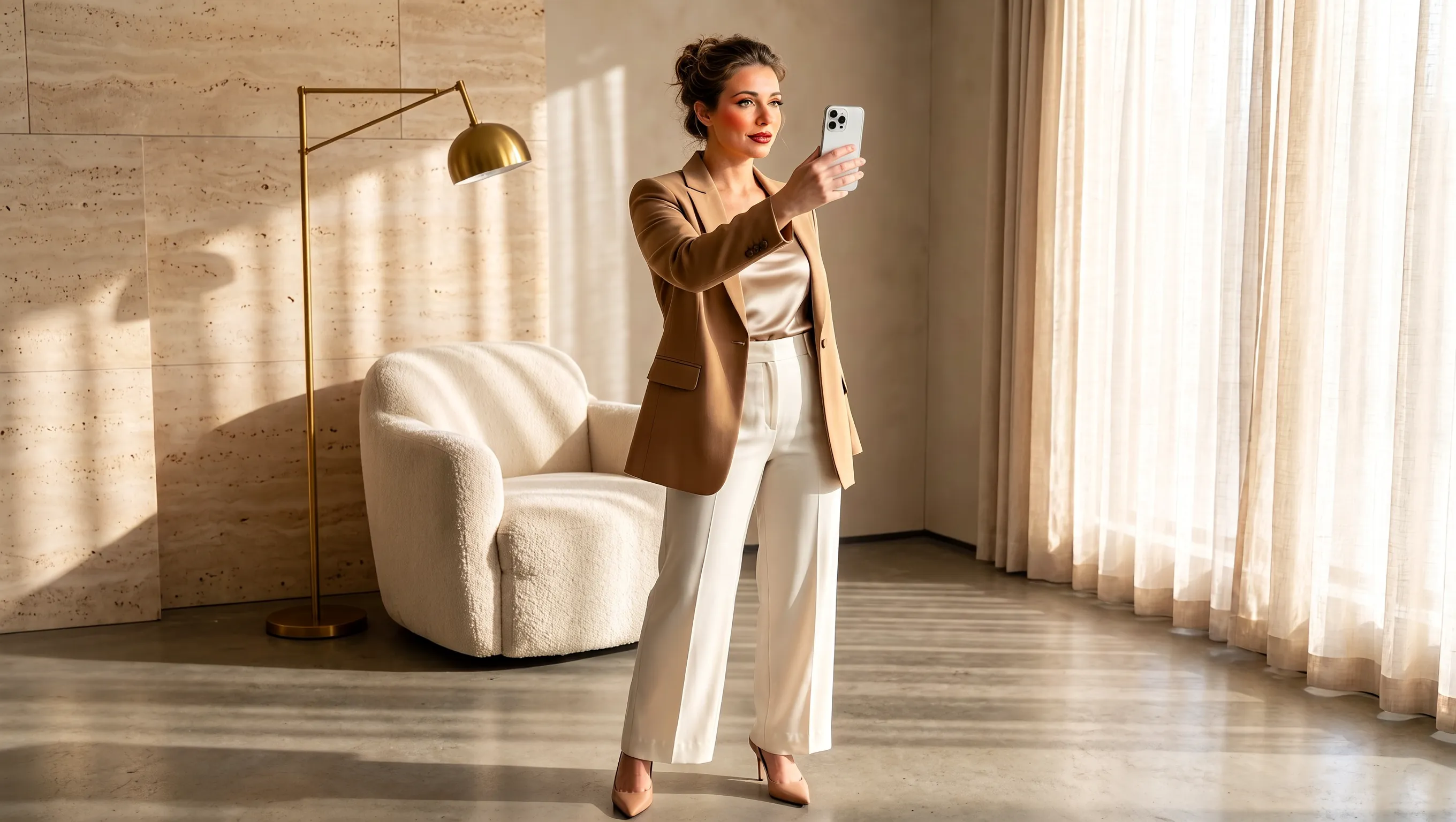
Using the supplied selfie, design makeup and a complete outfit suited to the same woman. Preserve her facial identity and loosely tied brown hair. Dress her in a tailored camel blazer over an ivory top, cream cropped trousers and beige pointed heels, with subtle polished makeup and minimal jewelry. Show a full-body smartphone mirror selfie in a refined sunlit beige interior with a rounded armchair, pale rug, light curtains and stone surfaces. Adjust the background to complement the outfit while keeping the same person recognizable. Use a horizontal composition.
商品画像を制作ブリーフから書き出しまで作成
作り始める方法を選び、参照画像の役割を決めて、作りたい画像に合うキャンバスを設定しましょう。
文章のアイデアから作る
商品、素材、照明、出したい雰囲気を文章で伝え、キャンペーンのアイデアを形にします。想定する顧客や利用場面も書くと、最初の画像の方向性が明確になります。
参照画像ごとに役割を決める
商品、背景、配色にそれぞれ別の参照画像を使います。各画像からどのパッケージの要素を広告に取り入れるか指定しましょう。
掲載先に合わせて構図を決める
生成前に正方形、横長、縦長のキャンバスを選びます。主役を置く位置と、掲載先に合わせて周囲にどれくらい余白を残すかを伝えましょう。
仕上がりに合わせて解像度を選ぶ
プロジェクトに合わせて1K、2K、4Kから解像度を選んで生成します。選んだ画像をPNGで書き出し、次のデザイン工程に進めます。
商品発売、ストア、SNSキャンペーン向けの商品ビジュアル
新商品の紹介から日常での使い方の説明まで、キャンペーンの各画像に役割を持たせましょう。
新商品の発売告知
商品名、主な特徴、キャンペーンのメッセージを添えて新商品を紹介します。情報の優先順位を伝え、商品や発売情報が見つけやすい構成にしましょう。
オンラインストアの商品コレクション画像
シリーズ商品やセット商品を一つのシーンで紹介します。各商品名と配置を指定して、コレクションの中身を分かりやすく伝えましょう。
日常に溶け込む商品のストーリー
洗面台のそばのボトルや朝食のテーブルの飲み物など、日常の場面で商品を見せます。使い方が分かるように、動作や小物も指定しましょう。
キャンペーン提案用のボード
プロモーション案のイメージを具体的な画像にしてチームと共有します。対象者、使う場面、ビジュアルのテーマを示し、制作を進める前に意見を交わせるようにします。
MiniMax H3 Imageの使い方
UGC Makerで、制作ブリーフや参照画像をもとに生成、確認、書き出しまで進められます。
制作ブリーフを書くか参照画像を追加
作りたい商品写真やSNS広告を説明します。編集する場合は参照画像をアップロードし、変更したい点と残したい要素を伝えます。
画面の比率と解像度を設定
九種類のアスペクト比から選び、解像度を1K、2K、4Kのいずれかに設定します。初期設定は正方形のキャンバスで解像度は2Kです。
生成して確認
パッケージ、ラベルの文字、構図を確認してからPNGをダウンロードします。さらに修正する場合は、生成結果をアップロードして次の変更点を伝えます。