GPT Image 2 AI Image Generator: OpenAIの高度な画像モデル
GPT Image 2 AI Image Generatorは、無料のオンライン画像作成に対応するOpenAIの最先端画像生成・編集モデルです。テキストプロンプトや画像入力から、高速で高品質なビジュアルを作成できるよう設計されています。リアルなシーン、洗練された商品ビジュアル、読みやすいポスターテキスト、きれいなラベル、指示に忠実な精密編集の制作を支援します。

GPT Image 2 AI Image Modelの紹介
GPT Image 2 AI Image Modelは、柔軟な画像サイズ、高忠実度の画像入力サポート、現代的なビジュアルワークフローに役立つ実用的なクリエイティブコントロールを備えた、高度なテキストから画像生成と画像編集を提供します。
GPT Image 2 AI Image Modelの主な機能
プロンプトコントロール、参照画像入力、柔軟なサイズ指定、構図を意識したクリエイティブな改善に対応する、高度なOpenAI画像生成・編集機能。
パーソナライズされたプロンプトと参照入力

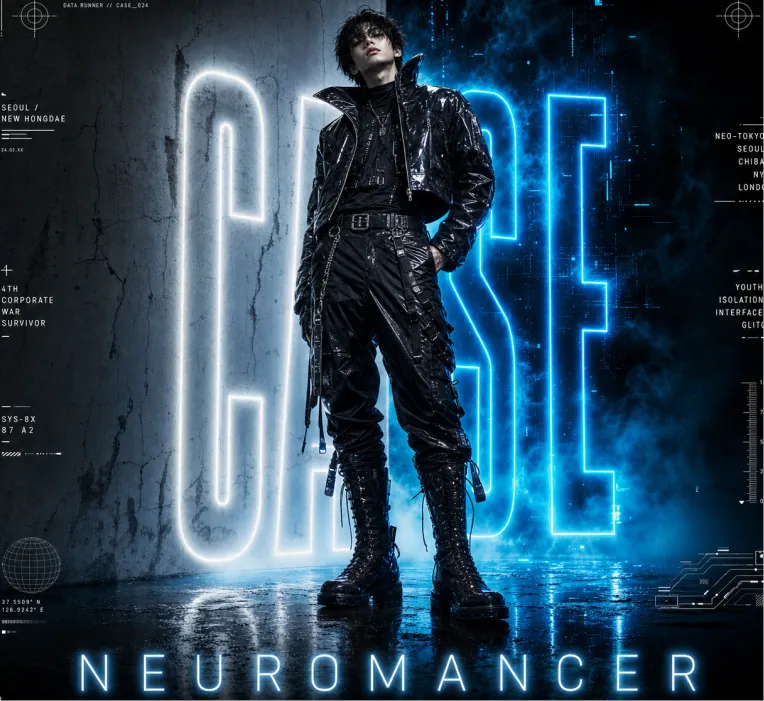
Vertical cyberpunk fashion editorial poster for NEUROMANCER. Full-body young male cyberpunk model standing center, slightly leaning back, one hand in pocket. Messy dark hair, full black futuristic outfit: shiny cropped high-collar leather jacket, layered shirt, belted utility pants with zippers & straps, metal buckle belt, tall lace-up combat boots, hanging accessories. Wet reflective textures. Canvas: Portrait 4:5 poster, glossy cinematic lighting, low upward camera angle, heroic towering figure. Dark blue, black, white, electric cyan palette. High resolution.Background: Split scene — pale cracked concrete wall left, smoky blue-black digital void right. Huge vertical neon-outline letters "CASE" behind model (partially hidden), white left / electric cyan right, strong bloom glow. Blue ground fog, wet reflective floor mirroring neon and boots.Poster text: Bottom center — wide-spaced glowing "NEUROMANCER". Thin horizontal rules + 5 footer groups: “NM-024 DATA COLLECTION” // “SPRING / SUMMER 2025 COLLECTION” // “SYSTEM COLLAPSE USER AWAKENS” // “NEUROMANCER © ALL RIGHTS RESERVED”.Micro HUD: Add 12 small futuristic interface elements around margins — crosshairs (top L/R), “DATA RUNNER // CASE_024”, “SEOUL / NEW HONGDAE”, “4TH CORPORATE WAR SURVIVOR”, “SYS-8X 87 A2”, city list “NEO-TOKYO / SEOUL / CHIBA / NY / LONDON”, “YOUTH / ISOLATION / INTERFACE / GLITCH”, vertical scale, globe icon, schematic lines. Keep tiny and decorative.Style: Photorealistic fashion photography + graphic design, dystopian cyberpunk aesthetic, neon rim light, volumetric haze, high contrast, dramatic blue glow, scratched concrete. Avoid extra people, logos.

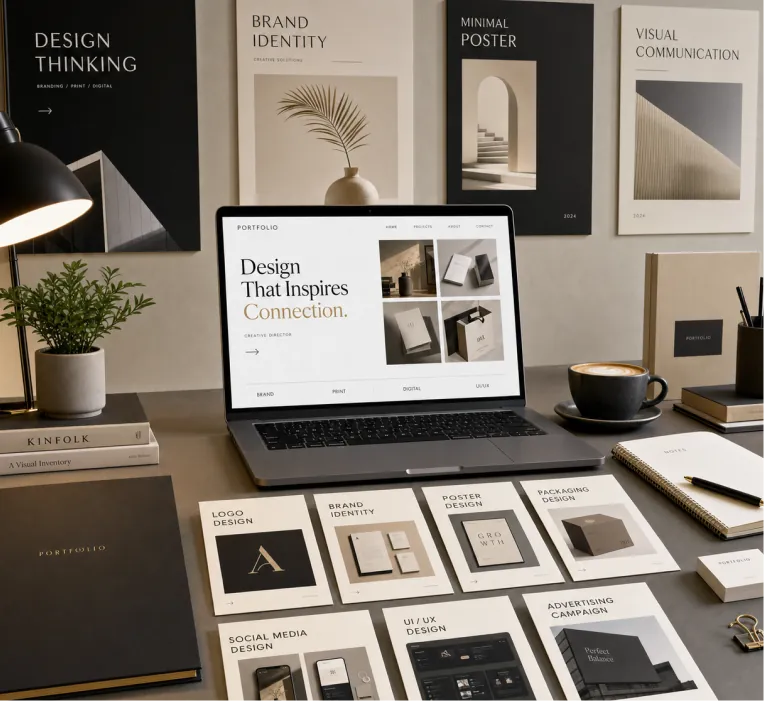
Create a premium graphic design portfolio mockup in a professional creative studio style. Show a clean, elegant workspace presentation featuring multiple graphic design project cards arranged in a refined grid layout, a modern laptop screen displaying a portfolio homepage, and several printed posters laid out neatly on the desk and mounted on the wall. Use a polished creative-director aesthetic with soft shadows, subtle depth, realistic materials, and a high-end studio atmosphere. Include sleek typography placeholders, branding samples, editorial-style poster designs, business cards, stationery, notebook, pen, coffee cup, desk lamp, and small plant for a realistic studio setup. The design should have a clean grid layout, balanced spacing, soft realistic shadows, premium lighting, and neutral luxury tones such as black, white, warm beige, gray, champagne, and cream. Make the laptop screen show a minimal portfolio interface with project thumbnails, navigation menu, and bold hero text. Add multiple portfolio project cards such as logo design, brand identity, poster design, packaging design, social media design, UI/UX design, and advertising campaign mockups. Arrange everything professionally with a modern minimalist style, sharp details, clean typography, elegant composition, and a premium creative agency presentation look. Style: high-end graphic design portfolio, modern creative studio, luxury branding mockup, clean desk setup, realistic shadows, editorial layout, minimalist premium design, professional presentation, 4K, ultra-detailed.
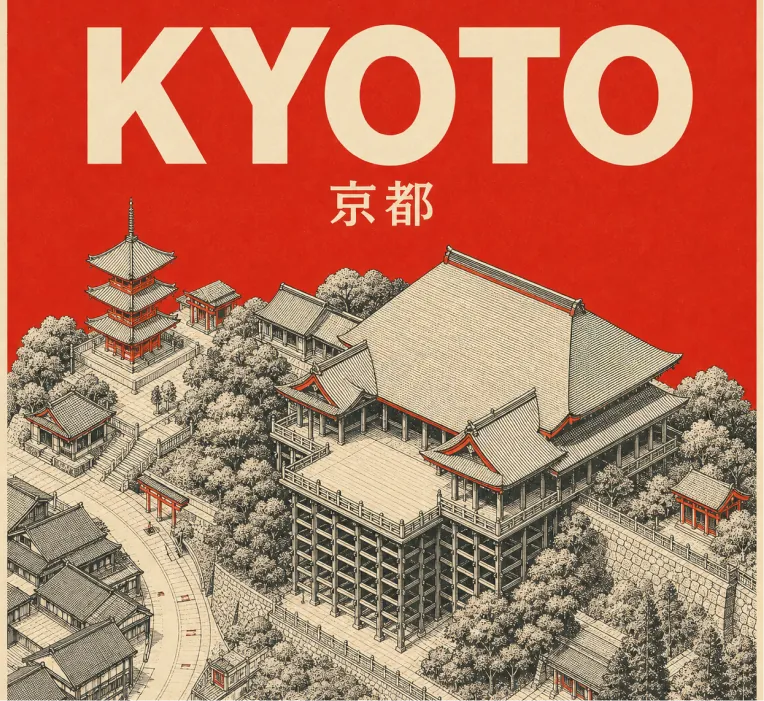
Design a square retro mid-century travel poster of KYOTO showcasing Kiyomizu-dera temple. Use a tight 3-color scheme only: cream-toned paper background, black technical line drawing, plus vermilion red accent. Aesthetic: minimalist isometric top-down aerial perspective of Kiyomizu-dera in Kyoto, with temple architecture, wooden stage, rooftops, paths, and surrounding simplified hillside/street geometry. Use very fine cross-hatching and visible silkscreen print grain. Color rules: fill the entire sky/background area behind the title and upper poster in flat solid vermilion red. Add small vermilion red touches on rooftops, shrine details, street marks, and tiny architectural accents. Zero gradients allowed. No other colors. Typography: large bold sans-serif “KYOTO” at the top in cream, with the native city name “京都” set smaller in cream beneath it. Keep typography clean, centered, legible, and integrated with the poster. Composition: 1:1 square poster, landmark centered below the title, balanced negative space, clean border margins. Constraints: no gradients, no photorealism, no extra text, no logos, no watermark, no people, no cars. Strict palette: cream, black, vermilion red.
インテリジェントな画像編集と再生成

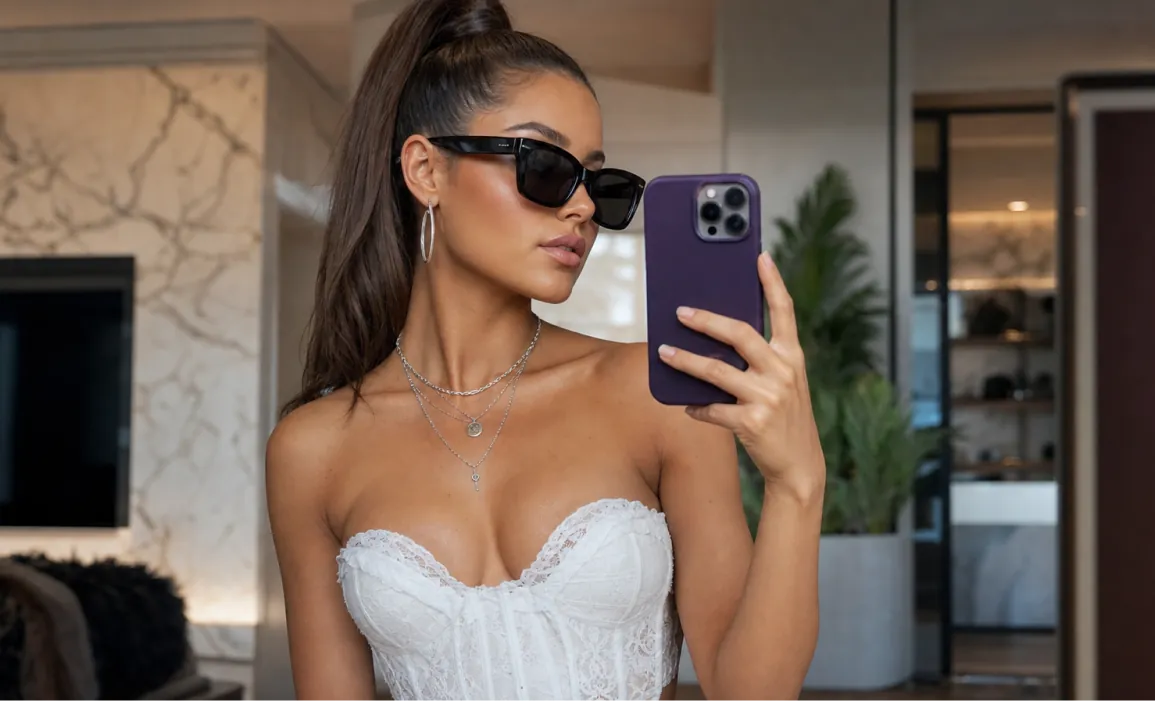
Highly detailed portrait of a stylish young woman taking a mirror selfie in a luxurious modern room, elegant sleek high ponytail hairstyle, wearing black oversized sunglasses, white corset top with delicate lace details, silver layered necklaces and hoop earrings, holding a purple smartphone in her right hand, natural confident pose, soft warm natural lighting, subtle makeup with glowing skin, Vogue fashion editorial style, sharp focus, realistic skin texture, depth of field, cinematic composition, 8k photorealistic, ultra detailed, shot on Sony A7R IV

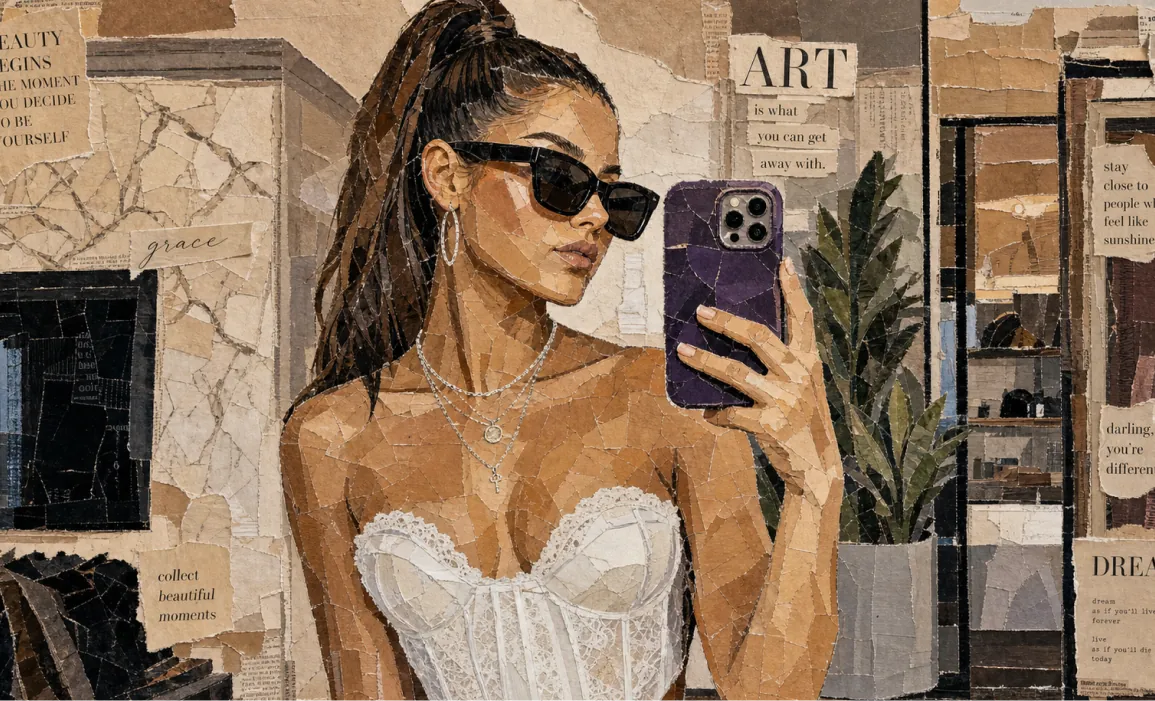
Aesthetic vintage paper collage portrait of a stylish woman taking a mirror selfie, made entirely from torn magazine and newspaper pieces, layered mixed-media artwork, neutral beige and brown tones, Vogue-inspired fashion editorial style, black sunglasses, sleek ponytail hairstyle, white corset top, silver jewelry, purple smartphone, textured ripped paper edges, handcrafted mosaic effect, realistic shadows and depth, chic typography cutouts, inspirational quotes scattered around, cozy luxury aesthetic, highly detailed analog collage art, soft warm lighting, Instagram moodboard vibe, premium editorial composition, ultra detailed, 4k Vintage breakfast aesthetic collage made from torn magazine and newspaper clippings, artistic mixed-media paper mosaic style, croissants on a plate with jam, black coffee in a dark cup, fresh fruits and berries, butter dish with knife, café table atmosphere, dark green textured background, ripped paper layers with visible cracks and folds, lifestyle editorial typography, cozy European café vibe, warm earthy tones, handcrafted scrapbook look, realistic paper texture, aesthetic Pinterest moodboard composition, soft cinematic lighting, luxury brunch aesthetic, ultra detailed, high realism, 4k collage art style
正確なレイアウト、読みやすい文字、視覚的な誘導

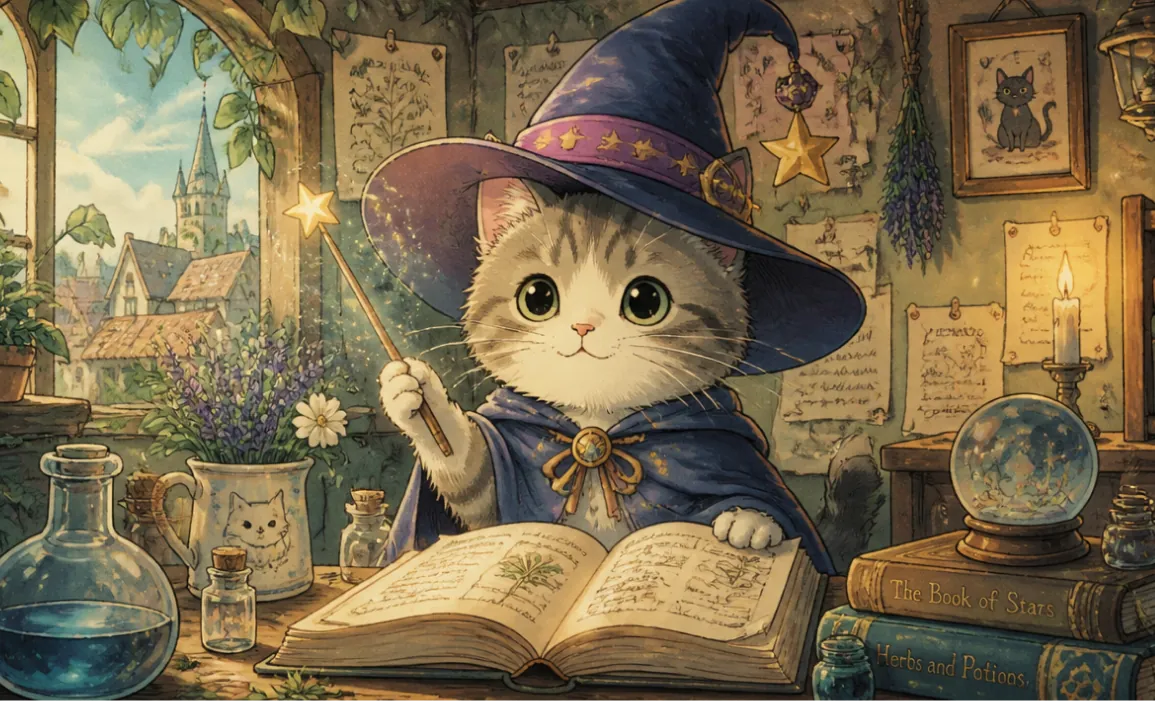
A cute cat wearing a magic hat, in the style of Hayao Miyazaki

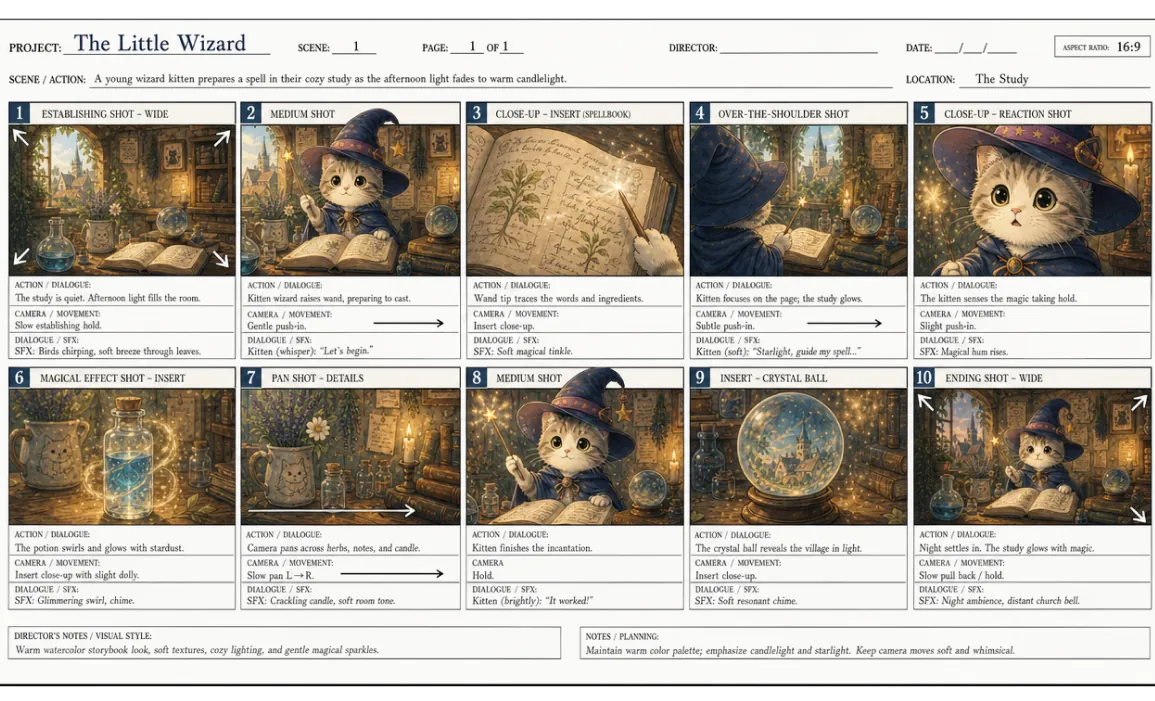
Based on the reference image, create a professional English storyboard with 10 annotated frames, suitable for rehearsals, director's guidance, and action or scene planning, in a 16:9 ratio.
GPT Image 2 AI画像ジェネレーターのメリット
OpenAIの高度なビジュアル知能と実用的な編集コントロールを組み合わせ、プロ品質のAI画像生成をより速く、わかりやすく、調整しやすくします。
高品質でリアルな画像生成
自然言語のプロンプトから、バランスの取れたライティング、説得力のあるディテール、洗練された構図を備えた、シャープで実写感のある画像を作成できます。
優れたプロンプト理解と指示追従
シーンのレイアウト、被写体の細部、スタイル指定、読みやすいポスター文字、商品ラベル、タイポグラフィ重視のデザイン要件など、詳細なクリエイティブ指示を一貫したビジュアルへ変換します。
柔軟なテキストから画像・画像から画像のワークフロー
テキストプロンプトだけでも、参考画像をアップロードしても、編集、ビジュアルのリミックス、商品コンセプト、キャラクターの見た目、ブランドに沿ったクリエイティブ素材を制作できます。
コンテンツチームのための効率的なクリエイティブ反復
プロンプトの改善、別案の再生成、比率の調整をすばやく行い、マーケティング、ソーシャルメディア、EC、ストーリーテリングに使えるビジュアルを書き出せます。
GPT Image 2 AI画像ジェネレーターの活用シーン
素早いビジュアル制作、正確な編集、制作に使えるコンセプトを必要とするクリエイター、マーケター、ECチーム、教育者、デザイナーに最適な、無料オンラインAI画像ジェネレーターです。
ソーシャルメディアとクリエイター向けビジュアル制作
スクロールの手を止める投稿、サムネイル、プロフィール用ビジュアル、キャンペーン案、クリエイターコンテンツを、複数のスタイルとアスペクト比で生成できます。
広告・商品・EC向けクリエイティブ
詳細なプロンプトや参考画像から、商品シーン、広告コンセプト、ライフスタイルモックアップ、プロモーション用ビジュアルを制作できます。
デザインの下書きとビジュアルプロトタイピング
最終制作に進む前に、ブランドの方向性、ポスターレイアウト、プレゼン資料用グラフィック、パッケージ案、ビジュアルコンセプトを検討できます。
教育・解説・エディトリアル画像
複雑なアイデアをより明確に伝えるための図解、記事画像、授業用ビジュアル、情報量の多いグラフィックを作成できます。
GPT Image 2 AI画像ジェネレーターの使い方
GPT Image 2なら、テキストプロンプト、任意の参考画像、柔軟なアスペクト比、1024x1024、1024x1536、1536x1024などの一般的なサイズ、そして素早いビジュアル調整を使って、高品質な画像をオンラインで作成・編集できます。3つの簡単なステップで始められます。
プロンプトを入力し、参考画像をアップロード
被写体、スタイル、シーン、ライティング、文字、レイアウトなど、作りたい画像を説明します。ガイド付き編集が必要な場合は参考画像をアップロードしてください。
サイズを選んで生成
アスペクト比または画像サイズを選択し、プロンプト内容を確認して、生成をクリックします。プラットフォームが対応している場合は、洗練されたGPT Image 2の結果をPNG、WebP、JPEGでダウンロードできます。
調整して書き出し
プロンプトを調整し、バリエーションを再生成し、特定のディテールを編集して、プロジェクトやキャンペーン用の最終画像を書き出します。

GPT Image 2 AI画像ジェネレーターをTwitterで共有
OpenAIのGPT Image 2 AI画像ジェネレーターは、クリエイターが最新のOpenAI画像モデルで生成したリアルな画像、整ったテキストレイアウト、読みやすいポスター文字、商品ラベル、商品ビジュアル、プロンプトベースの編集、素早いクリエイティブ実験をX.comで共有することで注目を集めています。