GPT Image 2 AI Image Generator: Mô hình hình ảnh nâng cao của OpenAI
GPT Image 2 AI Image Generator là mô hình tạo và chỉnh sửa hình ảnh tiên tiến của OpenAI cho việc tạo ảnh trực tuyến miễn phí, được xây dựng để tạo hình ảnh nhanh, chất lượng cao từ prompt văn bản và đầu vào hình ảnh. Công cụ giúp creator tạo cảnh chân thực, hình ảnh sản phẩm chỉn chu, chữ poster dễ đọc, nhãn sạch đẹp và các bản chỉnh sửa tinh tế với khả năng tuân thủ hướng dẫn mạnh mẽ.

Giới thiệu GPT Image 2 AI Image Model
GPT Image 2 AI Image Model mang đến khả năng tạo ảnh từ văn bản và chỉnh sửa hình ảnh nâng cao, với kích thước ảnh linh hoạt, hỗ trợ đầu vào hình ảnh độ trung thực cao và khả năng kiểm soát sáng tạo thực tế cho các quy trình hình ảnh hiện đại.
Tính năng cốt lõi của GPT Image 2 AI Image Model
Khả năng tạo và chỉnh sửa hình ảnh nâng cao của OpenAI với kiểm soát prompt, đầu vào ảnh tham chiếu, kích thước linh hoạt và tinh chỉnh sáng tạo có nhận biết bố cục.
Prompt cá nhân hóa và đầu vào tham chiếu

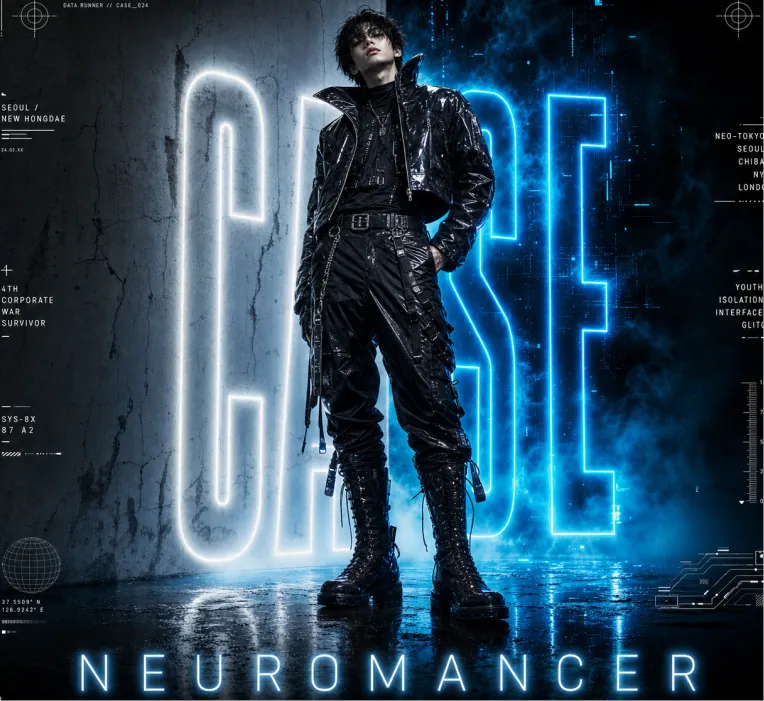
Vertical cyberpunk fashion editorial poster for NEUROMANCER. Full-body young male cyberpunk model standing center, slightly leaning back, one hand in pocket. Messy dark hair, full black futuristic outfit: shiny cropped high-collar leather jacket, layered shirt, belted utility pants with zippers & straps, metal buckle belt, tall lace-up combat boots, hanging accessories. Wet reflective textures. Canvas: Portrait 4:5 poster, glossy cinematic lighting, low upward camera angle, heroic towering figure. Dark blue, black, white, electric cyan palette. High resolution.Background: Split scene — pale cracked concrete wall left, smoky blue-black digital void right. Huge vertical neon-outline letters "CASE" behind model (partially hidden), white left / electric cyan right, strong bloom glow. Blue ground fog, wet reflective floor mirroring neon and boots.Poster text: Bottom center — wide-spaced glowing "NEUROMANCER". Thin horizontal rules + 5 footer groups: “NM-024 DATA COLLECTION” // “SPRING / SUMMER 2025 COLLECTION” // “SYSTEM COLLAPSE USER AWAKENS” // “NEUROMANCER © ALL RIGHTS RESERVED”.Micro HUD: Add 12 small futuristic interface elements around margins — crosshairs (top L/R), “DATA RUNNER // CASE_024”, “SEOUL / NEW HONGDAE”, “4TH CORPORATE WAR SURVIVOR”, “SYS-8X 87 A2”, city list “NEO-TOKYO / SEOUL / CHIBA / NY / LONDON”, “YOUTH / ISOLATION / INTERFACE / GLITCH”, vertical scale, globe icon, schematic lines. Keep tiny and decorative.Style: Photorealistic fashion photography + graphic design, dystopian cyberpunk aesthetic, neon rim light, volumetric haze, high contrast, dramatic blue glow, scratched concrete. Avoid extra people, logos.

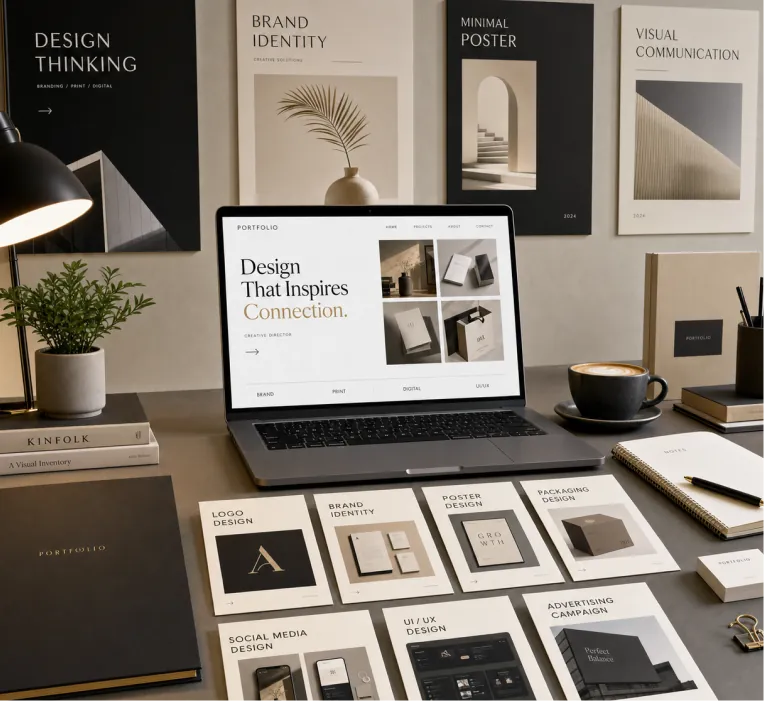
Create a premium graphic design portfolio mockup in a professional creative studio style. Show a clean, elegant workspace presentation featuring multiple graphic design project cards arranged in a refined grid layout, a modern laptop screen displaying a portfolio homepage, and several printed posters laid out neatly on the desk and mounted on the wall. Use a polished creative-director aesthetic with soft shadows, subtle depth, realistic materials, and a high-end studio atmosphere. Include sleek typography placeholders, branding samples, editorial-style poster designs, business cards, stationery, notebook, pen, coffee cup, desk lamp, and small plant for a realistic studio setup. The design should have a clean grid layout, balanced spacing, soft realistic shadows, premium lighting, and neutral luxury tones such as black, white, warm beige, gray, champagne, and cream. Make the laptop screen show a minimal portfolio interface with project thumbnails, navigation menu, and bold hero text. Add multiple portfolio project cards such as logo design, brand identity, poster design, packaging design, social media design, UI/UX design, and advertising campaign mockups. Arrange everything professionally with a modern minimalist style, sharp details, clean typography, elegant composition, and a premium creative agency presentation look. Style: high-end graphic design portfolio, modern creative studio, luxury branding mockup, clean desk setup, realistic shadows, editorial layout, minimalist premium design, professional presentation, 4K, ultra-detailed.
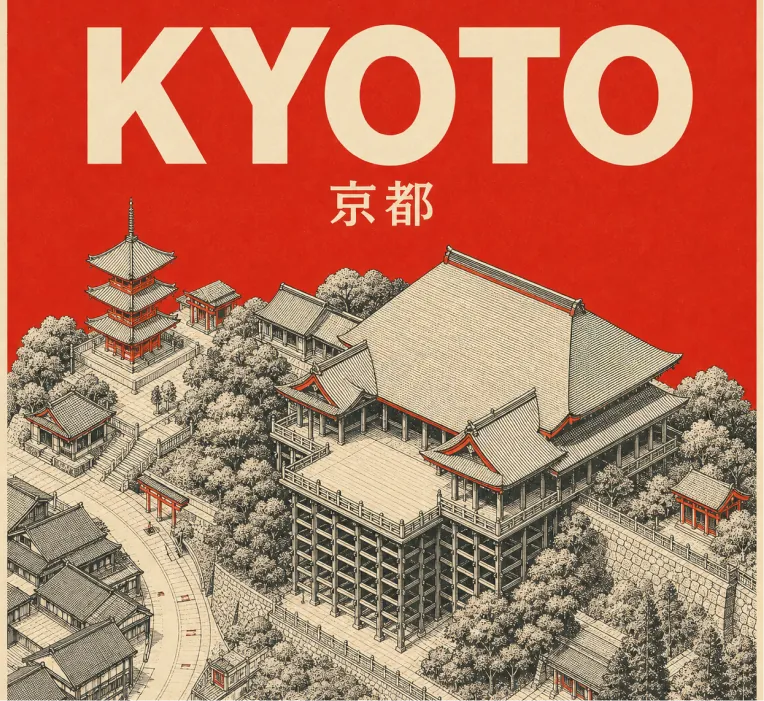
Design a square retro mid-century travel poster of KYOTO showcasing Kiyomizu-dera temple. Use a tight 3-color scheme only: cream-toned paper background, black technical line drawing, plus vermilion red accent. Aesthetic: minimalist isometric top-down aerial perspective of Kiyomizu-dera in Kyoto, with temple architecture, wooden stage, rooftops, paths, and surrounding simplified hillside/street geometry. Use very fine cross-hatching and visible silkscreen print grain. Color rules: fill the entire sky/background area behind the title and upper poster in flat solid vermilion red. Add small vermilion red touches on rooftops, shrine details, street marks, and tiny architectural accents. Zero gradients allowed. No other colors. Typography: large bold sans-serif “KYOTO” at the top in cream, with the native city name “京都” set smaller in cream beneath it. Keep typography clean, centered, legible, and integrated with the poster. Composition: 1:1 square poster, landmark centered below the title, balanced negative space, clean border margins. Constraints: no gradients, no photorealism, no extra text, no logos, no watermark, no people, no cars. Strict palette: cream, black, vermilion red.
Chỉnh sửa và tái tạo hình ảnh thông minh

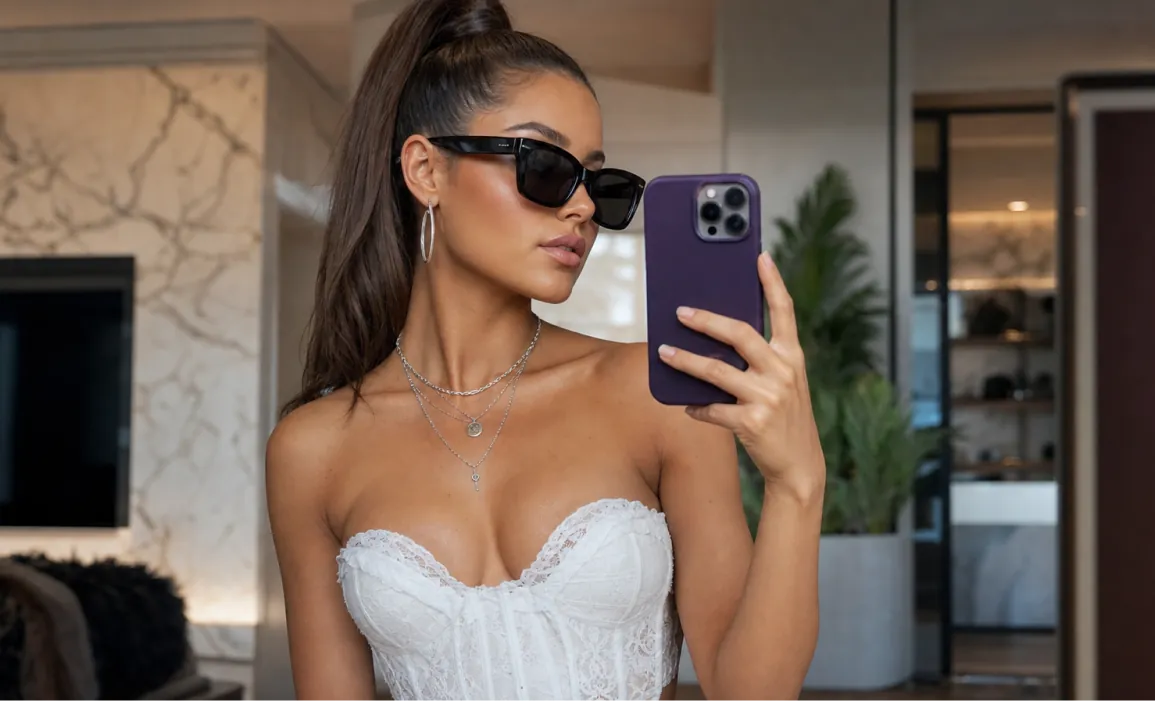
Highly detailed portrait of a stylish young woman taking a mirror selfie in a luxurious modern room, elegant sleek high ponytail hairstyle, wearing black oversized sunglasses, white corset top with delicate lace details, silver layered necklaces and hoop earrings, holding a purple smartphone in her right hand, natural confident pose, soft warm natural lighting, subtle makeup with glowing skin, Vogue fashion editorial style, sharp focus, realistic skin texture, depth of field, cinematic composition, 8k photorealistic, ultra detailed, shot on Sony A7R IV

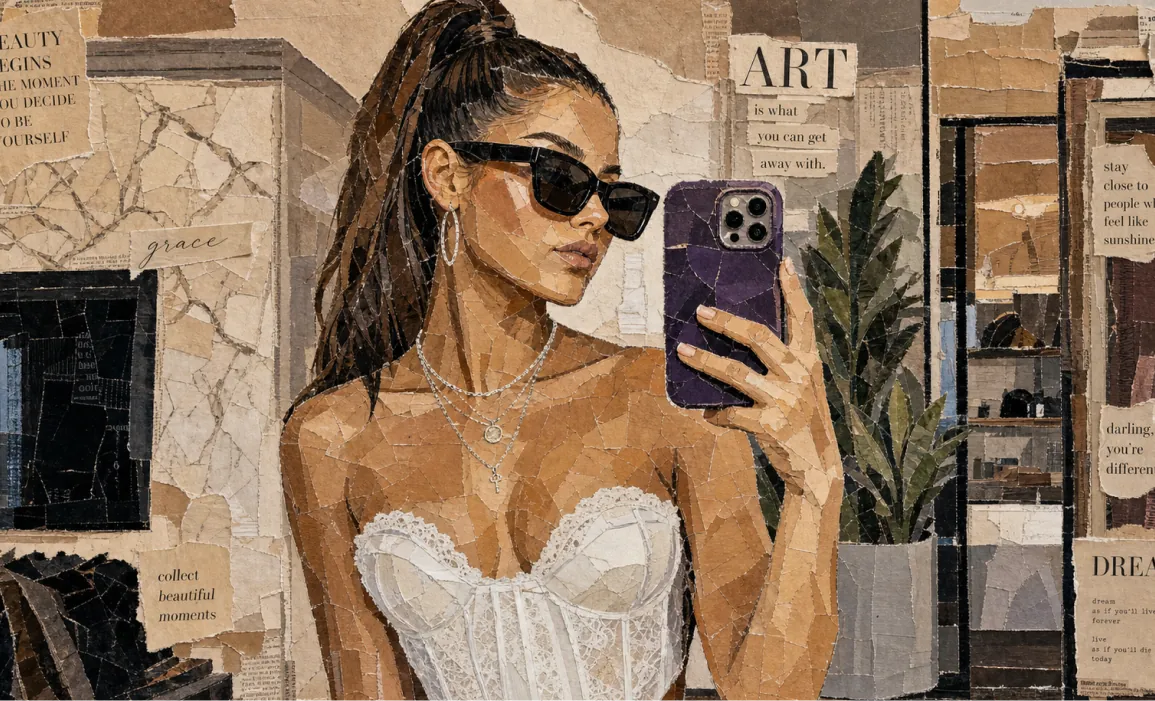
Aesthetic vintage paper collage portrait of a stylish woman taking a mirror selfie, made entirely from torn magazine and newspaper pieces, layered mixed-media artwork, neutral beige and brown tones, Vogue-inspired fashion editorial style, black sunglasses, sleek ponytail hairstyle, white corset top, silver jewelry, purple smartphone, textured ripped paper edges, handcrafted mosaic effect, realistic shadows and depth, chic typography cutouts, inspirational quotes scattered around, cozy luxury aesthetic, highly detailed analog collage art, soft warm lighting, Instagram moodboard vibe, premium editorial composition, ultra detailed, 4k Vintage breakfast aesthetic collage made from torn magazine and newspaper clippings, artistic mixed-media paper mosaic style, croissants on a plate with jam, black coffee in a dark cup, fresh fruits and berries, butter dish with knife, café table atmosphere, dark green textured background, ripped paper layers with visible cracks and folds, lifestyle editorial typography, cozy European café vibe, warm earthy tones, handcrafted scrapbook look, realistic paper texture, aesthetic Pinterest moodboard composition, soft cinematic lighting, luxury brunch aesthetic, ultra detailed, high realism, 4k collage art style
Bố cục chính xác, chữ dễ đọc & hướng dẫn thị giác rõ ràng

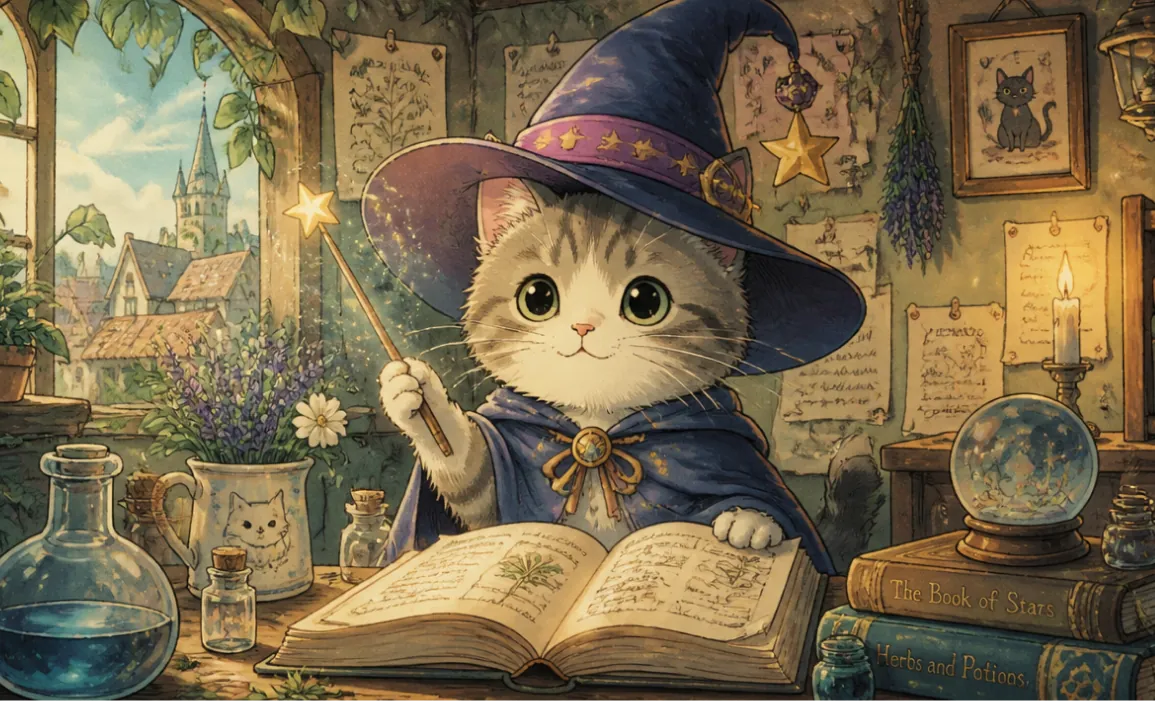
A cute cat wearing a magic hat, in the style of Hayao Miyazaki

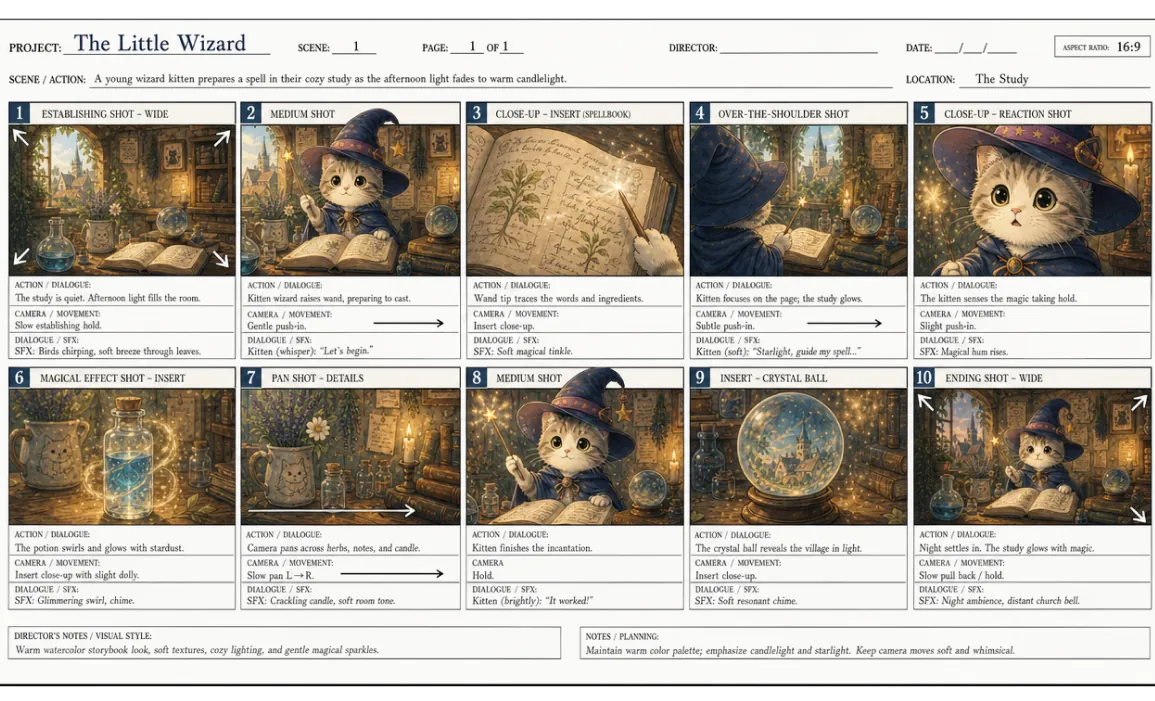
Based on the reference image, create a professional English storyboard with 10 annotated frames, suitable for rehearsals, director's guidance, and action or scene planning, in a 16:9 ratio.
Ưu điểm của GPT Image 2 AI Image Generator
Kết hợp trí tuệ thị giác tiên tiến của OpenAI với khả năng kiểm soát chỉnh sửa thực tế, giúp việc tạo hình ảnh AI chuyên nghiệp nhanh hơn, rõ ràng hơn và dễ tinh chỉnh hơn.
Tạo hình ảnh chân thực chất lượng cao
Tạo hình ảnh sắc nét, sống động với ánh sáng cân bằng, chi tiết đáng tin cậy và bố cục chỉn chu từ prompt ngôn ngữ tự nhiên.
Hiểu prompt tốt và bám sát chỉ dẫn
Chuyển các định hướng sáng tạo chi tiết thành hình ảnh mạch lạc, bao gồm bố cục cảnh, chi tiết chủ thể, gợi ý phong cách, chữ poster dễ đọc, nhãn sản phẩm và yêu cầu thiết kế tập trung vào typography.
Quy trình linh hoạt từ văn bản sang hình ảnh và từ hình ảnh sang hình ảnh
Dùng prompt văn bản độc lập hoặc tải lên hình ảnh tham chiếu để định hướng chỉnh sửa, remix hình ảnh, ý tưởng sản phẩm, diện mạo nhân vật và tài sản sáng tạo phù hợp với thương hiệu.
Lặp lại sáng tạo hiệu quả cho đội ngũ nội dung
Nhanh chóng tinh chỉnh prompt, tạo lại các phương án khác, điều chỉnh tỷ lệ và xuất hình ảnh có thể dùng cho marketing, mạng xã hội, thương mại điện tử và kể chuyện.
Kịch bản ứng dụng của GPT Image 2 AI Image Generator
Lý tưởng cho nhà sáng tạo, marketer, đội ngũ thương mại điện tử, nhà giáo dục và nhà thiết kế cần một trình tạo hình ảnh AI trực tuyến miễn phí để sáng tạo hình ảnh nhanh, chỉnh sửa chính xác và tạo concept sẵn sàng đưa vào sản xuất.
Sản xuất hình ảnh cho mạng xã hội và nhà sáng tạo
Tạo bài đăng thu hút khi cuộn, thumbnail, hình ảnh hồ sơ, ý tưởng chiến dịch và nội dung cho nhà sáng tạo với nhiều phong cách và tỷ lệ khung hình.
Sáng tạo quảng cáo, sản phẩm và thương mại điện tử
Xây dựng bối cảnh sản phẩm, ý tưởng quảng cáo, mockup phong cách sống và hình ảnh quảng bá từ prompt chi tiết hoặc hình ảnh tham chiếu.
Phác thảo thiết kế và tạo mẫu hình ảnh
Khám phá định hướng thương hiệu, bố cục poster, đồ họa thuyết trình, ý tưởng bao bì và concept hình ảnh trước khi chuyển sang sản xuất cuối cùng.
Giáo dục, hình ảnh giải thích và biên tập
Tạo sơ đồ, hình ảnh bài viết, hình ảnh lớp học và đồ họa giàu thông tin giúp truyền đạt các ý tưởng phức tạp rõ ràng hơn.
Cách sử dụng GPT Image 2 AI Image Generator
GPT Image 2 giúp bạn tạo và chỉnh sửa hình ảnh chất lượng cao trực tuyến bằng prompt văn bản, hình ảnh tham chiếu tùy chọn, tỷ lệ khung hình linh hoạt, các kích thước phổ biến như 1024x1024, 1024x1536 và 1536x1024, cùng khả năng tinh chỉnh hình ảnh nhanh. Bắt đầu với ba bước đơn giản.
Nhập prompt & tải lên tham chiếu
Mô tả hình ảnh bạn muốn, bao gồm chủ thể, phong cách, bối cảnh, ánh sáng, chữ và bố cục; tải lên hình ảnh tham chiếu khi bạn cần chỉnh sửa có định hướng.
Chọn kích thước & tạo
Chọn tỷ lệ khung hình hoặc kích thước hình ảnh, xem lại chi tiết prompt, rồi nhấp Tạo để tạo kết quả GPT Image 2 chỉn chu có thể tải xuống dưới dạng PNG, WebP hoặc JPEG khi nền tảng hỗ trợ.
Tinh chỉnh & xuất
Điều chỉnh prompt, tạo lại các biến thể, chỉnh sửa chi tiết cụ thể và xuất hình ảnh cuối cùng cho dự án hoặc chiến dịch của bạn.

Chia sẻ GPT Image 2 AI Image Generator trên Twitter
GPT Image 2 AI Image Generator của OpenAI đang thu hút sự chú ý trên X.com khi các nhà sáng tạo chia sẻ hình ảnh chân thực được tạo bằng AI, bố cục chữ gọn gàng, chữ poster dễ đọc, nhãn sản phẩm, hình ảnh sản phẩm, chỉnh sửa dựa trên prompt và các thử nghiệm sáng tạo nhanh được hỗ trợ bởi mô hình hình ảnh mới nhất của OpenAI.