
0 / 5000
Trình tạo AI ô tô bay: Biến ảnh xe thành video cất cánh
Cho xe của bạn bay bằng AI. Dùng ảnh xe, tham chiếu video và prompt để tạo clip điện ảnh cho bài đăng xã hội hoặc chiến dịch sáng tạo.
Giới thiệu thương hiệu ô tô bay và bay trên cao tốc
Khám phá cảnh ra mắt thương hiệu trong thành phố và chuỗi bay cao tốc tạo bằng ảnh xe, video tham chiếu và prompt tùy chỉnh.
Hình ảnh gốc
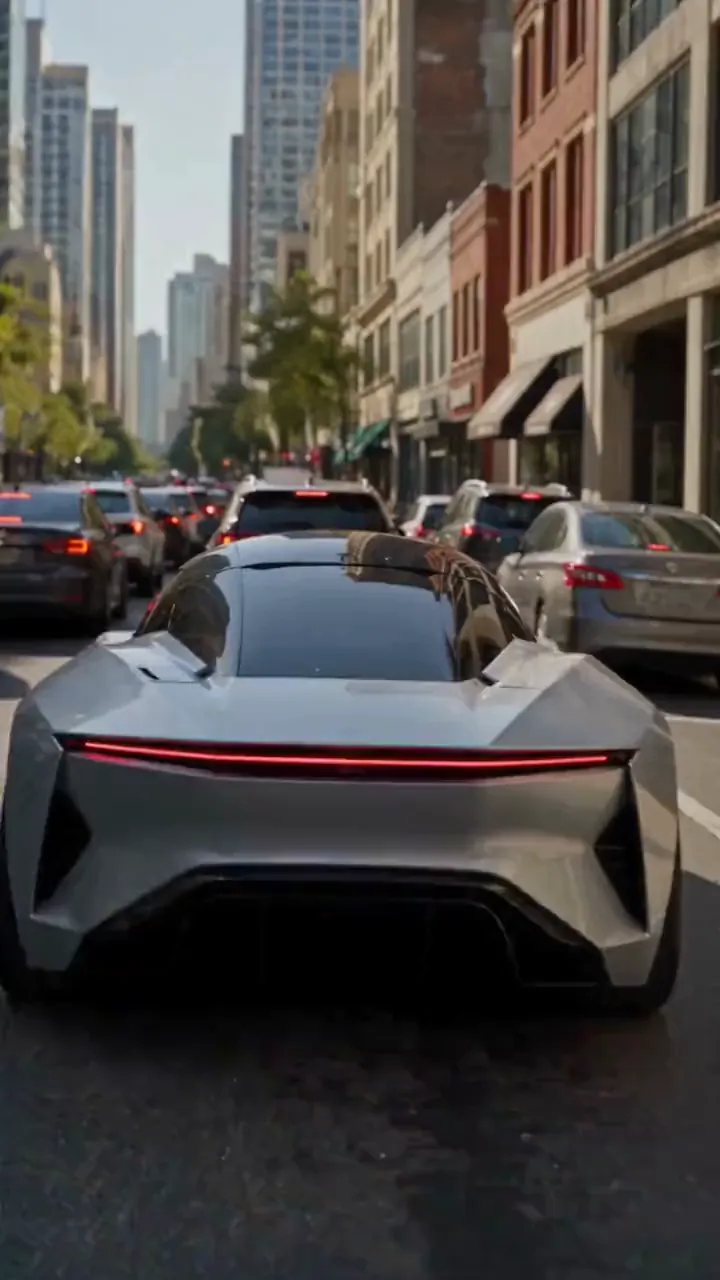
Video
Nhắc nhở
Create a photorealistic 15-second automotive scene on an ordinary modern city road in natural daylight, following the shot sequence below. REFERENCE ROLES <<<hint/1.webp>>> is the replacement vehicle. Replace the main vehicle from <<<hint/1.mp4>>> with the vehicle shown in <<<hint/1.webp>>>. Preserve its body shape, paint color, proportions and wheels throughout every shot. Use only the vehicle itself from <<<hint/1.webp>>>. Use <<<hint/1.mp4>>> as the reference for the vehicle’s jet-powered takeoff, flight behavior and strong downward jets. Extend that motion naturally into the controlled landing described below. <<<hint/1_1.webp>>> is the replacement logo. Replace the original logos in the existing roadside advertisements from <<<hint/1.mp4>>>, including billboards and wall advertisements, with the logo from <<<hint/1_1.webp>>>. Remove the original advertising logos completely. Reproduce the design, colors and lettering in <<<hint/1_1.webp>>> faithfully, without redesigning, misspelling or combining it with another logo. Retain the existing advertising structures and layout. Fit the replacement logo naturally to each advertising surface, matching its perspective, lighting and material. Replace only the advertising artwork; do not create additional advertising placements. Apply <<<hint/1_1.webp>>> only to roadside advertisements. Never place it on the vehicle. Keep the vehicle free of brand advertising throughout. Keep all brand advertisements outside the camera frame until after landing. Apart from the vehicle motion and existing advertising references specified above, use the daylight city setting and shot plan below. VISUAL STYLE Restrained documentary camera work, everyday traffic, natural reflections, realistic shadows and believable vehicle weight. Maintain the same replacement vehicle consistently across every cut. 0–3s: Street-level rear three-quarter tracking shot. The vehicle slows behind a short traffic jam. Ordinary shops, concrete buildings and parked vehicles line the street. Keep brand advertisements out of frame. 3–6s: Cut to a low roadside view. Strong white cold-gas jets fire straight downward beneath the vehicle, blowing dust across the asphalt. The vehicle slowly lifts until its wheels clear the stopped traffic. Attach the jets naturally beneath the replacement vehicle and keep them synchronized with its movement. 6–10s: Wide side tracking shot. The vehicle flies forward over the queue, upright and level, with continuous strong downward white vapor jets. Keep the vehicle, its moving shadow and the traffic together in frame. Maintain believable weight and steady forward momentum. 10–12s: Rear three-quarter view. The vehicle clears the last stopped vehicle and descends into an empty lane, with downward jets still running. Reduce its altitude smoothly while maintaining a stable, upright posture. 12–15s: Low roadside shot. The tires touch down, the suspension compresses and the jets shut down. Only after landing, the vehicle accelerates past the existing roadside advertisements, whose original logos have been replaced with the exact logo from <<<hint/1_1.webp>>>. Frame the moving vehicle and an existing roadside billboard together for the final shot. Keep the vehicle free of brand advertising. SOUND City traffic, idling vehicles, ignition hiss, cold-gas thrust, tire touchdown and an electric motor accelerating away.
Tạo hiệu ứng ô tô bay riêng
Hướng dẫn xe, chuyển động và cảnh bằng tham chiếu hình ảnh cùng prompt.
Bắt đầu bằng ảnh ô tô
Dùng ảnh xe và tham chiếu bay để tạo cảnh cao tốc gồm cất cánh, bay qua dòng xe rồi trở lại mặt đường.
Giới thiệu thương hiệu với logo riêng
Kết hợp ảnh xe, logo và video tham chiếu để phát triển quảng bá ô tô bay với quảng cáo thương hiệu ven đường.
Tái hiện chuyến bay Tesla Roadster
Thay xe chính trong clip bằng xe của bạn. Dùng clip hướng dẫn cất cánh bằng phản lực, lăn trên không, bối cảnh gốc, máy quay và nhịp thời gian.
Khám phá nhiều mô hình video
Bắt đầu với Seedance 2.5 hoặc thử Seedance 2.0, Wan 3.0, Kling 3.0 cùng mô hình có sẵn khác để khám phá cách thể hiện ý tưởng ô tô bay.
Đưa nội dung ô tô vượt khỏi mặt đường
Phát triển ý tưởng từ xe quen thuộc và tham chiếu chuyển động, rồi hoàn thiện thành clip để chia sẻ hoặc trình bày.
Bắt đầu với hướng sáng tạo
Chọn hướng ban đầu rồi chỉnh tham chiếu và prompt thay vì viết lại toàn bộ cảnh từ đầu.
Biến ý tưởng thành của riêng
Đưa chiếc xe quen thuộc vào tâm điểm cảnh bay bất ngờ, dùng ảnh hướng dẫn ngoại hình.
Dựa trên chuyển động bạn đã thích
Thể hiện chuyến bay mong muốn bằng clip tham chiếu để dễ truyền đạt hành động và hướng máy quay.
So sánh hướng sáng tạo
So sánh phiên bản trong lịch sử và hoàn thiện ngoại hình, chuyển động hoặc khung hình xe từng bước.
Video ô tô bay cho dự án sáng tạo
Phát triển clip ô tô bay cho nội dung xã hội, chiến dịch ô tô và kể chuyện hình ảnh.
Clip ô tô cho mạng xã hội
Biến ảnh xe thành clip ô tô bay hư cấu cho TikTok, Instagram và kênh xã hội khác.
Ý tưởng quảng bá thương hiệu
Khám phá chiến dịch ô tô với xe và bản sắc thương hiệu phù hợp dự án, rồi chia sẻ ý tưởng với nhóm.
Bản dựng cho người mê ô tô
Tạo phiên bản riêng của clip ô tô bay Tesla cho cộng đồng xe và bài đăng người hâm mộ.
Hình ảnh cho câu chuyện và đề xuất
Dùng chuyến bay xe tưởng tượng làm ý tưởng cảnh cho storyboard, thuyết trình hoặc đề xuất sáng tạo.
Cách tạo video AI ô tô bay
Chọn gợi ý, tùy chỉnh tham chiếu rồi tạo video.
Chọn gợi ý có sẵn
Chọn gợi ý phù hợp video muốn tạo.
Tùy chỉnh tham chiếu
Thêm ảnh xe rõ nét và tham chiếu cần cho gợi ý đã chọn. Điều chỉnh prompt chuyển động và thiết lập video có sẵn.
Tạo và kiểm tra
Tạo video rồi kiểm tra ngoại hình và chuyển động xe trong lịch sử sáng tạo. Chỉnh tham chiếu hoặc prompt để hoàn thiện kết quả.

Thêm công cụ AI cho video sáng tạo
Khám phá công cụ ảnh và video cho hiệu ứng điện ảnh, ý tưởng ô tô và nội dung xã hội.


























