
0 / 5000
飛行汽車 AI 生成器:將汽車照片轉為起飛影片
用 AI 讓自己的汽車飛起來。使用車輛照片、影片參考與提示詞,建立適合社群貼文或創意行銷的電影感飛行汽車短片。
飛行汽車品牌亮相與公路飛行
探索透過車輛圖片、影片參考和客製提示詞建立的品牌城市亮相與公路飛行片段。
原始圖片
影片
提示詞
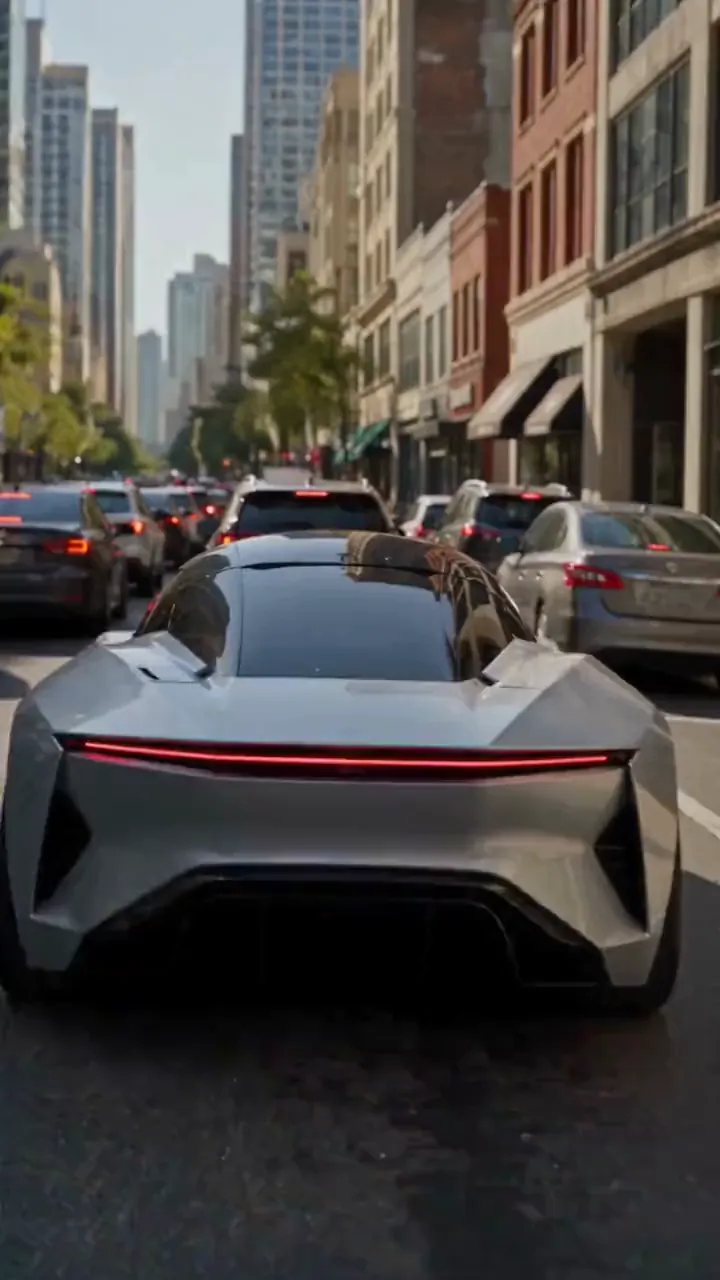
Create a photorealistic 15-second automotive scene on an ordinary modern city road in natural daylight, following the shot sequence below. REFERENCE ROLES <<<hint/1.webp>>> is the replacement vehicle. Replace the main vehicle from <<<hint/1.mp4>>> with the vehicle shown in <<<hint/1.webp>>>. Preserve its body shape, paint color, proportions and wheels throughout every shot. Use only the vehicle itself from <<<hint/1.webp>>>. Use <<<hint/1.mp4>>> as the reference for the vehicle’s jet-powered takeoff, flight behavior and strong downward jets. Extend that motion naturally into the controlled landing described below. <<<hint/1_1.webp>>> is the replacement logo. Replace the original logos in the existing roadside advertisements from <<<hint/1.mp4>>>, including billboards and wall advertisements, with the logo from <<<hint/1_1.webp>>>. Remove the original advertising logos completely. Reproduce the design, colors and lettering in <<<hint/1_1.webp>>> faithfully, without redesigning, misspelling or combining it with another logo. Retain the existing advertising structures and layout. Fit the replacement logo naturally to each advertising surface, matching its perspective, lighting and material. Replace only the advertising artwork; do not create additional advertising placements. Apply <<<hint/1_1.webp>>> only to roadside advertisements. Never place it on the vehicle. Keep the vehicle free of brand advertising throughout. Keep all brand advertisements outside the camera frame until after landing. Apart from the vehicle motion and existing advertising references specified above, use the daylight city setting and shot plan below. VISUAL STYLE Restrained documentary camera work, everyday traffic, natural reflections, realistic shadows and believable vehicle weight. Maintain the same replacement vehicle consistently across every cut. 0–3s: Street-level rear three-quarter tracking shot. The vehicle slows behind a short traffic jam. Ordinary shops, concrete buildings and parked vehicles line the street. Keep brand advertisements out of frame. 3–6s: Cut to a low roadside view. Strong white cold-gas jets fire straight downward beneath the vehicle, blowing dust across the asphalt. The vehicle slowly lifts until its wheels clear the stopped traffic. Attach the jets naturally beneath the replacement vehicle and keep them synchronized with its movement. 6–10s: Wide side tracking shot. The vehicle flies forward over the queue, upright and level, with continuous strong downward white vapor jets. Keep the vehicle, its moving shadow and the traffic together in frame. Maintain believable weight and steady forward momentum. 10–12s: Rear three-quarter view. The vehicle clears the last stopped vehicle and descends into an empty lane, with downward jets still running. Reduce its altitude smoothly while maintaining a stable, upright posture. 12–15s: Low roadside shot. The tires touch down, the suspension compresses and the jets shut down. Only after landing, the vehicle accelerates past the existing roadside advertisements, whose original logos have been replaced with the exact logo from <<<hint/1_1.webp>>>. Frame the moving vehicle and an existing roadside billboard together for the final shot. Keep the vehicle free of brand advertising. SOUND City traffic, idling vehicles, ignition hiss, cold-gas thrust, tire touchdown and an electric motor accelerating away.
建立自己的飛行汽車特效
透過視覺參考和提示詞引導車輛、運動與場景。
從汽車照片開始
使用車輛照片與飛行參考,建立包含起飛、飛越車流並返回路面的公路場景。
用自己的標誌呈現品牌
結合車輛圖片、標誌和影片參考,發展包含品牌路邊廣告的飛行汽車推廣概念。
復刻 Tesla Roadster 飛行
用自己的車輛替換參考短片中的主車。透過短片引導噴氣起飛、空中翻滾、原始場景、鏡頭運動與時序。
探索多種影片模型
從 Seedance 2.5 開始,或嘗試 Seedance 2.0、Wan 3.0、Kling 3.0 及其他可用模型,探索飛行汽車創意的不同演繹。
讓汽車內容突破道路限制
從熟悉的車輛和運動參考發展創意,再完善成可分享或展示的短片。
從創意方向開始
為影片選擇一個起始方向,再調整參考素材與提示詞,無需從頭描寫整個場景。
讓概念融入個人創意
使用自己的照片引導車輛外觀,讓熟悉的車輛成為意想不到的飛行場景焦點。
基於喜愛的運動效果創作
用參考短片展示心中想要的飛行效果,更清晰地傳達動作與鏡頭方向。
比較創意方向
在歷史記錄中比較生成版本,逐步完善車輛外觀、運動或取景。
創意專案的飛行汽車影片
為社群內容、汽車行銷與視覺敘事構思飛行汽車短片。
汽車社群短片
將車輛照片製作成虛構飛行汽車短片,用於 TikTok、Instagram 等社群渠道。
品牌推廣概念
使用與專案相關的車輛和品牌形象探索汽車行銷創意,再與團隊分享概念。
汽車愛好者創意剪輯
為汽車社群和粉絲貼文,創作個人版本的 Tesla 飛行汽車短片。
故事與提案視覺素材
將想像中的車輛飛行作為分鏡、展示或創意提案的鏡頭概念。
如何建立 AI 飛行汽車影片
選擇靈感預設,自訂參考素材,然後生成影片。
選擇靈感預設
選擇符合目標影片效果的靈感預設。
自訂參考素材
加入清晰的車輛照片與所選靈感預設需要的參考素材,調整運動提示詞和可用影片設定。
生成並檢查
生成影片後,在創作歷史中檢查車輛外觀與運動。調整參考素材或提示詞,進一步完善結果。

更多創意影片 AI 工具
探索適合電影感特效、汽車概念與社群內容的圖片及影片工具。


























