0 / 5000
產品影片產生器:將產品構想變成影片
運用產品圖片、參考素材或清晰的創意簡報,建立以產品為核心的影片。為廣告、電商、社群內容、示範和新品發表設計動態效果、鏡頭張力與產品敘事。
吸引目光的產品影片範例
探索根據產品參考素材和具體創意方向製作的產品亮相、生活風格片段、特寫示範,以及可用於行銷活動的構想。
原始圖片
影片
提示詞
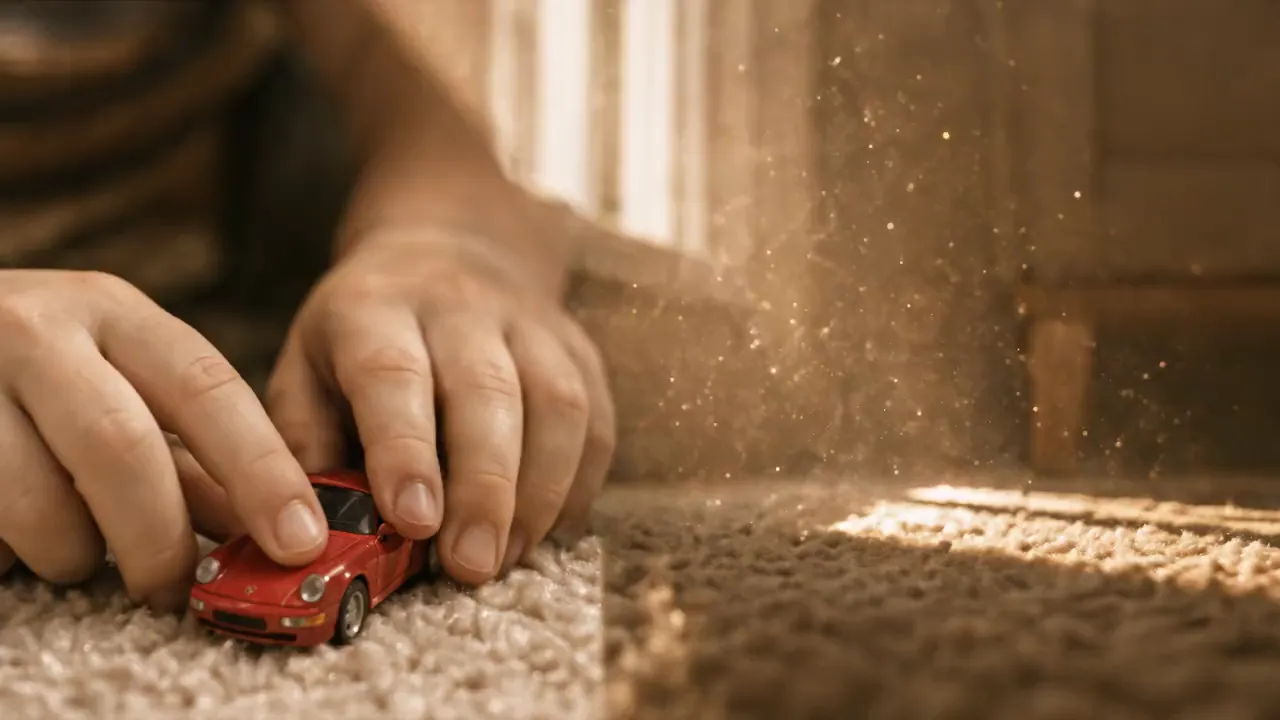
Premium cinematic car-commercial realism with grounded, oppressive speed, smooth shadow-wipe transition, stable framing, and consistent @ identity from childhood to adulthood. 0.0–4.0s: ultra-low ground-level macro on a beige plush carpet in warm golden afternoon light with dust motes and Kodak-like yellow-gold warmth. Show only @ as a child’s tender hand launching a red Porsche toy sports car. The lens hugs its nose in a first-person high-speed racing track; speed rises and childhood imagination ignites. 4.0–5.5s: the toy races into the dark shadow beneath a sofa. Light disappears, carpet fibers stretch into radial speed streaks, and darkness fills the frame; use the dive into shadow as a seamless childhood-to-reality wipe. 5.5–9.0s: an engine roar erupts as a real red Porsche 911 GT3 bursts from darkness onto a cold gray racetrack in sharp daylight. Preserve the identical ground-level tracking composition as the toy shot; fierce paint reflections, heat haze, and light tire dust make the scale jump physically convincing. 9.0–12.0s: extreme interior close-up: a gloved racing hand grips an Alcantara wheel and makes a violent shift, with crisp mechanical vibration, sweat, and friction. Tilt and push into @’s burning eyes beneath a helmet; sweat runs down the forehead. Whip-pan through the cabin with heavy shake, ending on the eyes at the emotional peak. Avoid blur, low resolution, deformed face or hands, extra people, wrong car model, jump cuts, stiff transitions, stutter, dropped frames, plastic or fake-car look, excessive VFX, anime styling, cheap filters, unstable face, and broken age continuity.
建立產品影片所需的一切
將產品素材與創意方向整合到同一工作流程,打造更精緻的動態內容,不必每次都從製作簡報開始構思。
從產品背景資訊開始
使用產品圖片、參考素材或簡潔簡報,在生成前為影片確立清晰的主體、外觀與行銷方向。
掌握動態效果與鏡頭張力
描述想要的亮相方式、互動、運動、節奏或鏡頭語言,讓影片依照你希望展示產品的方式成形。
始終以產品為核心
圍繞消費者關心的細節製作影片,從材質、輪廓到使用情境、特寫鏡頭,打造更用心的產品展示。
使用支援的 AI 影片模型創作
使用支援的 AI 影片模型生成產品影片構想,包括可用時的 Wan 3.0,同時讓提示詞與參考素材始終聚焦產品故事。
更有彈性的產品內容製作方式
為持續的內容需求建立產品影片構想,同時保持產品、行銷目標與視覺方向一致。
更快地將素材轉化為構想
將既有的產品圖片與視覺參考轉化為影片方向,不必為每個新想法單獨安排拍攝。
探索更多創意角度
當一次行銷活動不只需要單張靜態視覺素材時,嘗試不同的產品亮相方式、環境、鏡頭處理與敘事手法。
充分發揮參考素材的價值
用提供的素材為生成任務補充視覺脈絡,再透過聚焦的提示詞引導產品在場景中的呈現方式。
專為產品導向內容打造
讓工作流程始終圍繞商品、用途和銷售時刻展開,不必事後將通用影片構想改造成產品內容。
為每個銷售時刻建立產品影片
從首次產品亮相到持續推出的行銷素材,為對品牌重要的管道與時刻製作以產品為核心的影片。
電商產品頁面
將產品靜態圖片或視覺簡報轉化為動態內容,協助在產品頁面展示材質、細節與使用情境。
社群與 UGC 風格廣告
為需要新創意方向的社群行銷活動,建立以產品為核心、包含開場吸引點、實際操作片段或生活化場景的構想。
產品發表行銷活動
製作亮相影片、預告構想與發表視覺素材,讓新品、系列產品或限量發售成為故事核心。
示範與功能故事
透過聚焦的動態效果與特寫敘事,直觀呈現產品的使用方式、獨特之處,以及如何融入顧客的日常生活。
如何使用產品影片產生器
從清晰的產品參考素材與聚焦的創意簡報開始。對產品、場景、動態效果與預期用途描述得越具體,就越容易發展符合行銷活動的影片構想。
第 1 步:新增產品參考素材
上傳產品圖片,或新增最能傳達商品、外觀與所需視覺細節的參考素材,將這些資訊帶入影片。
第 2 步:撰寫產品影片創作方向
描述想要呈現的產品時刻,包括場景、動作、鏡頭感受、視覺風格,以及希望觀眾留意的關鍵細節。
第 3 步:生成並檢視影片
建立產品影片,檢視產品與動態效果的結合方式;想探索其他創意角度時,再調整創作方向。

探索更多進階 AI 影片創作工具
探索更多用於影片創作、UGC 廣告、產品短片和短影片創意測試的 AI 工具。