GPT Image 2 AI Image Generator: OpenAI 고급 이미지 모델
GPT Image 2 AI Image Generator는 텍스트 프롬프트와 이미지 입력으로 빠르고 고품질의 비주얼을 만드는 무료 온라인 이미지 제작을 위해 설계된 OpenAI의 최첨단 이미지 생성 및 편집 모델입니다. 크리에이터가 사실적인 장면, 세련된 제품 비주얼, 읽기 쉬운 포스터 텍스트, 깔끔한 라벨, 정교한 편집 결과를 강력한 지시 이행 능력으로 제작할 수 있도록 돕습니다.

GPT Image 2 AI Image Model 소개
GPT Image 2 AI Image Model은 유연한 이미지 크기, 고충실도 이미지 입력 지원, 현대적인 비주얼 워크플로를 위한 실용적인 크리에이티브 제어와 함께 고급 텍스트-이미지 생성 및 이미지 편집을 제공합니다.
GPT Image 2 AI Image Model의 핵심 기능
프롬프트 제어, 참조 이미지 입력, 유연한 크기 설정, 구도 인식 기반 크리에이티브 개선을 갖춘 OpenAI의 고급 이미지 생성 및 편집 기능입니다.
개인화된 프롬프트 및 레퍼런스 입력

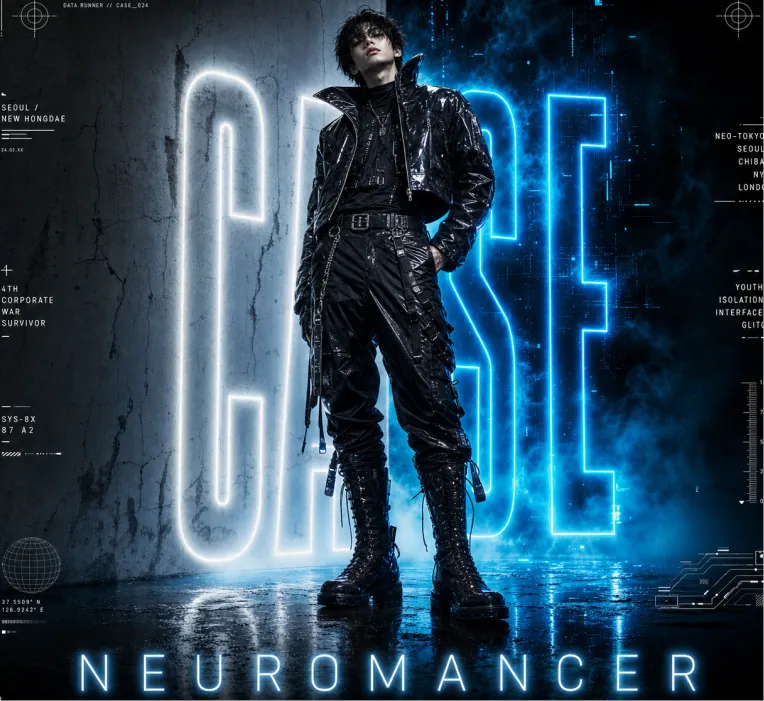
Vertical cyberpunk fashion editorial poster for NEUROMANCER. Full-body young male cyberpunk model standing center, slightly leaning back, one hand in pocket. Messy dark hair, full black futuristic outfit: shiny cropped high-collar leather jacket, layered shirt, belted utility pants with zippers & straps, metal buckle belt, tall lace-up combat boots, hanging accessories. Wet reflective textures. Canvas: Portrait 4:5 poster, glossy cinematic lighting, low upward camera angle, heroic towering figure. Dark blue, black, white, electric cyan palette. High resolution.Background: Split scene — pale cracked concrete wall left, smoky blue-black digital void right. Huge vertical neon-outline letters "CASE" behind model (partially hidden), white left / electric cyan right, strong bloom glow. Blue ground fog, wet reflective floor mirroring neon and boots.Poster text: Bottom center — wide-spaced glowing "NEUROMANCER". Thin horizontal rules + 5 footer groups: “NM-024 DATA COLLECTION” // “SPRING / SUMMER 2025 COLLECTION” // “SYSTEM COLLAPSE USER AWAKENS” // “NEUROMANCER © ALL RIGHTS RESERVED”.Micro HUD: Add 12 small futuristic interface elements around margins — crosshairs (top L/R), “DATA RUNNER // CASE_024”, “SEOUL / NEW HONGDAE”, “4TH CORPORATE WAR SURVIVOR”, “SYS-8X 87 A2”, city list “NEO-TOKYO / SEOUL / CHIBA / NY / LONDON”, “YOUTH / ISOLATION / INTERFACE / GLITCH”, vertical scale, globe icon, schematic lines. Keep tiny and decorative.Style: Photorealistic fashion photography + graphic design, dystopian cyberpunk aesthetic, neon rim light, volumetric haze, high contrast, dramatic blue glow, scratched concrete. Avoid extra people, logos.

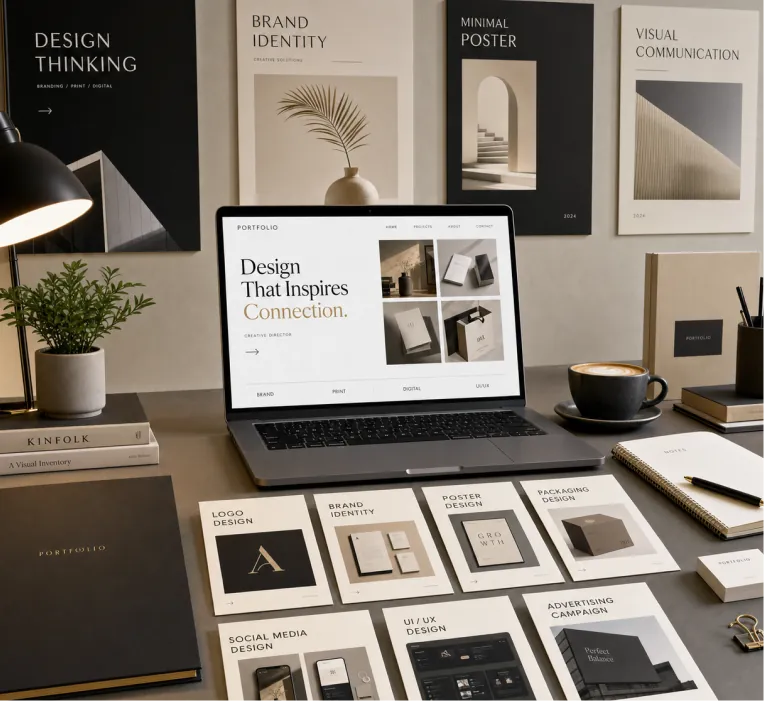
Create a premium graphic design portfolio mockup in a professional creative studio style. Show a clean, elegant workspace presentation featuring multiple graphic design project cards arranged in a refined grid layout, a modern laptop screen displaying a portfolio homepage, and several printed posters laid out neatly on the desk and mounted on the wall. Use a polished creative-director aesthetic with soft shadows, subtle depth, realistic materials, and a high-end studio atmosphere. Include sleek typography placeholders, branding samples, editorial-style poster designs, business cards, stationery, notebook, pen, coffee cup, desk lamp, and small plant for a realistic studio setup. The design should have a clean grid layout, balanced spacing, soft realistic shadows, premium lighting, and neutral luxury tones such as black, white, warm beige, gray, champagne, and cream. Make the laptop screen show a minimal portfolio interface with project thumbnails, navigation menu, and bold hero text. Add multiple portfolio project cards such as logo design, brand identity, poster design, packaging design, social media design, UI/UX design, and advertising campaign mockups. Arrange everything professionally with a modern minimalist style, sharp details, clean typography, elegant composition, and a premium creative agency presentation look. Style: high-end graphic design portfolio, modern creative studio, luxury branding mockup, clean desk setup, realistic shadows, editorial layout, minimalist premium design, professional presentation, 4K, ultra-detailed.
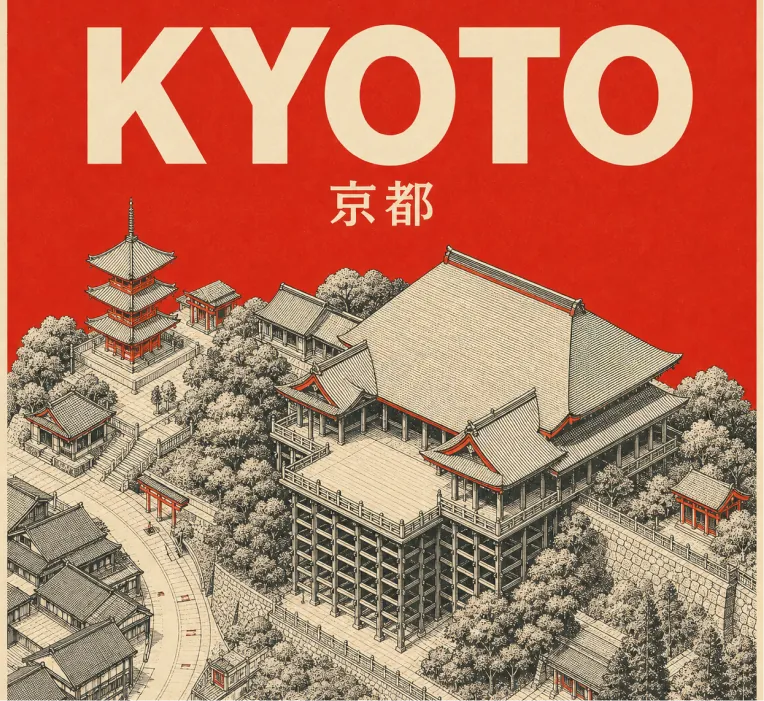
Design a square retro mid-century travel poster of KYOTO showcasing Kiyomizu-dera temple. Use a tight 3-color scheme only: cream-toned paper background, black technical line drawing, plus vermilion red accent. Aesthetic: minimalist isometric top-down aerial perspective of Kiyomizu-dera in Kyoto, with temple architecture, wooden stage, rooftops, paths, and surrounding simplified hillside/street geometry. Use very fine cross-hatching and visible silkscreen print grain. Color rules: fill the entire sky/background area behind the title and upper poster in flat solid vermilion red. Add small vermilion red touches on rooftops, shrine details, street marks, and tiny architectural accents. Zero gradients allowed. No other colors. Typography: large bold sans-serif “KYOTO” at the top in cream, with the native city name “京都” set smaller in cream beneath it. Keep typography clean, centered, legible, and integrated with the poster. Composition: 1:1 square poster, landmark centered below the title, balanced negative space, clean border margins. Constraints: no gradients, no photorealism, no extra text, no logos, no watermark, no people, no cars. Strict palette: cream, black, vermilion red.
지능형 이미지 편집 및 재생성

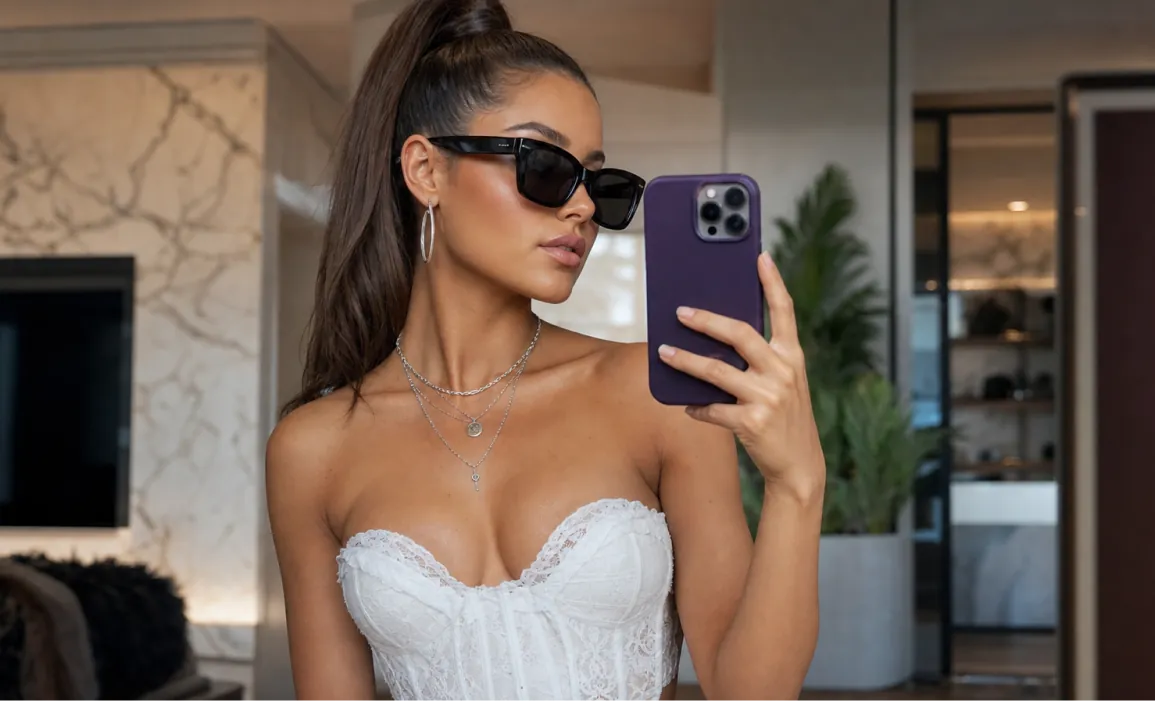
Highly detailed portrait of a stylish young woman taking a mirror selfie in a luxurious modern room, elegant sleek high ponytail hairstyle, wearing black oversized sunglasses, white corset top with delicate lace details, silver layered necklaces and hoop earrings, holding a purple smartphone in her right hand, natural confident pose, soft warm natural lighting, subtle makeup with glowing skin, Vogue fashion editorial style, sharp focus, realistic skin texture, depth of field, cinematic composition, 8k photorealistic, ultra detailed, shot on Sony A7R IV

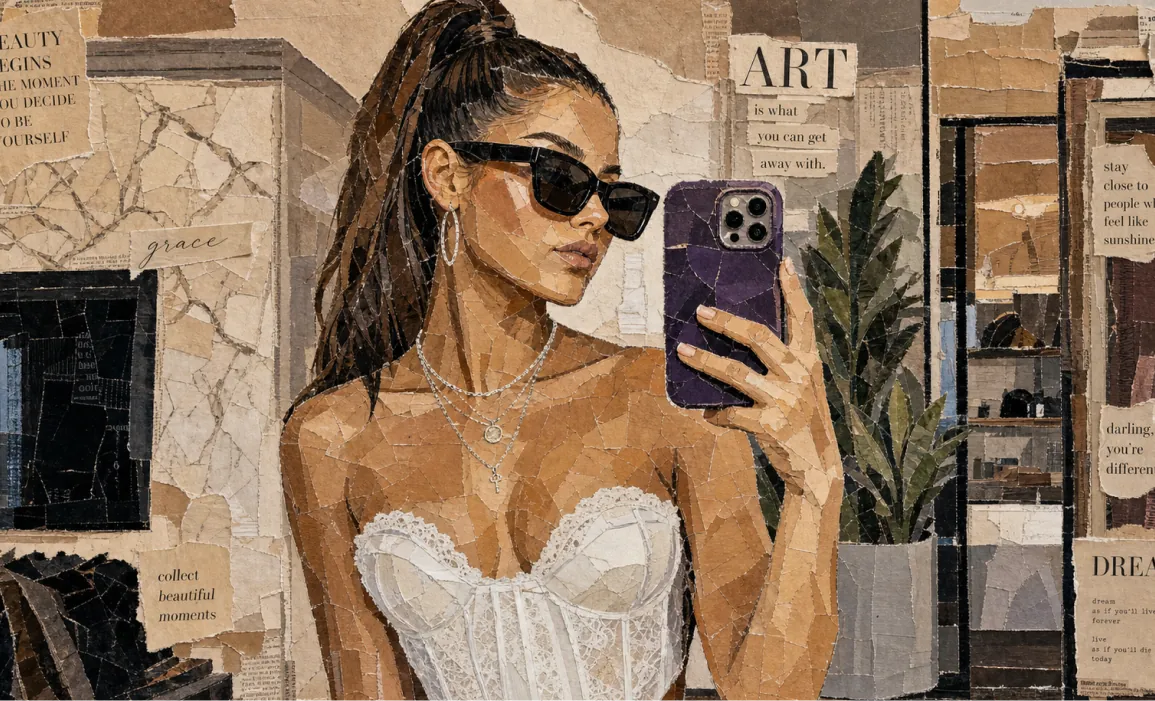
Aesthetic vintage paper collage portrait of a stylish woman taking a mirror selfie, made entirely from torn magazine and newspaper pieces, layered mixed-media artwork, neutral beige and brown tones, Vogue-inspired fashion editorial style, black sunglasses, sleek ponytail hairstyle, white corset top, silver jewelry, purple smartphone, textured ripped paper edges, handcrafted mosaic effect, realistic shadows and depth, chic typography cutouts, inspirational quotes scattered around, cozy luxury aesthetic, highly detailed analog collage art, soft warm lighting, Instagram moodboard vibe, premium editorial composition, ultra detailed, 4k Vintage breakfast aesthetic collage made from torn magazine and newspaper clippings, artistic mixed-media paper mosaic style, croissants on a plate with jam, black coffee in a dark cup, fresh fruits and berries, butter dish with knife, café table atmosphere, dark green textured background, ripped paper layers with visible cracks and folds, lifestyle editorial typography, cozy European café vibe, warm earthy tones, handcrafted scrapbook look, realistic paper texture, aesthetic Pinterest moodboard composition, soft cinematic lighting, luxury brunch aesthetic, ultra detailed, high realism, 4k collage art style
정밀한 레이아웃, 읽기 쉬운 텍스트 및 시각적 가이드

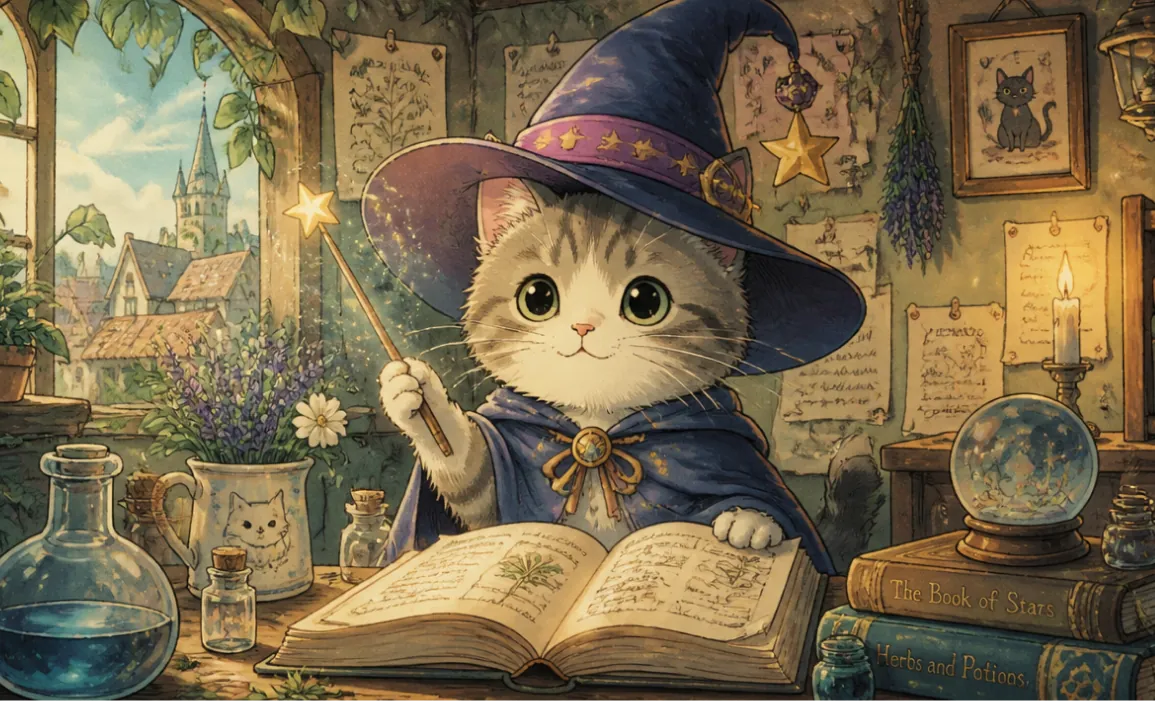
A cute cat wearing a magic hat, in the style of Hayao Miyazaki

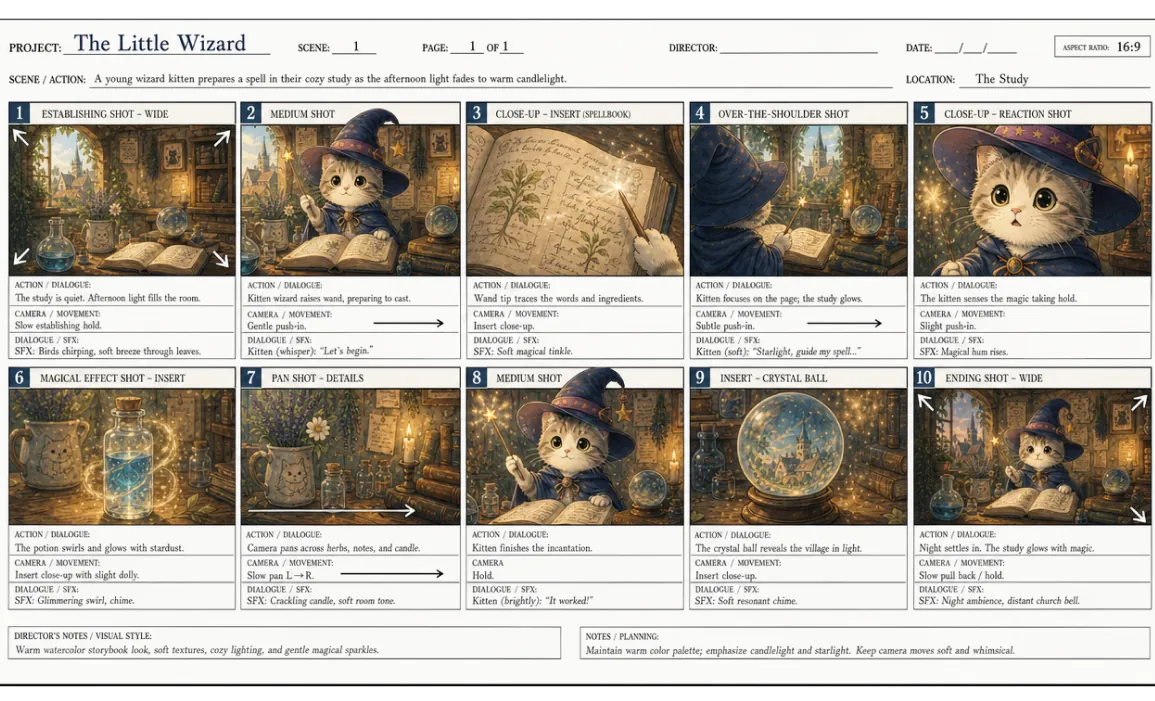
Based on the reference image, create a professional English storyboard with 10 annotated frames, suitable for rehearsals, director's guidance, and action or scene planning, in a 16:9 ratio.
GPT Image 2 AI 이미지 생성기의 장점
OpenAI의 고급 시각 지능과 실용적인 편집 제어를 결합해, 전문적인 AI 이미지 생성을 더 빠르고 명확하며 쉽게 개선할 수 있게 합니다.
고품질 실사 이미지 생성
자연어 프롬프트만으로 균형 잡힌 조명, 설득력 있는 디테일, 완성도 높은 구도를 갖춘 선명하고 생생한 이미지를 만드세요.
뛰어난 프롬프트 이해와 지시 준수
장면 레이아웃, 피사체 디테일, 스타일 지시, 읽기 쉬운 포스터 문구, 제품 라벨, 타이포그래피 중심 디자인 요구사항까지 세밀한 창작 방향을 일관된 비주얼로 구현합니다.
유연한 텍스트-이미지 및 이미지-이미지 워크플로
텍스트 프롬프트만 사용하거나 참고 이미지를 업로드해 편집, 비주얼 리믹스, 제품 콘셉트, 캐릭터 룩, 브랜드에 맞춘 크리에이티브 에셋을 정교하게 안내할 수 있습니다.
콘텐츠 팀을 위한 효율적인 크리에이티브 반복 작업
프롬프트를 빠르게 다듬고, 대안을 다시 생성하고, 비율을 조정하며, 마케팅, 소셜 미디어, 이커머스, 스토리텔링에 바로 쓸 수 있는 비주얼을 내보내세요.
GPT Image 2 AI 이미지 생성기의 활용 시나리오
빠른 비주얼 제작, 정밀한 편집, 제작 준비가 된 콘셉트가 필요한 크리에이터, 마케터, 이커머스 팀, 교육자, 디자이너에게 이상적인 무료 온라인 AI 이미지 생성기입니다.
소셜 미디어 및 크리에이터 비주얼 제작
여러 스타일과 화면 비율로 시선을 사로잡는 게시물, 썸네일, 프로필 비주얼, 캠페인 콘셉트, 크리에이터 콘텐츠를 생성하세요.
광고, 제품 및 이커머스 크리에이티브
상세한 프롬프트나 참고 이미지로 제품 장면, 광고 콘셉트, 라이프스타일 목업, 프로모션 비주얼을 제작하세요.
디자인 초안 및 비주얼 프로토타이핑
최종 제작에 들어가기 전에 브랜드 방향, 포스터 레이아웃, 프레젠테이션 그래픽, 패키징 아이디어, 비주얼 콘셉트를 탐색하세요.
교육, 설명 자료 및 에디토리얼 이미지
복잡한 아이디어를 더 명확하게 전달하는 다이어그램, 기사 이미지, 수업용 비주얼, 정보가 풍부한 그래픽을 만드세요.
GPT Image 2 AI 이미지 생성기 사용 방법
GPT Image 2는 텍스트 프롬프트, 선택적 참고 이미지, 유연한 화면 비율, 1024x1024, 1024x1536, 1536x1024 같은 일반 크기, 빠른 비주얼 개선 기능으로 온라인에서 고품질 이미지를 만들고 편집할 수 있게 도와줍니다. 세 가지 간단한 단계로 시작하세요.
프롬프트 입력 및 참고 이미지 업로드
원하는 이미지를 피사체, 스타일, 장면, 조명, 텍스트, 레이아웃까지 포함해 설명하고, 안내 기반 편집이 필요할 때는 참고 이미지를 업로드하세요.
크기 선택 및 생성
화면 비율 또는 이미지 크기를 선택하고 프롬프트 세부 내용을 확인한 뒤 Generate를 클릭해, 플랫폼에서 지원하는 경우 PNG, WebP 또는 JPEG로 다운로드할 수 있는 완성도 높은 GPT Image 2 결과물을 만드세요.
다듬기 및 내보내기
프롬프트를 조정하고, 변형 이미지를 다시 생성하고, 특정 디테일을 편집한 뒤 프로젝트나 캠페인에 사용할 최종 이미지를 내보내세요.

Twitter에서 GPT Image 2 AI 이미지 생성기 공유하기
OpenAI의 GPT Image 2 AI 이미지 생성기는 크리에이터들이 최신 OpenAI 이미지 모델로 만든 사실적인 이미지 생성, 깔끔한 텍스트 레이아웃, 읽기 쉬운 포스터 문구, 제품 라벨, 제품 비주얼, 프롬프트 기반 편집, 빠른 크리에이티브 실험을 X.com에서 공유하며 주목받고 있습니다.