What happens after 100+ rounds of “just one more change”? How far can you push an image before it starts to drift? Meet Seedream 5.5: precise local edits, consistency across repeated revisions, more natural visuals and native transparent assets. Explore what’s new below. 👇
UGC 제품 캠페인을 위한 Seedream 5.5 AI 이미지 생성기
UGC Maker에서 Seedream 5.5로 제품 사진과 UGC 스타일 캠페인용 정지 이미지를 만드세요. 자연스러운 조명과 제품의 세부 요소를 표현하고 배경, 라벨, 광고 문구를 필요한 부분만 편집해 다듬을 수 있습니다.
Loading...
Seedream 5.5로 제품 사진과 캠페인용 정지 이미지 만들기
텍스트 브리프나 참고 자료로 시작하세요. 결과물을 계속 편집하려면 해당 이미지를 업로드하고 다음에 바꿀 부분을 설명하세요.
제품 참고 자료를 상품 등록용 사진, 크리에이터 스타일 사진, 출시 그래픽으로 바꾸세요. 유지할 제품 특징을 설명한 뒤 편집할 때마다 배경, 조명, 캠페인 문구를 다듬을 수 있습니다.
Seedream 5.5 예시: 제품 이미지 변형, 장면 편집, 출시 레이아웃
예시는 세라믹 에스프레소 잔에서 시작합니다. 같은 제품을 세 가지 방식으로 표현한 이미지와, 참고 이미지를 바탕으로 배경을 수정한 결과와 글자 배치를 바꾼 출시 그래픽을 살펴보세요. 프롬프트를 열어 같은 구도를 시험할 수 있습니다.
같은 피사체를 세 가지 방식으로 표현
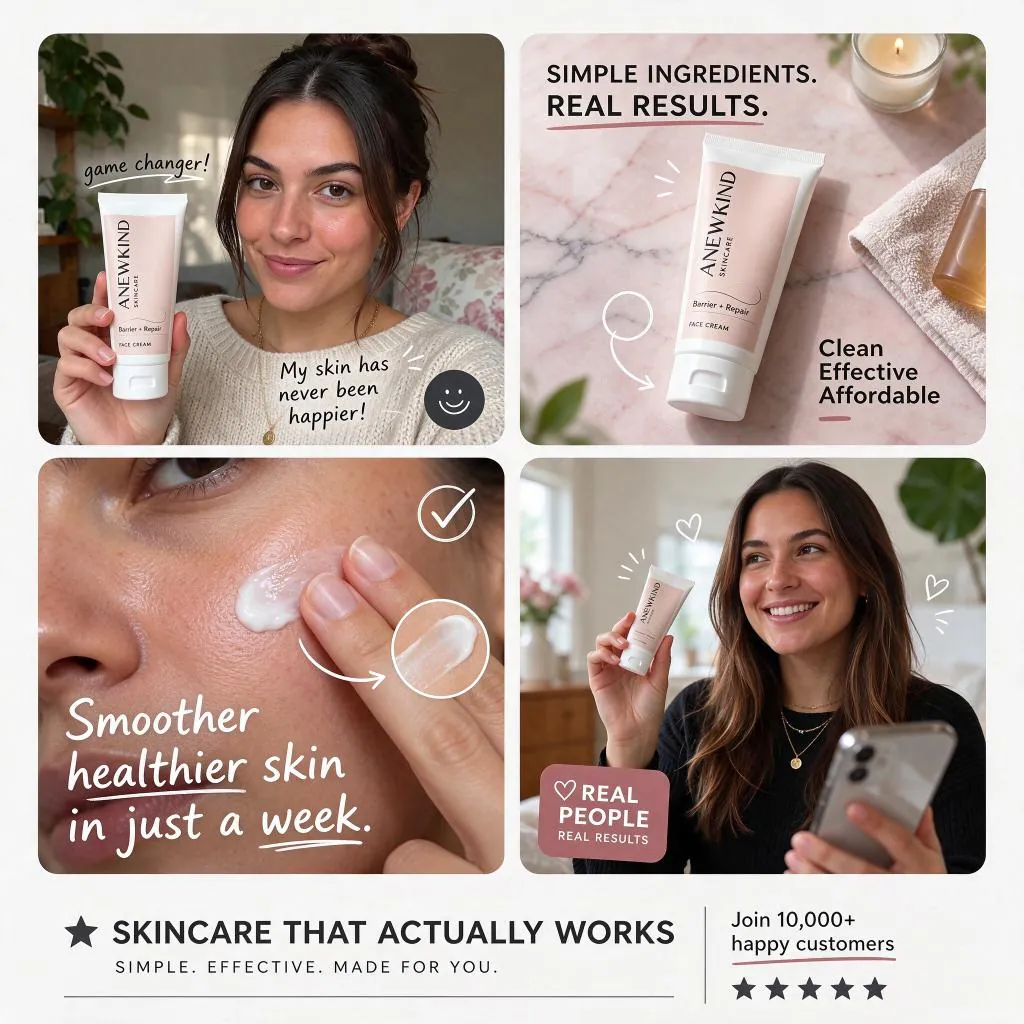
프롬프트
Create a square English-language skincare UGC advertisement with four rounded photo panels on a clean white background: a woman holding a pale-pink face cream tube at home, a product still life on pink marble, a close-up of cream applied to a cheek, and a smiling customer holding the product. Use natural daylight, realistic skin, handwritten annotations and a clear footer. Include the headline "SKINCARE THAT ACTUALLY WORKS" and the brand "ANEWKIND".
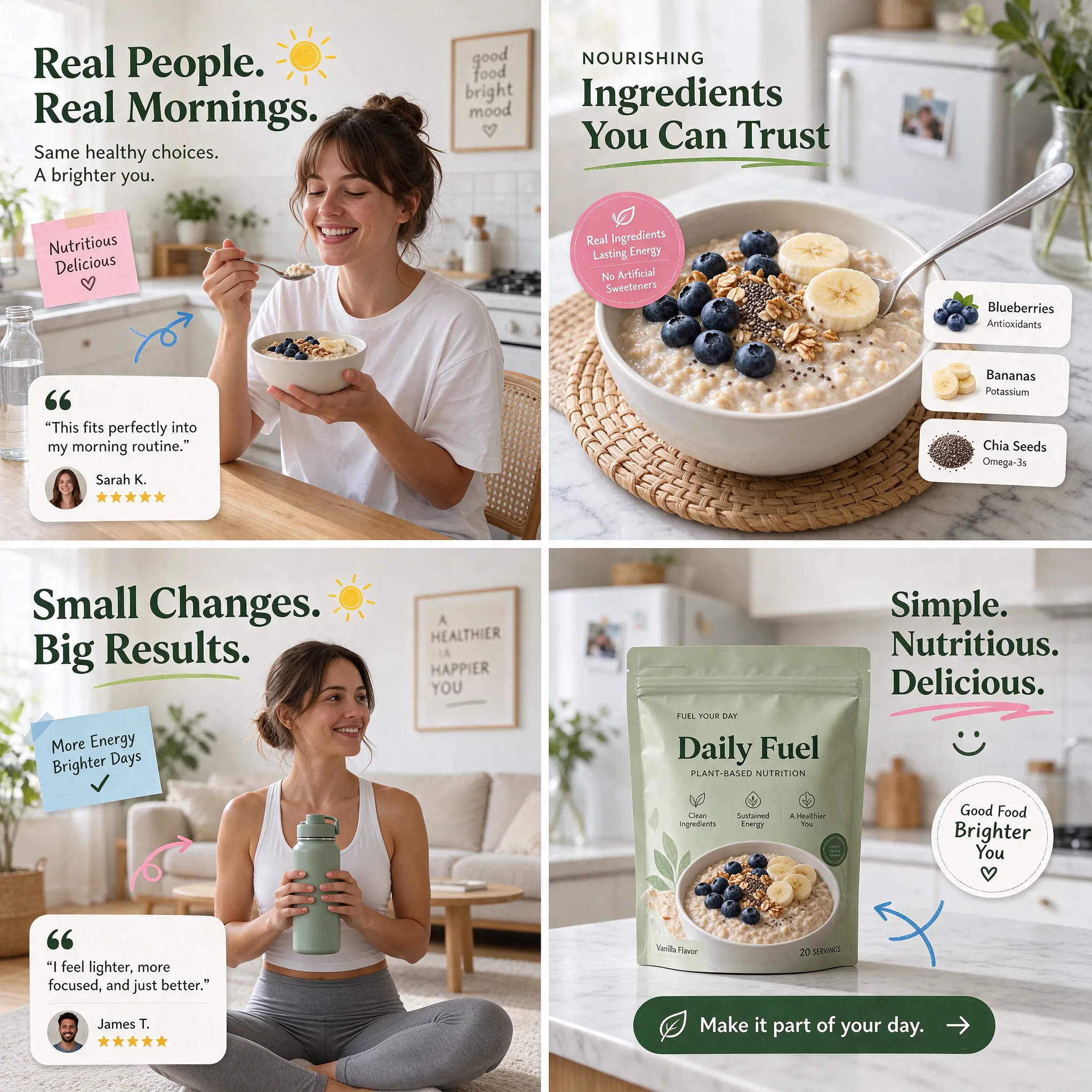
프롬프트
Create a square four-panel UGC advertisement for Daily Fuel plant-based nutrition. Show a woman enjoying oatmeal in a bright kitchen, a close-up of oatmeal with blueberries and banana, a woman holding a green water bottle, and a sage-green product pouch. Use dark-green English headings, pink and blue handwritten accents, warm daylight and authentic lifestyle photography. Include "Real People. Real Mornings.", "Small Changes. Big Results." and "Make it part of your day."
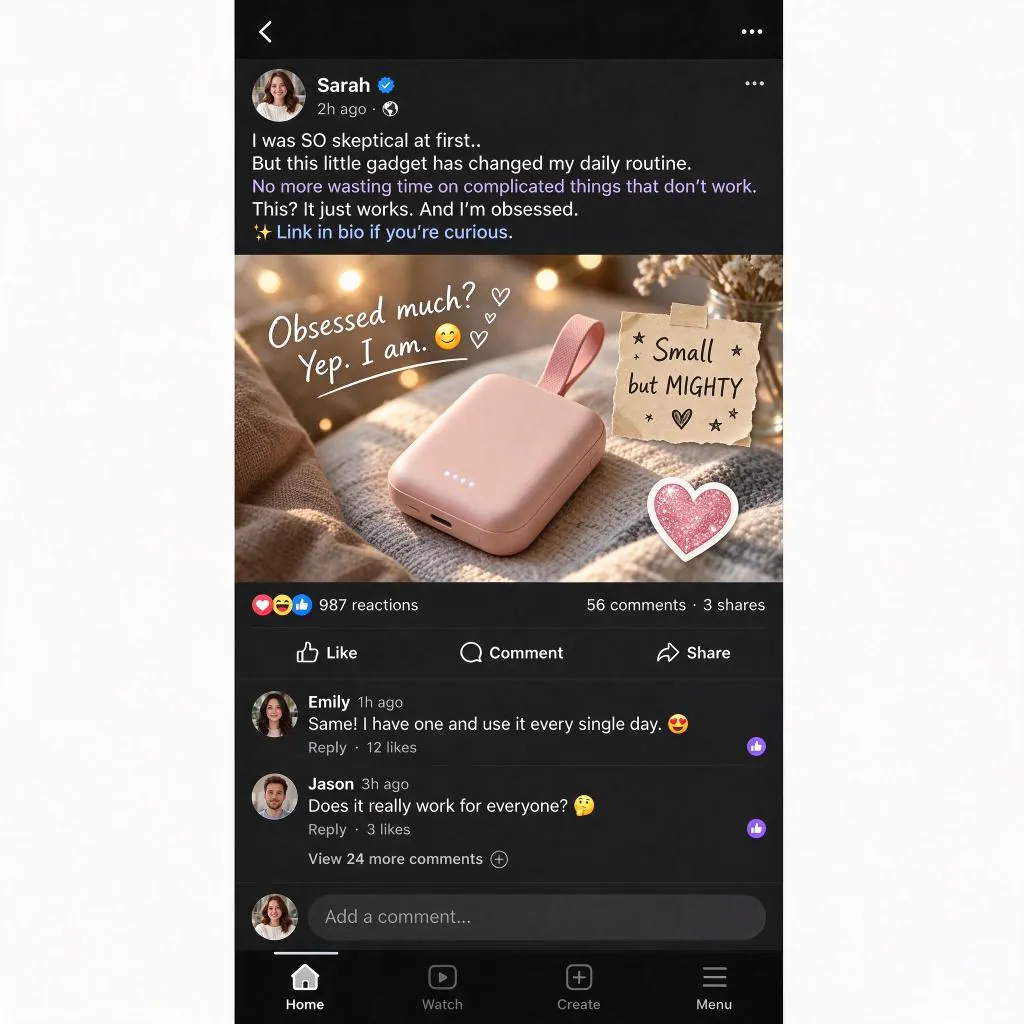
프롬프트
Create a square English-language UGC ad featuring a dark-mode mobile social feed centered on a white background. The post promotes a small blush-pink portable gadget with a fabric loop, resting on a knitted blanket in warm light. Include a casual customer caption, handwritten "Obsessed much? Yep. I am.", a "Small but MIGHTY" note, reactions, comments and mobile navigation. Keep the product as the visual focus.
배경 장면 편집
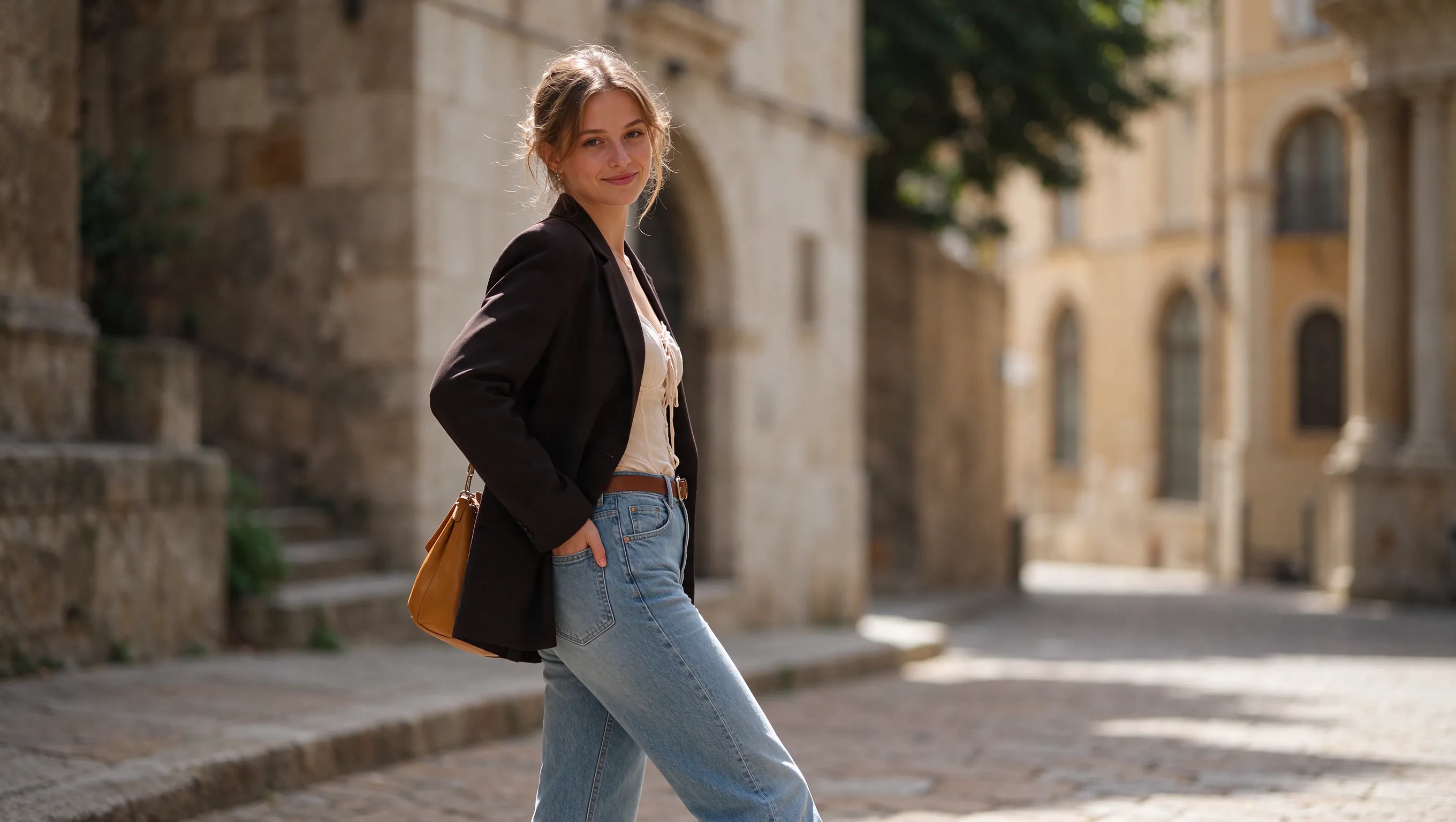
원본 (프롬프트)
Create a realistic portrait of a European woman aged 20–25 on a sunlit historic stone street. She wears a dark blazer, a cream gathered blouse, blue jeans, a brown belt and a tan shoulder bag. Her brown hair is loosely tied back. She turns toward the camera with a gentle smile and one hand in her pocket. Use natural sunlight, shallow depth of field and a 16:9 horizontal composition.
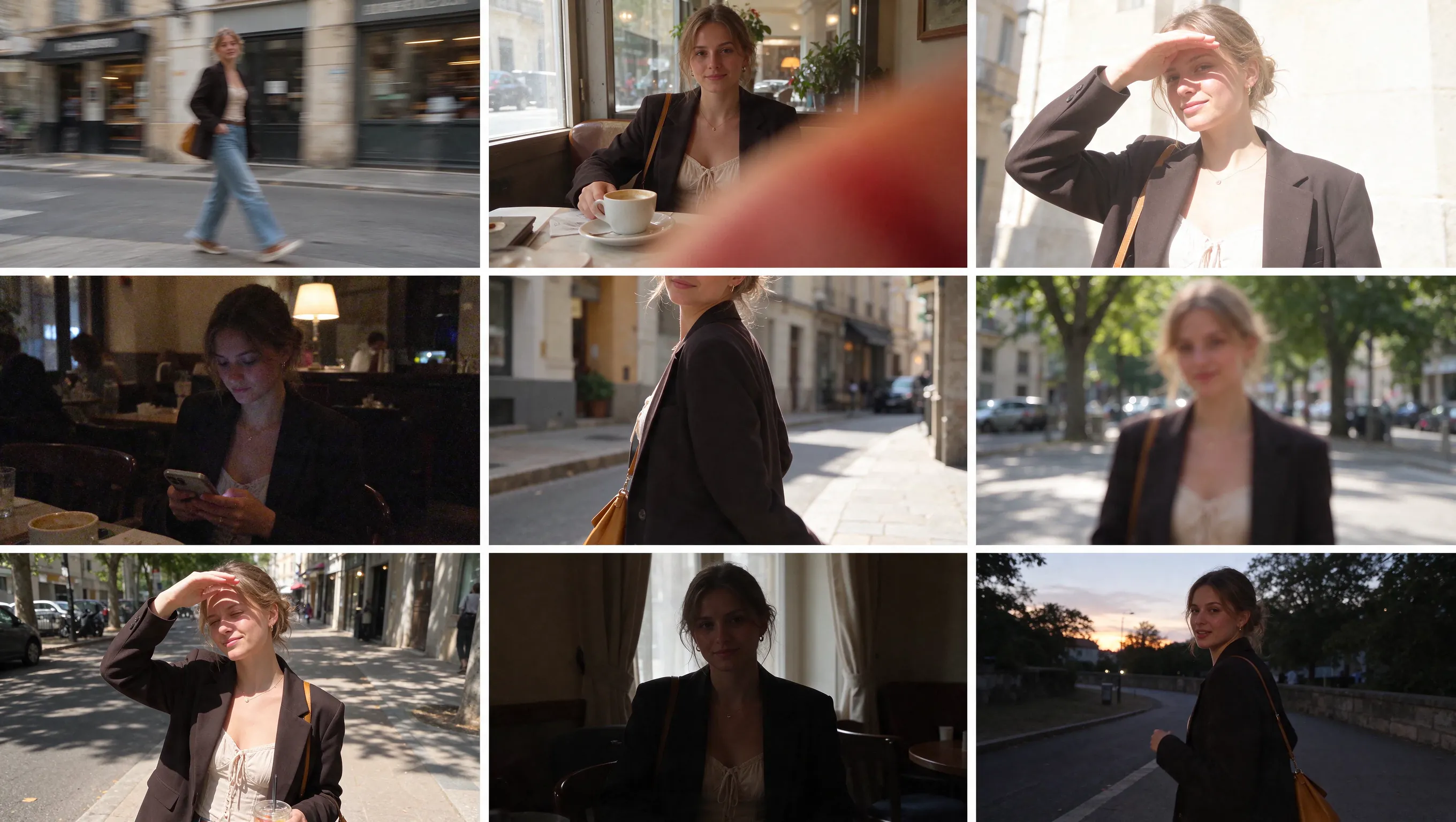
생성 결과 (프롬프트)
Using the supplied character reference, create a 3x3 grid collage containing nine different snapshots. Simulate a collection of candid, amateur and "failed" photographs taken by a non-professional photographer. Keep the character design, hairstyle and clothing consistent with the reference, while placing her in realistic outdoor and indoor settings such as streets, cafes and beside a window. Apply specific photographic flaws across the panels: 1. Motion blur from camera shake. 2. A finger accidentally covering the lens, producing a red or orange blur. 3. Overexposure caused by strong sunlight. 4. Heavy digital noise or grain typical of a phone camera in low light. 5. Poor framing that crops parts of the head or body. 6. An out-of-focus subject. Vary the lighting between harsh daylight, dim interiors and dusk or evening. The overall atmosphere should feel raw and unretouched, like casual smartphone photo sharing.
포스터 레이아웃 수정
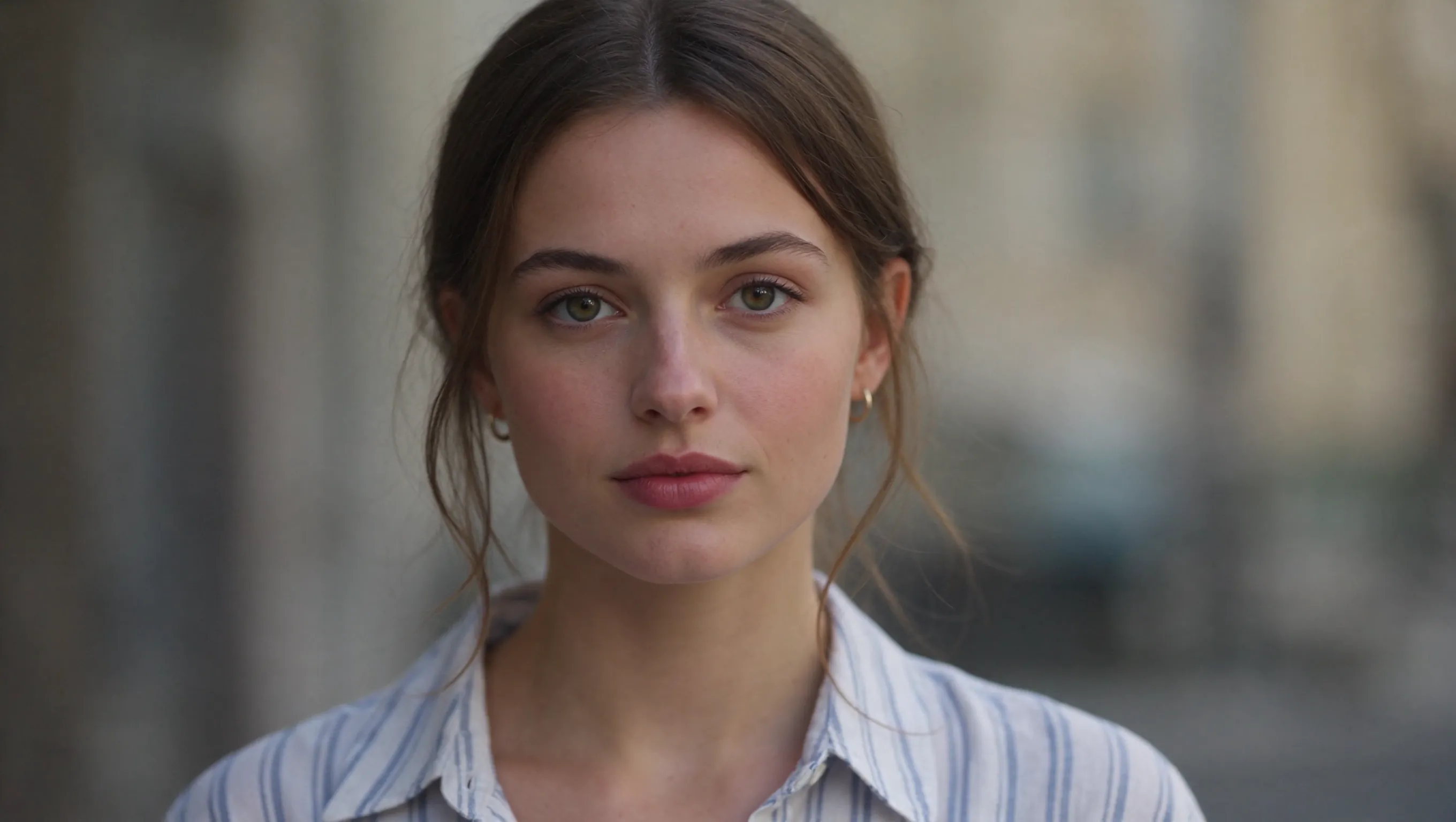
원본 (프롬프트)
Create a photorealistic portrait of a European woman aged 20–25. She has softly tied brown hair, green-hazel eyes, natural skin texture, small gold hoop earrings and a pale blue striped shirt. Center her face, looking directly toward the camera with a calm expression. Use soft natural light, a gently blurred neutral background and a 16:9 landscape frame.
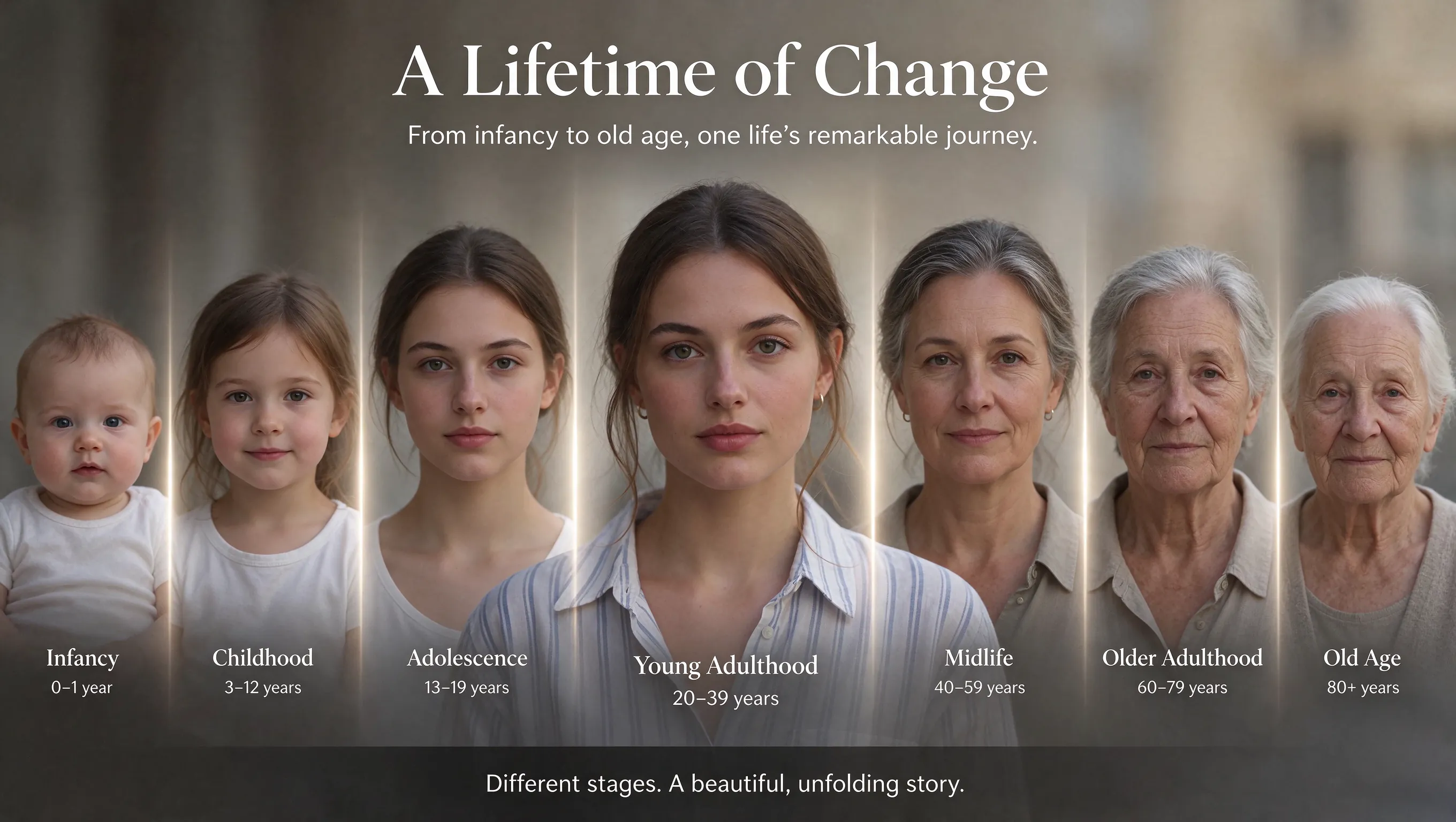
생성 결과 (프롬프트)
Using this image as the base, design an English-language image showing this person changing from infancy to old age.
제품을 중심으로 캠페인 이미지 제작
제품에 초점을 두고 사실적인 장면, 읽기 쉬운 문구, 서로 어울리는 캠페인 이미지를 만들어 보세요.
제품 주변 장면 수정
제품의 모양, 색, 라벨을 유지하도록 지정하고 받침면, 소품, 배경을 바꾸세요. 여러 번 편집해도 결과가 더 안정적이므로 선택한 제품 사진을 바탕으로 계속 수정할 수 있습니다.
장면에 제품을 자연스럽게 배치
재질의 자연스러운 반사와 접촉 그림자, 그럴듯한 비율을 표현하세요. 손에 든 제품을 촬영한 듯한 이미지를 만들려면 잡는 방식과 빛이 비치는 위치를 설명하세요.
라벨과 광고 문구가 잘 보이도록 배치
헤드라인, 혜택 문구, 제품 라벨의 정보 위계가 명확하도록 구성하세요. 캠페인 버전별로 정확한 문구를 제공하면 여러 언어의 텍스트를 생성할 수 있습니다.
제품과 배경 참고 자료 조합
제품 사진으로 모양과 패키지를 지정하고, 별도의 참고 이미지로 배경을 지정하세요. 크기, 원근, 빛의 방향을 명시하면 제품이 장면에 자연스럽게 어울립니다.
상품 등록, 크리에이터 게시물, 출시를 위한 제품 이미지
패키지, 소재, 시각적 방향의 일관성을 유지하면서 다양한 캠페인 목적에 맞는 제품 이미지를 만드세요.
상품 등록용 이미지
깔끔한 배경에서 제품 모양, 소재, 패키지를 보여 주세요. 정면과 세부 사진을 참고 자료로 활용해 카탈로그 전체에서 일관되게 유지할 특징을 지정하세요.
크리에이터 스타일 제품 사진
제품을 손에 들거나 일상에서 사용하는 장면을 만들어 보세요. 잡는 방식, 제품의 크기, 접촉 그림자를 설명하면 크리에이터가 자연스럽게 촬영한 듯한 이미지를 만들 수 있습니다.
출시 공지
제품, 출시 헤드라인, 혜택 문구를 명확한 레이아웃에 배치하세요. 정확한 텍스트와 위치를 지정한 뒤 이미지 전체를 다시 구성할 필요 없이 혜택 문구를 수정할 수 있습니다.
소셜 광고 시리즈
다양한 캠페인 장면에 동일한 제품 참고 자료와 공통 색상 팔레트를 사용하세요. 제품의 세부 요소와 시각적 정보 위계를 유지하며 대상 고객에 맞게 헤드라인을 바꿀 수 있습니다.
Seedream 5.5 사용법
UGC Maker에서 세 단계로 이미지를 만드세요.
프롬프트를 입력하거나 참고 이미지 업로드
텍스트에서 생성하려면 프롬프트를 입력하고, 편집하려면 참고 이미지 1–10개를 업로드하세요. 바꿀 부분과 유지할 부분을 설명하세요.
화면 비율과 해상도 선택
게시 위치에 맞는 화면 비율을 고르고 1K, 1.5K 또는 2K 해상도를 선택하세요. 기본 설정은 1:1 비율의 2K입니다.
생성 및 개선
이미지를 생성하세요. 더 다듬으려면 결과물을 다음 참고 이미지로 업로드하고, 바꿀 요소와 유지할 세부 요소를 새 지시로 작성하세요.

커뮤니티에서 만든 Seedream 5.5 이미지
다른 크리에이터가 캠페인용 정지 이미지를 만들 때 제품 구도와 조명을 잡고 참고 이미지로 편집하는 방식을 살펴보세요.

Okay, Seedream 5.5's consistency is crazy!!! 100 chained edits. Just +1 second on the watch each time. I didn't expect the gap to be this big.😂

24 cents for a dozen images in Seedream 5.5, which keeps edits local. look at this table filling up one edit at a time. restaurant menus with a new dish photo every week, same layout, same lighting

What happens after 100+ rounds of “just one more change”? How far can you push an image before it starts to drift? Meet Seedream 5.5: precise local edits, consistency across repeated revisions, more natural visuals and native transparent assets. Explore what’s new below. 👇

Seedream 5.5 実写のリアリティ検証 vs GPT Image2.6 / Nano Banana 2.1 ・同じプロンプト ・全て1発 ・顔とガラスの夕日の反射を拡大して比較 ■Seedream5.5のつよみ ① 顔のリアルさ しわに不自然さがなく、肌の質感までリアル。 ② 夕日の写り込み

