이미지 생성 기록
AI 이미지 생성기: 고품질 UGC 이미지 크리에이터
AI 이미지 생성기로 텍스트/이미지를 멋진 이미지로 변환하세요. Nano Banana Pro, SeeDream 4.5 등 첨단 모델로 이미지를 생성합니다.
UGC AI 이미지 생성기 예시
AI 이미지 생성기의 다양한 출력물을 소개합니다. 이커머스 상품 사진부터 패션 씬까지 모델의 이미지 생성 및 편집 능력을 보여줍니다.
텍스트를 이미지로 변환
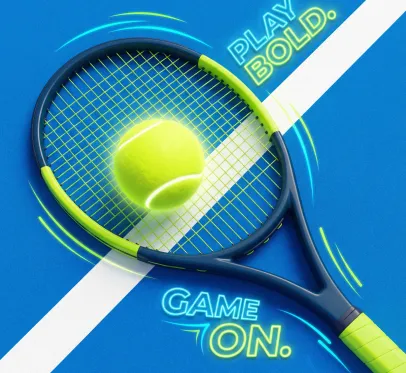
프롬프트
Tennis racquet holding a bright yellow tennis ball, viewed from above at an angle, with a vibrant blue tennis court as the background, a white line diagonally across the court, soft, glowing light illuminating the ball and lettering, shades of blue and neon yellow-green, modern graphic design style, advertising poster, with a subtle texture on the court, energetic and playful, high resolution, sharp focus, volumetric lighting, digital art.
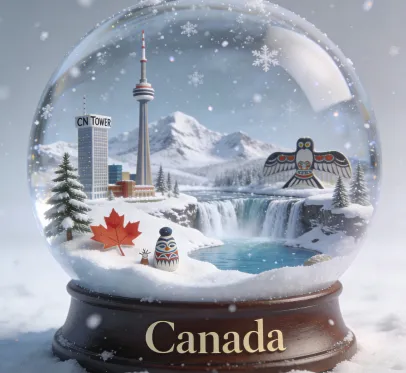
프롬프트
A super detailed, realistic snow globe containing the essence of Korea. Inside the globe: miniature snowy landscapes, iconic landmarks, cultural symbols, and natural elements representing Canada., rendered with extreme realism and rich textures. Delicate falling snow creates a magical, atmospheric effect inside the globe. The background is clean and softly lit to focus entirely on the globe. The image is 1:1 aspect ratio. At the bottom of the image, the text "Canada" is clearly written in an elegant serif font
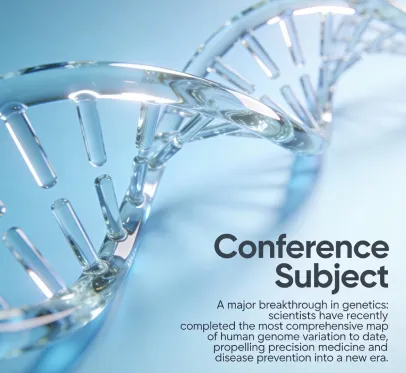
프롬프트
C4D-style educational poster design for an academic forum sharing session. The main subject is a translucent glass DNA double helix chain. Diagonal composition: in the lower right corner, the main text is displayed in large dark gray font: "Conference Subject"; below it, in smaller font: "A major breakthrough in genetics: scientists have recently completed the most comprehensive map of human genome variation to date, propelling precision medicine and disease prevention into a new era."
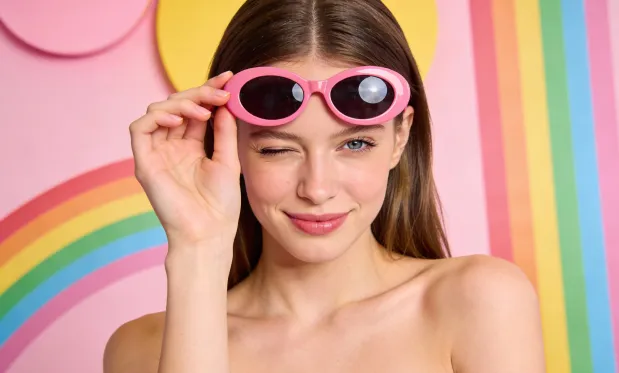
이미지 투 이미지 생성
원본
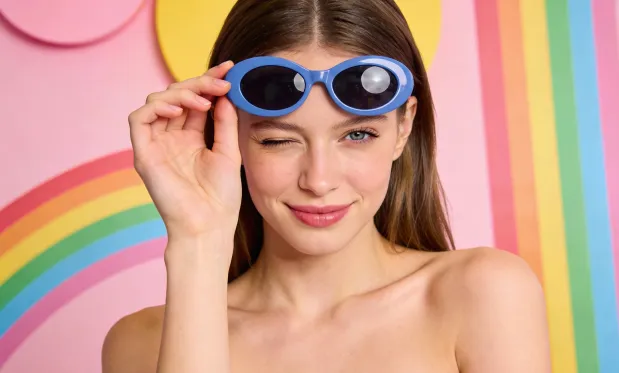
프롬프트
Change the girl's eyeglass frames to blue, keeping everything else unchanged
배경 교체 등 이미지 편집
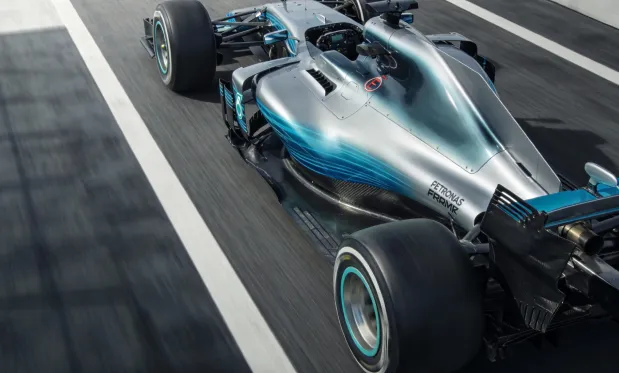
원본
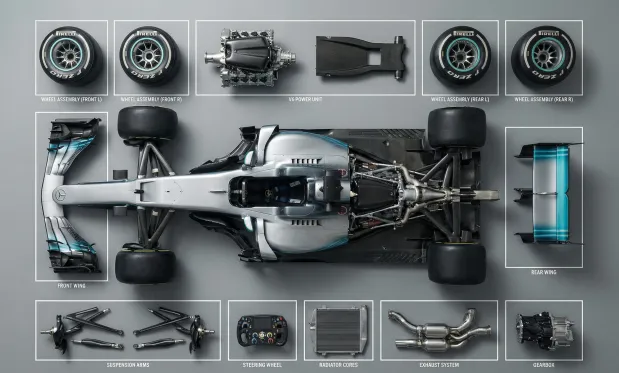
프롬프트
Ultra-realistic 8K flat lay photo, strictly adhering to the knolling style. Top-down 90° shot of the object in the reference image, fully disassembled into 8 to 12 main components, arranged in a tidy grid or radial pattern on a minimalist wood or matte gray desktop. Use even spacing, perfect alignment, no overlap, no extra objects. Scene lit with soft, diffuse multi-point lighting for subtle shadows, neutral color balance, and sharp focus across the frame. Feature highly detailed real-world materials (metal, plastic, rubber grips, circuit boards, screws). Outline each part with a thin white rectangular border, and place a short, clear English label in a clean sans-serif font next to each part without covering it; annotations should be easy to read but unobtrusive.
UGC AI 이미지 생성기 핵심 장점
개인 및 기업 사용자를 위해 효율적이고 통제력 있는 이미지 생성 및 편집 경험을 제공하며, 다양한 스타일 창작, 유연한 맞춤화, 편리한 활용을 지원합니다.
캐릭터 일관성
자세, 조명, 배경이 달라져도 메인 소재의 특징은 일관되게 유지되어, 자연스럽고 일관된 내러티브 효과를 보여줍니다.
디자인 확장성
핵심 구조와 디테일을 보존하면서도 다양한 예술 스타일이나 질감을 자유롭게 적용하여 창의적 재해석이 가능합니다.
창의적 합성
여러 이미지 요소를 하나의 프롬프트에 통합해 독특하고 조화로운 전체 구성을 생성할 수 있습니다.
UGC AI 이미지 생성기 활용 사례
AI 이미지 생성기는 포스터 디자인, 브랜드 마케팅, 교육 프레젠테이션, 예술 창작 등 다양한 분야에 폭넓게 적용할 수 있습니다. 이미지‧텍스트 디테일을 유연하게 조정해 창작 효율과 시각적 임팩트를 높이며, 디자이너·기업팀·교육자에게 효율적이고 전문적인 창작 지원을 제공합니다.
빠른 시제품 디자인
AI 이미지 생성기는 포스터, 각종 시각 콘텐츠의 세밀한 편집과 글꼴·크기·스타일의 유연한 조정을 지원하여 행사 홍보 및 브랜드 마케팅에 안성맞춤입니다.
교육 및 학습 지원
교육 분야에서 AI 이미지 생성기는 교재 및 학습 자료 제작을 돕고, 관련 이미지를 생성·편집하여 수업 표현력과 학습 효율을 높여줍니다.
기업 마케팅 및 브랜드 홍보
AI 이미지 생성기를 통해 기업은 마케팅 자료 및 브랜드 비주얼 콘텐츠를 효율적으로 제작해 브랜드 이미지를 강화하고 시장 경쟁력을 높일 수 있습니다.
문화‧예술 창작
AI 이미지 생성기는 예술가와 디자이너에게 다양한 창작 도구를 제공, 스타일 변환과 다채로운 표현을 지원해 예술 창작의 가능성을 크게 확장합니다.
UGC AI 이미지 생성기 사용법
이 가이드는 AI 이미지 생성기 도구를 최대한 활용할 수 있는 유용한 안내를 제공합니다.
1단계: 원하는 AI 모델 선택
이미지 생성에 적합한 모델을 선택하세요.
2단계: 텍스트 입력
이미지 생성을 위한 프롬프트를 입력하세요.
3단계: 이미지 비율 선택
생성할 이미지에 적합한 비율을 선택하세요.
4단계: 생성 버튼 클릭 후, 몇 초 만에 이미지 획득
이미지 생성

이미지 제작을 위한 더 많은 AI 도구 탐색
이미지를 생성한 뒤 프롬프트 도우미, UGC 이미지 도구, Pinterest 비주얼, AI 동영상 워크플로로 이어가 정적인 콘셉트를 캠페인에 활용할 수 있는 에셋으로 확장하세요.

자세히 알아보기간략히 표시


UGC AI 이미지 생성기 FAQ
UGC AI 이미지 생성기 관련 더 많은 기사 및 뉴스
2026-04-24
UGC 크리에이터를 위한 ChatGPT Image 2: 무엇이 새롭고, 더 나은 제품 이미지를 만드는 방법
ChatGPT Image 2는 크리에이터가 현실감 있는 UGC 이미지, 제품 비주얼, 광고 콘셉트, 그리고 소셜에 바로 활용할 수 있는 AI 콘텐츠를 더 빠르게 만들 수 있도록 도와줍니다.
자세히 보기
2026-01-23
UGC 메이커로 몇 분 만에 UGC 이미지 만드는 방법 (2026 가이드)
UGC 메이커로 빠르게 UGC 이미지를 만드는 방법 알아보기: 카피-페이스트 프롬프트, 광고/이커머스용 채널 플레이북, 자연스럽고 인간적인 사진을 위한 수정법.
자세히 보기
