Gave google omni a sketched camera path and asked it to generate drone POV footage.
Gemini Omni AI Video Generator
Create cinematic AI video concepts with Gemini Omni from text prompts or one starting image. Guide motion, camera movement, scene details, and visual style for UGC ads, product demos, social media clips, brand stories, education videos, and creative previews.
0 / 5000
Introduction about Gemini Omni AI Video Generator
Discover Gemini Omni AI Video Generator, a prompt-led workflow for text-to-video creation, image-to-video animation, and short-form content planning.
This introduction highlights text-to-video prompts, image-to-video animation, prompt-led motion and camera direction, clear scene planning, and visual storytelling for UGC ads, ecommerce promotion, education, and cinematic social media videos.
Example of Gemini Omni AI Video Generator
Gemini Omni AI Video Generator can help transform campaign briefs, a product image, a lifestyle image, and detailed prompts into dynamic video concepts. From creator-style product demonstrations and cinematic brand moments to educational explainers and vertical social clips, Gemini Omni helps teams shape consistent video ideas with natural motion direction, clear prompt structure, and polished visual planning.
Original Image
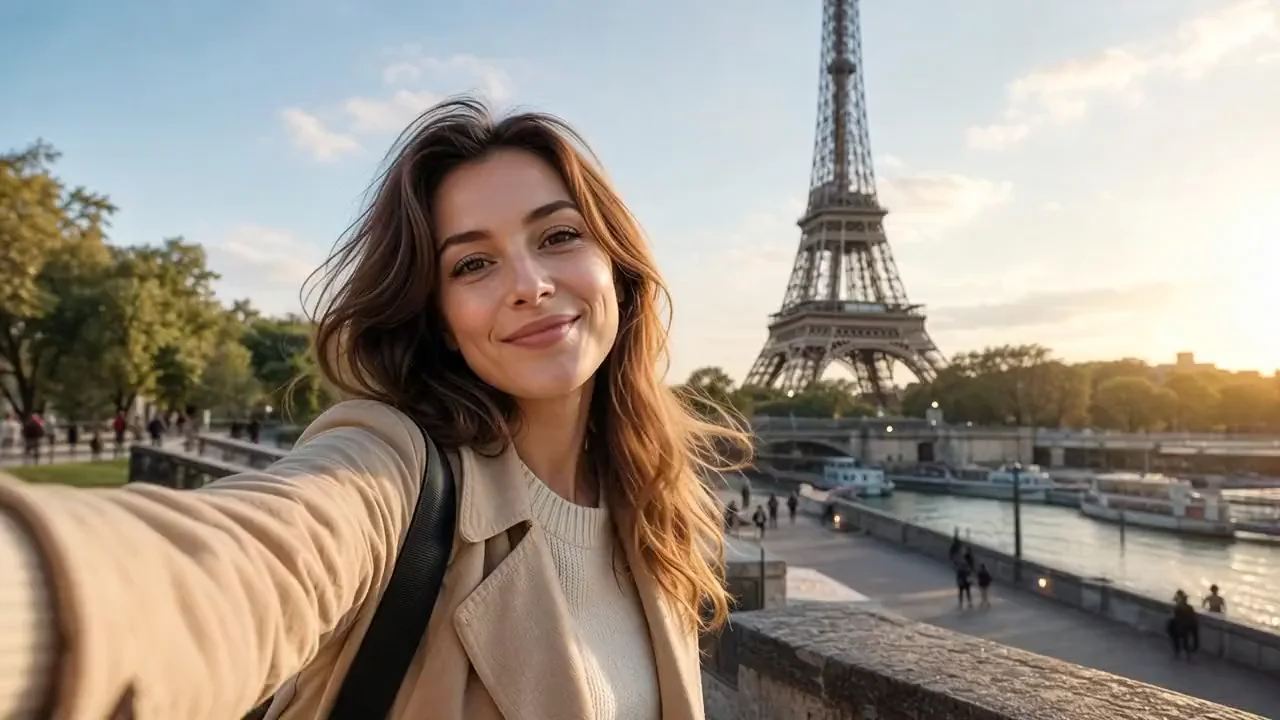
Video
Prompt
Create a 10-second cinematic hyper-lapse selfie travel video of the uploaded female character across 20 world-famous destinations in 2026. Hard cuts every 0.5 seconds synced to the beat. Handheld selfie-stick camera, wide-angle lens, close selfie framing, energetic travel-vlogger style, vibrant cinematic colors, realistic lighting, dynamic motion blur, natural crowds, and clear landmarks in every shot.
Core Features of Gemini Omni AI Video Generator
Gemini Omni AI Video Generator is designed around a focused text-to-video and image-to-video workflow: prompt-led motion, camera direction, scene planning, and visual refinement for faster UGC production and practical video planning.
Generate videos from detailed prompts
Describe the subject, product, scene, camera movement, lighting, pacing, and visual style to shape realistic AI video concepts from natural language.
Guide Image-to-Video Motion
Upload one starting image to guide composition, subject identity, style, and motion while developing an image-to-video concept.
Direct motion, camera, and scene details
Use prompt details to shape movement, camera angles, scene structure, transitions, lighting, and pacing across UGC ads, explainers, and storytelling clips.
Plan UGC and product scenes
Shape product demonstrations, creator-style hooks, social clips, and short explainers from a structured prompt-led creative direction.
Advantages of Gemini Omni AI Video Generator
The core advantage of Gemini Omni AI Video Generator is its focused creative direction workflow for turning prompts into practical AI video concepts. It helps creators, marketers, educators, ecommerce teams, and agencies explore more UGC-style video variations while keeping visual direction, motion planning, and storytelling aligned.
Focused workflow for video ideas
Move from a text prompt to a clear video concept without splitting scene direction, motion, and visual style across separate briefs.
Clearer direction for products and scenes
Use prompt-led guidance to keep product details, subject identity, brand colors, settings, and composition aligned across generated video concepts.
Cinematic quality for UGC and social campaigns
Create high-impact video ideas with natural lighting, purposeful camera movement, realistic scene dynamics, and polished presentation for TikTok, Instagram Reels, YouTube Shorts, and paid social campaigns.
Faster iteration from brief to concept
Explore hooks, product benefits, creator scenarios, visual styles, and scene directions quickly before choosing the strongest route for publishing or campaign testing.
Applicable Scenarios of Gemini Omni AI Video Generator
Gemini Omni AI Video Generator is suitable for UGC advertising, ecommerce product promotion, social media content, education videos, brand storytelling, film pre-visualization, and fast creative testing.
UGC ads and creator-style marketing videos
Draft product demos, testimonial-style scenes, hook variations, lifestyle clips, and creator-inspired ad concepts for performance marketing and campaign testing.
Product and ecommerce video creation
Transform product images, feature notes, packaging shots, and lifestyle prompts into dynamic promotional video concepts for product pages, store banners, and launch campaigns.
Educational explainers and visual learning
Plan short lessons, technical explainers, concept demos, and visual walkthroughs with clearer scene direction, on-screen text planning, and visual structure.
Brand storytelling and creative previews
Turn scripts, campaign briefs, storyboards, or scene ideas into cinematic previews that help teams compare concepts, align direction, and move faster from idea to production.
Share Gemini Omni Video AI on X.com
Gemini Omni AI Video Generator brings text-to-video and image-to-video creation into a focused prompt-led workflow. Guide scene direction, camera movement, and visual style for UGC ad hooks, product demos, educational explainers, and cinematic brand stories. Check out these videos created with Gemini Omni!

Hate being on camera? We have some great news. 🤫🎥 Gemini Omni in Google Vids lets you generate a personal AI avatar to star in your videos. Type a script, and let your digital twin handle the rest. Try it now on desktop → vids.new

Google Omni might be too powerful 🫥

Level up your video editing with Gemini Omni. You can create up to 10 videos at no cost until 11:59pm PT on August 4th, 2026. Change objects, add interactions between subject & space, and more. Here are four of our favorite ways to use Gemini Omni to edit videos: 🧵
How to Use Gemini Omni AI Video Generator
Create cinematic AI video concepts with Gemini Omni in three practical steps.
Describe a Scene or Add a Starting Image
Enter a detailed prompt describing the scene, subject, product, motion, camera angle, pacing, and visual style. For image-to-video, upload one starting image; the text-to-video path starts from the prompt alone.
Choose Duration and Aspect Ratio
Select 5 or 10 seconds and choose 16:9 or 9:16 according to your campaign goal and publishing channel.
Generate and Refine
Generate a video concept, review the result, then revise prompt details, scene direction, pacing, lighting, or composition to improve campaign fit.