
Video Creations
UGC Avatar Maker: Create Talking Avatar Videos
UGC Avatar Maker turns a character or presenter image and voiceover audio into short talking avatar videos for product introductions, UGC ads, explainers, and social content. Start with an uploaded or AI-generated image, add your own audio or prepare narration from a script or product message, then create a virtual presenter with speaking motion, natural facial expressions, and lip-synced delivery.
UGC Avatar Video Ideas
Use a virtual presenter to turn a product message, a short explanation, or a creator-style script into an avatar-led video concept. Begin with an image and a voiceover, then shape the delivery around the audience and channel you want to reach.
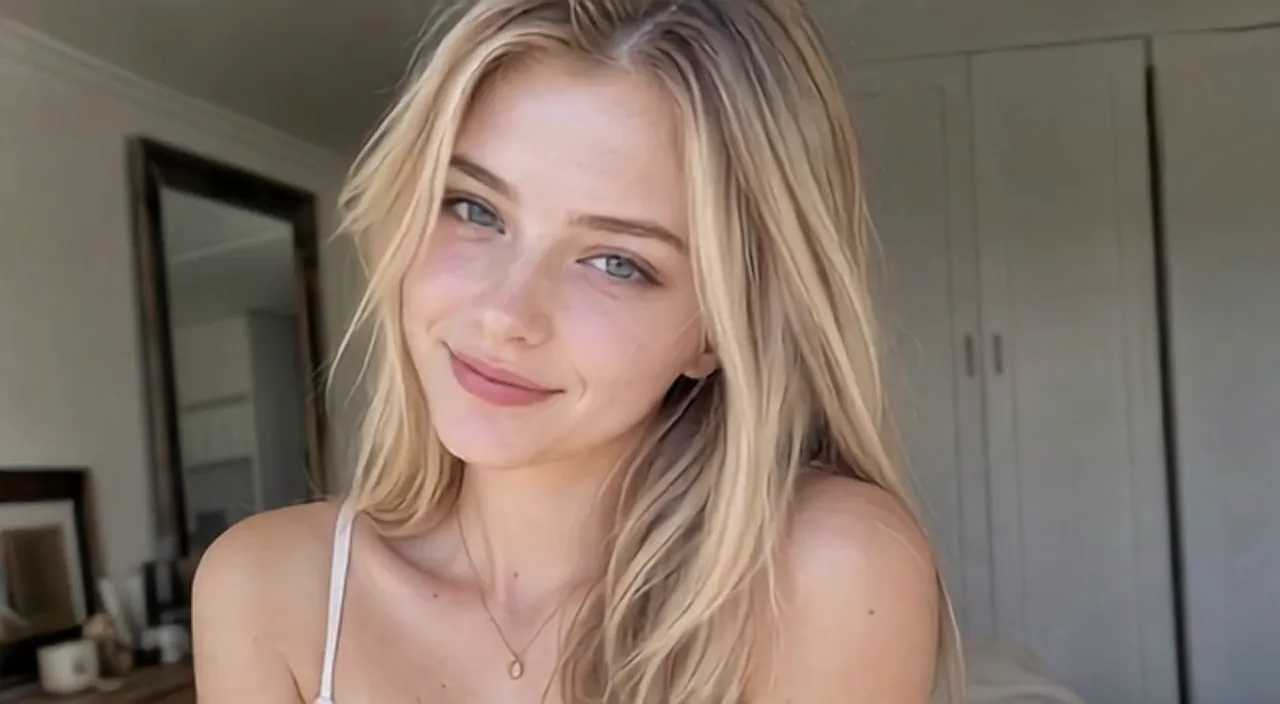
Original Image
Prompt
An approachable virtual creator introduces a skincare product in a clear, conversational tone. She looks at the camera, explains one practical benefit, and finishes with a simple invitation to learn more.
Video
Core Features of UGC Avatar Maker
Build talking avatar videos from the visual and audio inputs that fit your message. The workflow keeps the focus on a clear virtual presenter, a prepared narration, and a short video designed for creator-style communication.
Image-Led Virtual Presenters
Upload a presenter, character, or creator-style image, or begin with an image you generate for the concept. That visual becomes the starting point for an avatar-led video without arranging an on-camera shoot.
Voiceover-First Workflow
Upload a recorded voiceover or prepare narration from a script, product description, or talking point before generation. Pairing the message with the right audio helps keep the final delivery focused and easy to follow.
Lip-Synced Speaking Motion
Create a talking avatar with speech-driven mouth movement and natural facial expressions, so an image can deliver a message as a more engaging virtual presenter.
Made for UGC-Style Communication
Use the same image-and-audio workflow for product introductions, creator-style ads, quick explainers, and social clips when a direct-to-camera presentation fits the idea.
Core Advantages of UGC Avatar Maker
UGC Avatar Maker gives creators and teams a practical way to turn a message into an avatar-led video. It is designed to simplify the path from a visual concept and narration to a polished talking presentation.
Create Without Scheduling a Shoot
Start with a prepared image and voiceover instead of coordinating a camera, actor, location, and recording session. This makes it easier to begin an avatar video when filming is not the right fit for the project.
Turn Product Messages Into Presentations
Use a product benefit, feature explanation, or campaign talking point as the basis for narration. A virtual presenter can help give concise marketing and product information a more human, direct delivery.
Refine the Message Before You Generate
Update the image choice or narration as the idea develops, then generate a new talking avatar video around the revised direction. The workflow supports focused creative iteration without treating a first draft as final.
Adaptable for Everyday Content Needs
Use avatar-led delivery across e-commerce messaging, UGC ads, social clips, product explainers, and training content. Each use case can begin with the same clear sequence: image, voiceover, and video generation.
Use Cases for UGC Avatar Maker
UGC Avatar Maker is built for teams and creators who need a talking presenter format for product, marketing, educational, and social communication. Choose the message and image that suit the task, then let the avatar deliver the narration.
E-commerce Product Introductions
Give product features, benefits, and simple usage guidance a presenter-led format. Pair a product message with a suitable avatar image and voiceover to create a concise introduction for storefront or campaign content.
UGC Ads and Social Clips
Create creator-style talking videos for hooks, recommendations, product callouts, or campaign messages. An avatar-led approach can help brands explore a direct, conversational way to communicate on social channels.
Explainer and Training Videos
Turn a short script or instructional outline into a speaking avatar presentation for product walkthroughs, onboarding topics, learning materials, and internal explanations.
Creator and Brand Updates
Use a recurring presenter image and a fresh voiceover for announcements, launch notes, creator messages, and audience updates when a simple talking format is the clearest way to share the news.
How to Use UGC Avatar Maker
Create a talking avatar video in three straightforward steps
Step 1: Upload or Create an Avatar Image
Choose the presenter, character, or creator-style image you want to bring to life. Upload an image you already have or generate one that fits your video concept.
Step 2: Add or Create a Voiceover
Upload recorded audio, or prepare narration based on your script, product information, or key talking points. Keep the message clear and suited to the presenter you selected.
Step 3: Generate Your Talking Avatar Video
Generate the video to combine the image and narration into a talking presentation. Review the result and adjust the source image or voiceover direction when your message needs another version.

Explore More AI Tools for Talking Avatar Video Creation
Move from talking avatar videos to product clips, UGC ad concepts, image tools, and prompt utilities for broader creator-style content workflows.

























