Dola Seedream 5.0 Pro API is now available on BytePlus. AI image generation is evolving beyond creating a single image. Edit with precision. Visualize complex information. Render realistic images and portraits. Create across languages. Create production-ready visual assets for
Seedream 5.0 Pro AI Image Generator
Seedream 5.0 Pro offers advanced prompt-to-image, image-to-image, and image editing capabilities for creators and teams. Easily generate, modify, and enhance professional images, campaign graphics, posters, infographics, and multilingual visuals with precise control.
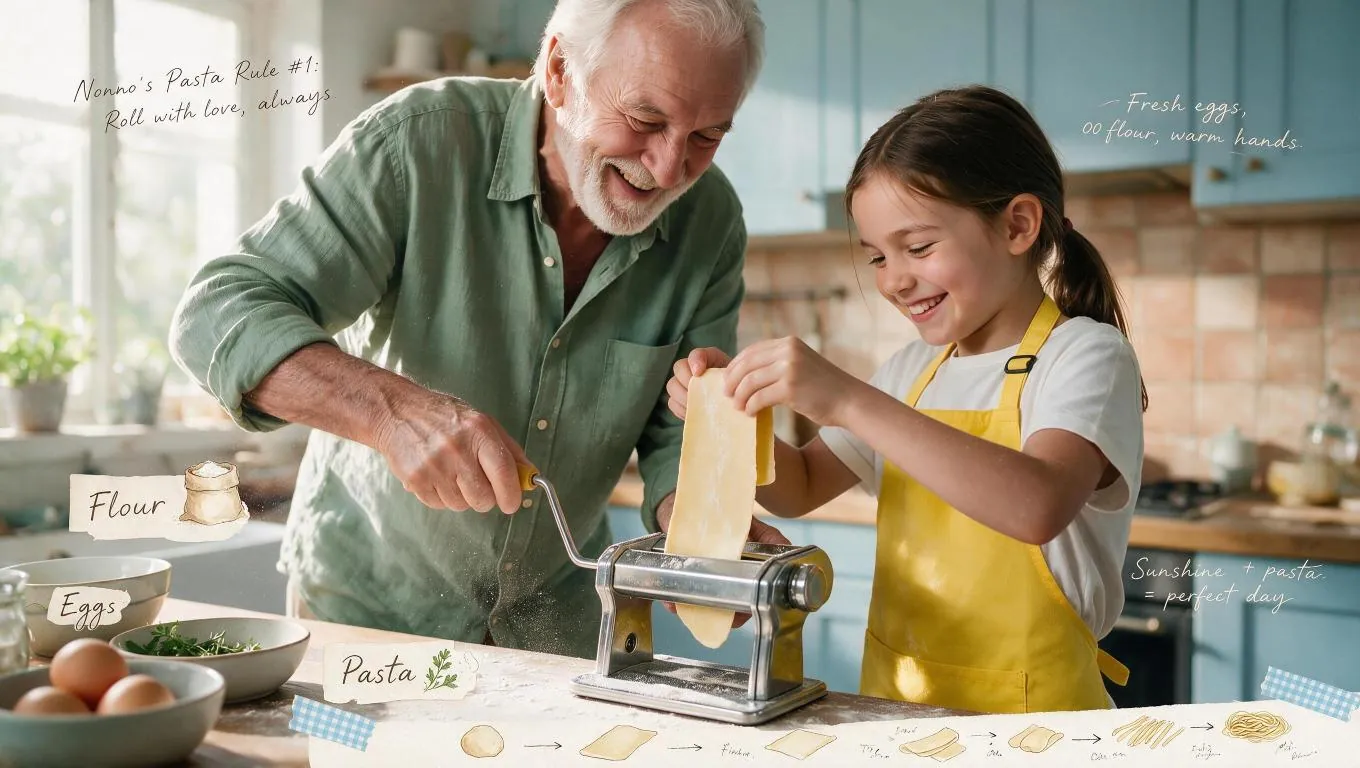
Image History
Introduction about Seedream 5.0 Pro AI Image Model
Discover Seedream 5.0 Pro, ByteDance's production-focused image model for text-to-image generation, precise visual editing, structured layouts, and multilingual content.
Seedream 5.0 Pro combines text-to-image generation and image editing in a workflow built for complex visual briefs. It can interpret detailed prompts, work with up to 10 reference images in editing workflows, preserve surrounding content during targeted edits, and create text-heavy designs such as posters, infographics, campaign layouts, and presentation graphics.
Core Features of Seedream 5.0 Pro AI Image Model
Seedream 5.0 Pro brings together detailed prompt interpretation, professional image generation, reference-guided editing, multilingual text, and structured visual design.
Generate Detailed Images from Complex Creative Briefs
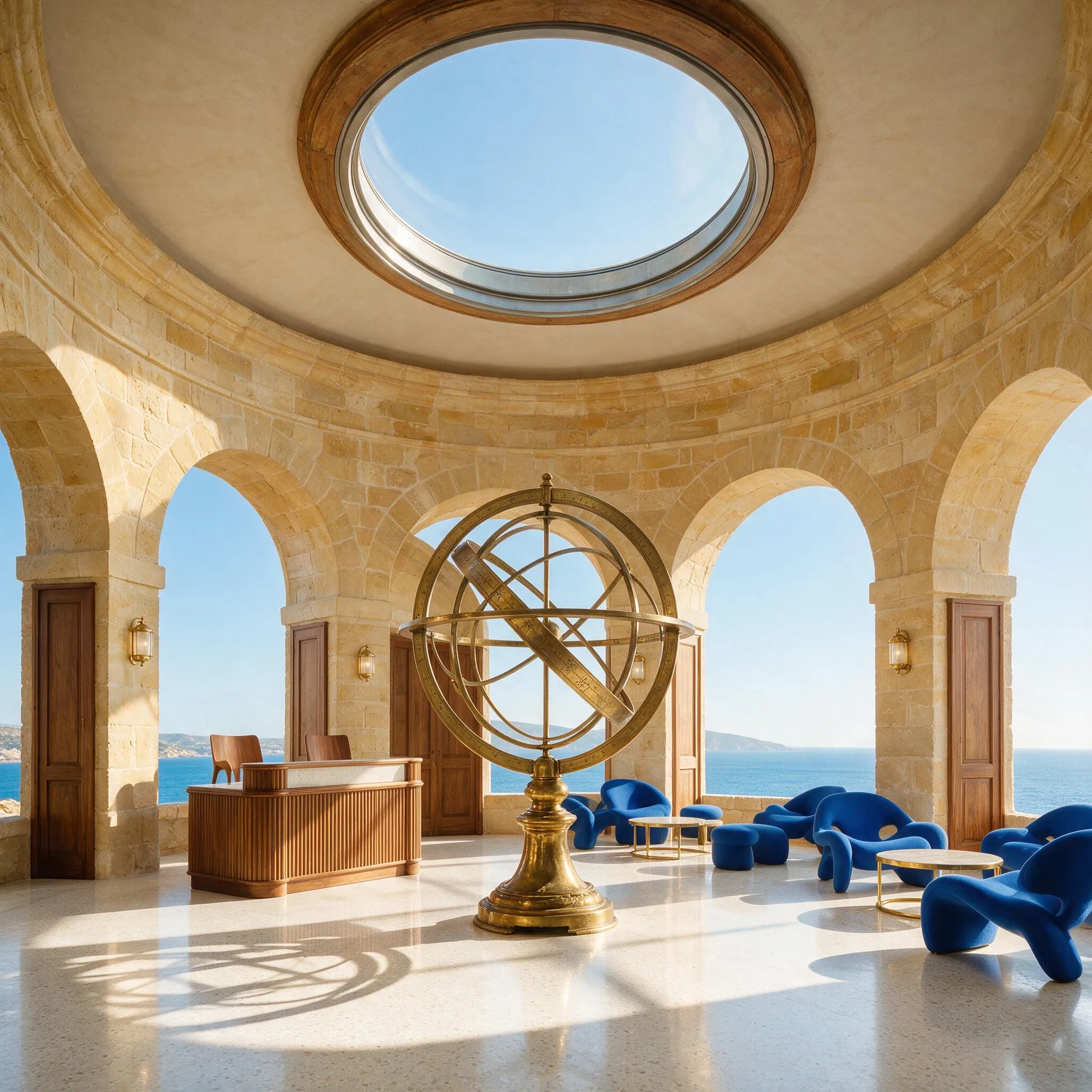
Prompt
Create a high-end architectural editorial photograph of a boutique hotel lobby built inside a restored coastal observatory. A monumental brass armillary sphere is the focal point beneath a circular skylight. Warm limestone walls, ribbed walnut reception desk, pale terrazzo floor, sculptural cobalt-blue lounge chairs, and a glimpse of the bright Mediterranean sea through arched windows. Morning sunlight casts precise geometric shadows. Refined contemporary hospitality design, believable materials, spacious composition, crisp details, bright optimistic color grading, no people, no logo, no watermark, no text.
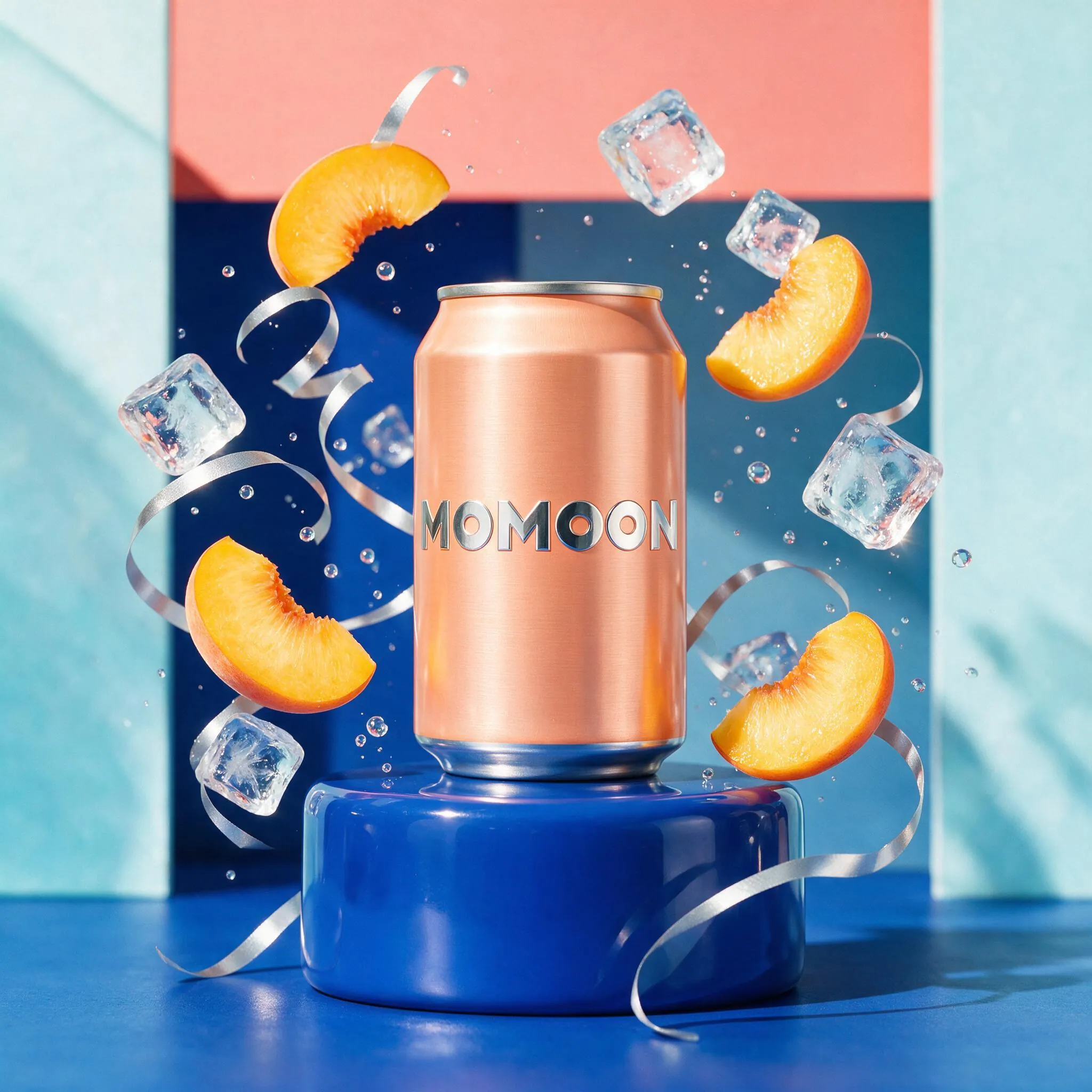
Prompt
Premium studio product campaign for a fictional sparkling tea brand named "MOMOON". A slim peach-colored can with the clearly readable word MOMOON stands upright on a glossy cobalt-blue pedestal. Translucent peach slices, ice cubes, silver ribbons, and tiny bubbles orbit around the can in a controlled dynamic composition. Bright coral, cobalt, and icy cyan palette, hard sunlight, clean reflective shadows, playful luxury beverage advertising, accurate can geometry, sharp typography, no extra words, no real-world brand, no watermark.
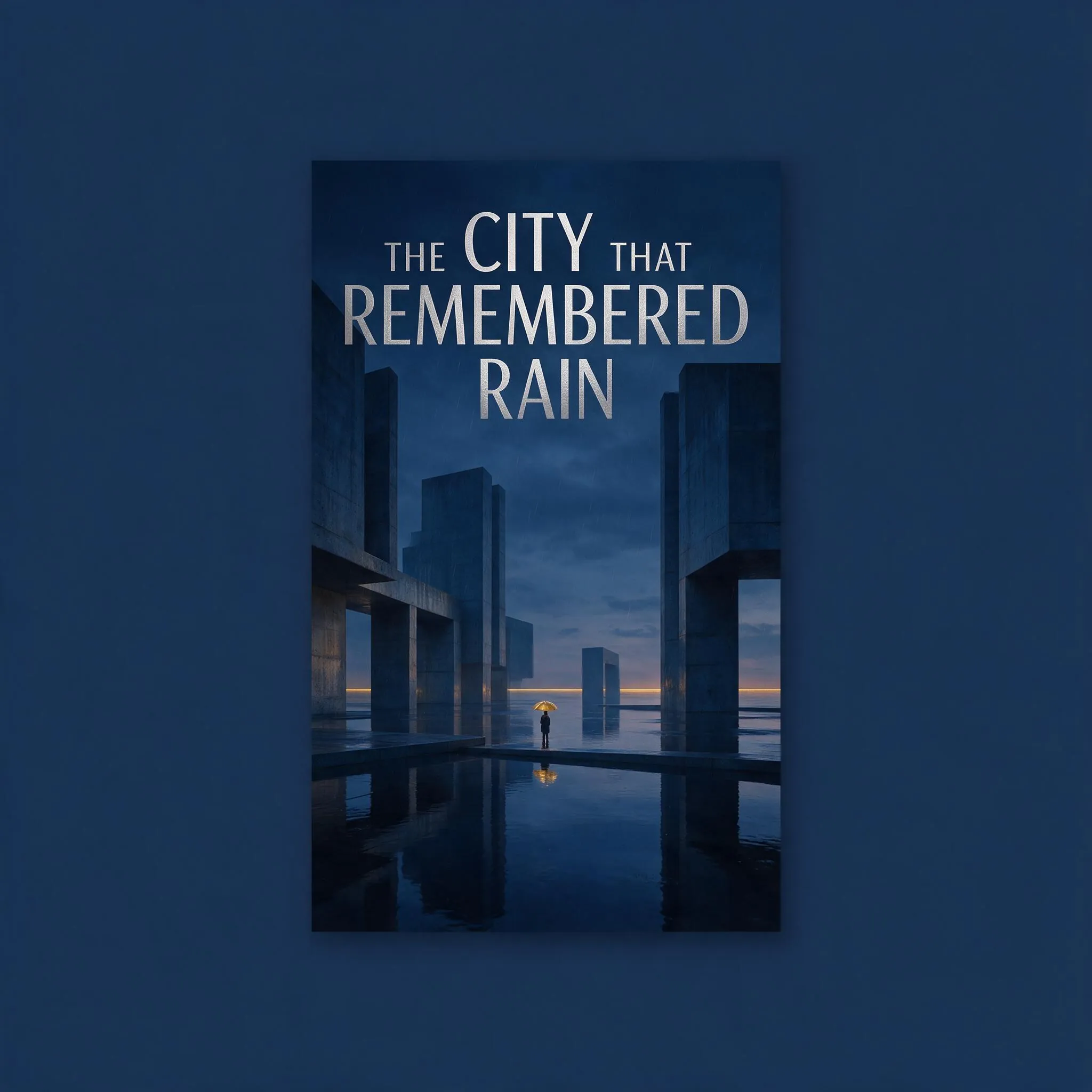
Prompt
Design an elegant literary science-fiction book cover. Exact title: "THE CITY THAT REMEMBERED RAIN". A flooded brutalist plaza at dusk, mirror-like water surrounding monumental concrete structures, one tiny figure holding a golden umbrella, fine rain visible against deep slate-blue architecture. Minimal editorial composition, silver foil-like condensed typography, a thin gold horizon line, sophisticated negative space, premium publishing design, vertical cover centered inside the square canvas, title fully legible, no author name, no extra text, no logo, no watermark.
Perform Precise Reference-Guided Image Editing
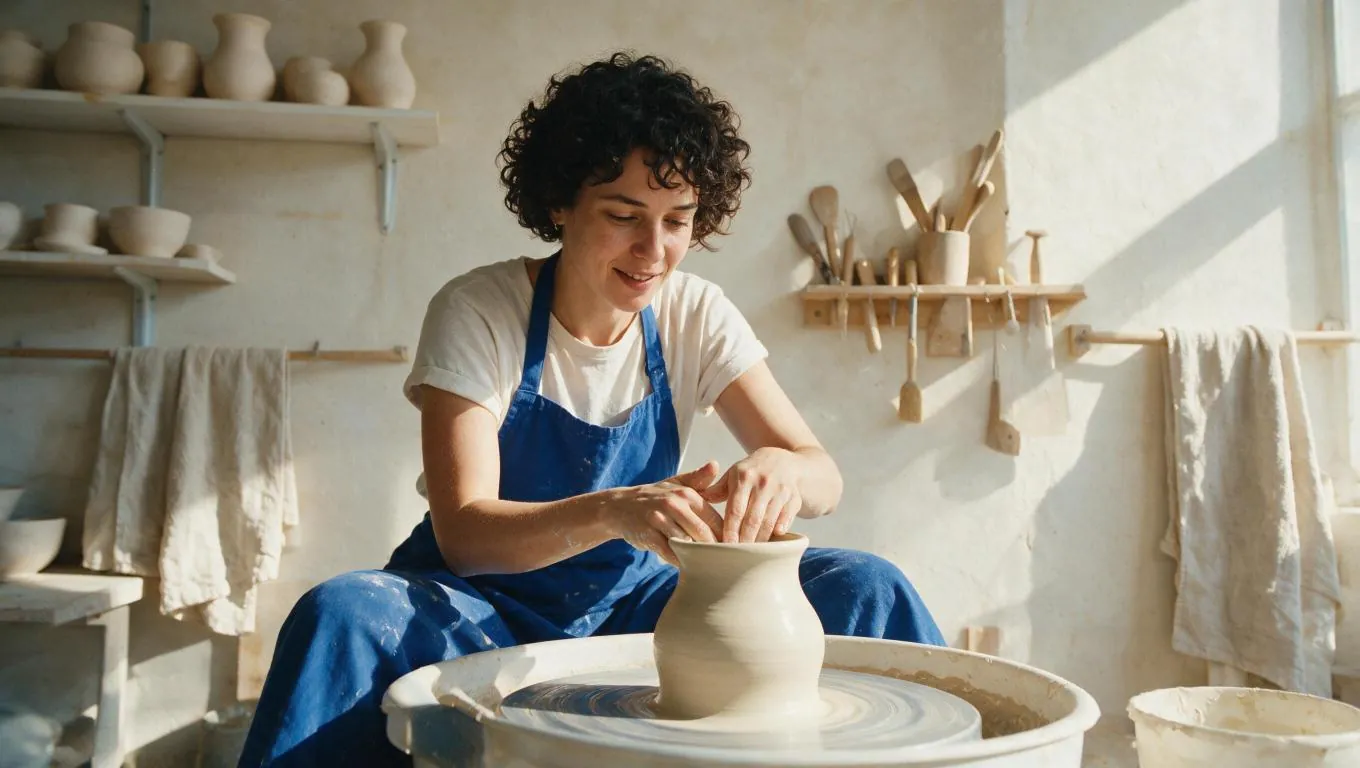
Original (Prompt)
Documentary editorial photograph of a ceramic artist at a pottery wheel in a bright sunlit studio. A woman in her early thirties with short dark curls and a cobalt work apron shapes a pale clay vase with both hands. Shelves of unfinished ceramics, wooden tools, linen towels, and warm plaster walls in the background. Natural side light, authentic wet clay texture, relaxed focused expression, hands clearly visible, balanced wide composition, subtle film grain, warm cream and cobalt palette, no text, no logo, no watermark.
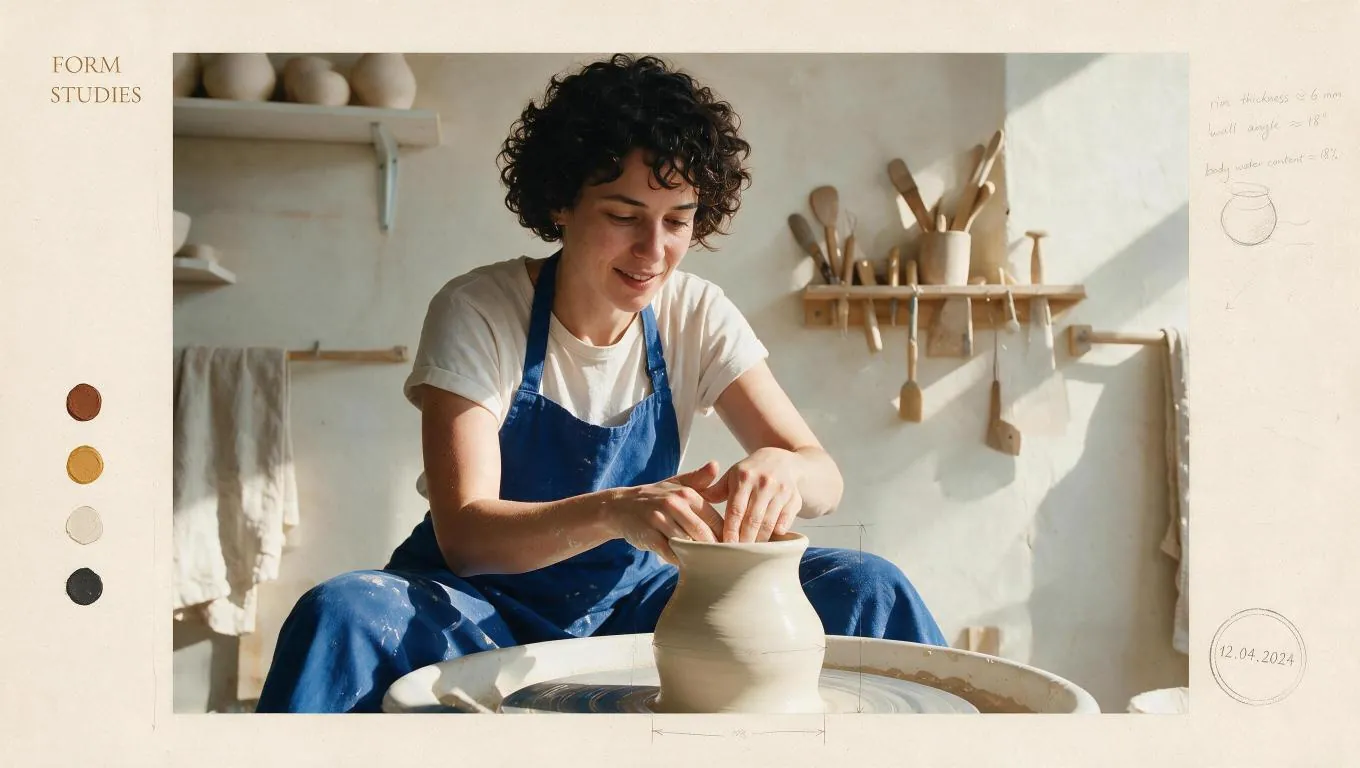
Generated (Prompt)
Preserve the ceramic artist's identity, face, hairstyle, pose, hands, pottery wheel, vase, camera angle, studio layout, and natural lighting from the input image. Transform the photograph into a refined contemporary craft-journal cover spread: add a wide warm-cream editorial border, small clay color swatches, restrained pencil process notes, a stamped date, delicate measurement arrows around the vase, and the exact headline "FORM STUDIES" in the upper-left margin. Keep all overlays outside the face and hands. Premium independent magazine art direction, realistic print texture, no logo, no watermark, no other large text.
Create Multilingual Text and Structured Layouts
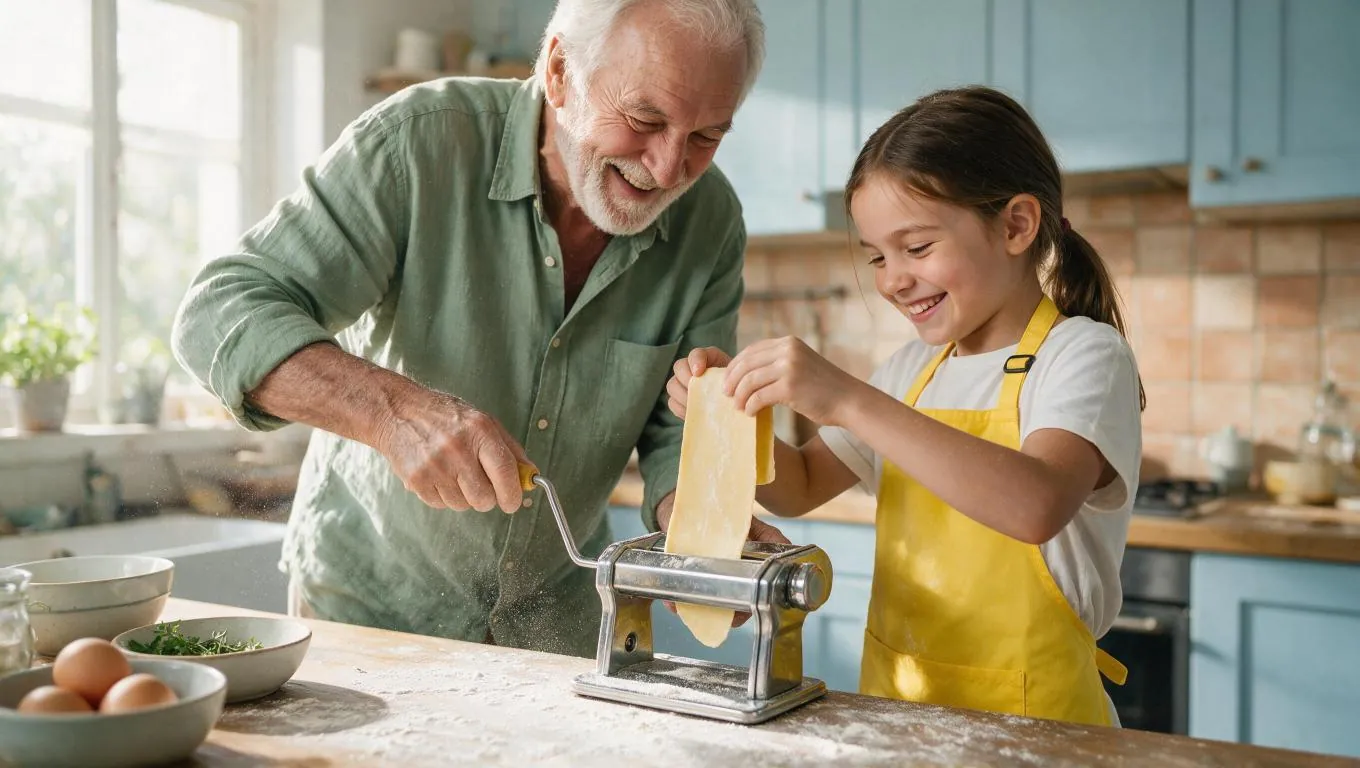
Original (Prompt)
Bright candid family editorial photograph of a grandfather and his eight-year-old granddaughter making fresh pasta together in a cheerful home kitchen. The grandfather wears a sage-green linen shirt and the child wears a sunny yellow apron. They smile while guiding a long sheet of pasta through a hand-crank machine. Flour dust catches the window light, bowls of eggs and herbs sit on the wooden counter, pale blue cabinets and terracotta tiles behind them. Faces and hands clearly visible, believable family warmth, crisp natural daylight, wide 16:9 composition, no text, no logo, no watermark.
Generated (Prompt)
Preserve both people's identities, faces, clothing, poses, hand positions, pasta-making action, pasta machine, kitchen layout, camera angle, and daylight from the input image. Turn the scene into a joyful illustrated family-recipe scrapbook spread: add small watercolor labels for flour, eggs, and pasta, a simple hand-drawn pasta timeline along the bottom edge, blue gingham photo corners, and a few subtle handwritten cooking notes in the empty background areas. Keep every face and hand unobstructed. Bright handcrafted editorial style, realistic photograph remains dominant, no logo, no watermark, no large headline.
Advantages of Seedream 5.0 Pro AI Image Generator
Seedream 5.0 Pro improves control across generation and editing, helping teams create polished, reusable visual assets with fewer restarts and less manual production work.
Precise Editing Control
Use natural-language instructions and reference images to make targeted changes while keeping unrelated subjects, lighting, and composition more stable.
Production-Ready Visual Detail
Create refined product scenes, realistic campaign images, editorial visuals, and branded assets with strong material, lighting, color, and composition control.
Multilingual Text Rendering
Build posters, ads, social graphics, and information layouts with text in multiple languages, while reviewing important wording before final publication.
Faster Design Iteration
Generate, edit, compare, and refine visual directions in one AI workflow, reducing the need to recreate an entire image whenever a product, color, material, or layout changes.
Applicable Scenarios of Seedream 5.0 Pro AI Image Generator
Seedream 5.0 Pro supports professional image workflows for marketers, designers, agencies, e-commerce teams, publishers, and creators who need detailed visuals and controllable editing.
Product Marketing and E-commerce Visuals
Create product renders, lifestyle scenes, marketplace images, launch graphics, and seasonal campaign variants with clearer control over materials, colors, and placement.
Social Media and Paid Ad Creatives
Generate polished image variations for organic posts, vertical ads, thumbnails, creator campaigns, and creative tests across multiple channels.
Infographics and Information Design
Turn data, timelines, process explanations, product features, and dense written briefs into structured visual layouts for reports, presentations, and campaigns.
Posters and Multilingual Brand Assets
Create posters, promotional graphics, localized layouts, and branded content that combine readable text, organized composition, and campaign-ready imagery.
How to Use Seedream 5.0 Pro AI Image Generator
Create and refine Seedream 5.0 Pro images in three practical steps.
Enter a Prompt or Add References
Describe the subject, style, layout, lighting, text, and intended use. Add reference images when you need stronger control over products, people, materials, or composition.
Choose Settings and Generate
Select Seedream 5.0 Pro, choose an available aspect ratio and 1K or 2K resolution, then generate the first image for review.
Edit, Review, and Export
Refine the prompt or add reference images for targeted changes, compare the results, and export the strongest visual for marketing, e-commerce, social, or design work.

Share Seedream 5.0 Pro AI on X.com
Explore Seedream 5.0 Pro creations featuring precise visual editing, realistic product scenes, multilingual typography, dense infographics, and production-focused image design.

Seedream-5.0 Pro enters the Multi-Image Edit Arena at #2 with 1415 pts. Strong improvement compared to Seedream-4.5 (#11 -> #2)!


Dola Seedream 5.0 Pro API is now available on BytePlus. AI image generation is evolving beyond creating a single image. Edit with precision. Visualize complex information. Render realistic images and portraits. Create across languages. Create production-ready visual assets for

AI video just crossed a new line. Seedream 5 Pro + Seedance 2.0 (1 prompt only) just turned a regular AI video into something that looks like real 1960s documentary footage. Here's how to do it yourself in Magnific 👇

Fable 5にダンス動画の制作パイプラインを任せてみた。 ①Seedream 5 Proでキャラ設計 ②Blenderでマネキンに15秒踊らせる ③動きとカメラをSeedance 2.0に参照 プロンプトでは出しにくい動きがそのまま映像になる。振付のBlenderコードも含めて全部Fable 5。おかげで3D制作環境が一気に整ってきた✨
