
ASMR-Vorlage wählen
KI-ASMR-Videogenerator mit wohltuenden Vorlagen
Verwandle ein Bild oder eine Szenenidee in ein wohltuendes ASMR-Video. Entdecke Vorlagen für Schneiden, Klopfen, Sand und Slime und beschreibe anschließend mit UGC Maker AI die gewünschten Bewegungen und Geräusche.
KI-ASMR-Videobeispiele entdecken
Sieh Eis-, Flüssigkeits- und Schokoladentexturen in Bewegung und kopiere einen Prompt, um deinen eigenen ASMR-Clip zu erstellen.
Originalbild
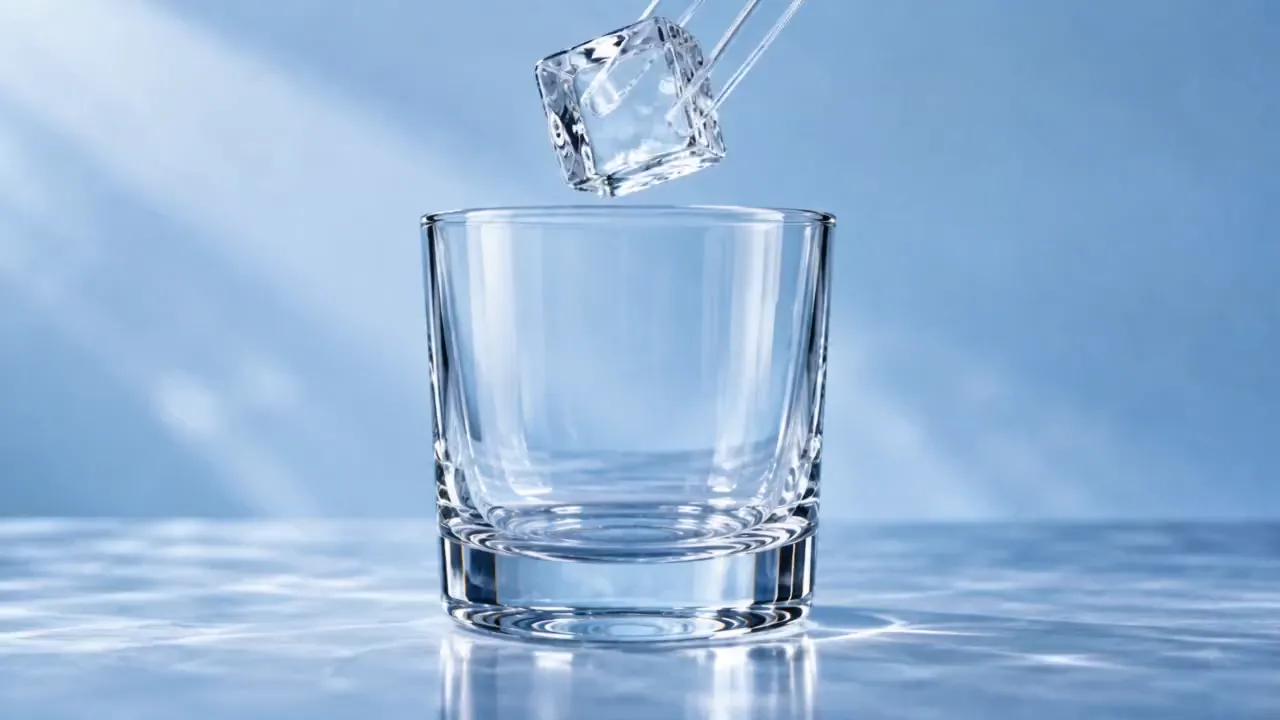
Prompt
15-second 16:9 reference-image-to-video ASMR video. Begin from the exact reference-image composition and retain the glass vessel, ice geometry, liquid colors, and cool studio lighting. No labels, text, logos, face, or drinking action.
0–2s: a clear square ice cube is placed into the empty glass with a crisp resonant clink.
2–4s: a thin stream of cobalt-blue liquid flows around the ice and fills the lower third of the glass.
4–7s: a second stream of amber liquid enters from the opposite side, forming visible swirling boundaries without instantly mixing.
7–9s: a glass stirrer turns once; the colors spiral around the cube in layered ribbons.
9–11s: a second ice cube drops in, displacing the liquid and creating a controlled ripple against the glass.
11–14s: condensation beads form and slide down the outer surface while the internal colors settle into a rich gradient.
14–15s: close macro of one bead rolling downward, ending on a clear glass chime.
Camera: extreme macro at glass height, slow focus transition from the pour to the condensation bead. Audio: precise ice clinks, liquid pour, glass stir, no music, no voice.
Video
Die Details deines ASMR-Clips steuern
Nutze eine fokussierte Szene, gezielte Bewegung und eine klare Geräuschbeschreibung.
Wohltuende Prompt-Vorlagen
Beginne mit Glasobst, kinetischem Sand, Slime oder Klopfen und ändere dann Material, Motiv oder Tempo im Prompt.
Videoerstellung aus Bildern
Lade ein Bild hoch, um das anfängliche Aussehen zu steuern, und beschreibe, wie sich das Motiv bewegen soll.
Ton mit kompatiblen Modellen
Beschreibe die gewünschten Kontaktgeräusche und generiere sie mit einem tonfähigen Modell. Lass Audio aktiviert, wenn das gewählte Modell einen Audioschalter bietet.
Deine Varianten prüfen
Vergleiche generierte Clips in deinem Videoverlauf und verfeinere den Prompt für die gewünschte Bewegung, Bildkomposition und Geräuschkulisse.
Wohltuende Videoideen entdecken
Gestalte einen kurzen Clip rund um eine taktile Handlung.
Schneiden und Zerteilen
Entdecke glatte Schnitte, geschichtete Materialien und Nahaufnahme-Texturen mit einem gezielten Kamerawinkel.
Sand und weiche Materialien
Probiere körniges Zerbröseln, sanftes Zusammendrücken und ordentlich angeordnete Formen mit zurückhaltender Bewegung.
Slime- und Blasentexturen
Beschreibe langsames Dehnen, Falten und leises Ploppen, um ein taktiles Bild- und Tonkonzept zu steuern.
Klopfen und Objektgeräusche
Konzentriere dich auf leichte Berührungen, Oberflächenstruktur und eine ruhige Szene mit stabiler Komposition.
So erstellst du ein KI-ASMR-Video
Beginne mit einer Vorlage und steuere sowohl Handlung als auch Ton.
Vorlage und Bild wählen
Wähle eine ASMR-Vorlage und lade ein Bild hoch, wenn du Motiv und Anfangskomposition steuern möchtest.
Bewegung und Ton beschreiben
Bearbeite den Prompt mit einer konkreten Handlung, einem Tempo und Geräusch. Nutze ein tonfähiges Modell und aktiviere Audio, wenn das Modell einen Schalter bietet.
Generieren und anhören
Generiere deinen Clip und prüfe das Video mit Ton. Passe Prompt oder Modelleinstellungen an, wenn Timing oder Textur verfeinert werden müssen.

Weitere KI-Kreativtools entdecken
Entwickle deine nächste Bildidee mit den Bild- und Videotools auf UGC Maker AI.






Mehr lesenWeniger anzeigen





















Häufige Fragen zum KI-ASMR-Videogenerator
Weitere Artikel über KI-ASMR-Videos
Loading...