
Kostenloser Bild-zu-Bild-KI-Generator: Online-Bildeditor
Transformieren Sie ein hochgeladenes Bild kostenlos mit dem Bild-zu-Bild-Tool von UGC Maker in ein neues Motiv. Verwenden Sie ein Referenzbild und schriftliche Anweisungen, um Stil, Hintergrund, Beleuchtung, Komposition oder Produktdarstellung zu verändern, während wichtige Motive, Farben, Layouts und Markendetails erkennbar bleiben.
100 % kostenlos
Unterstützt von OpenAI
Keine Anmeldung erforderlich
Unbegrenzte Nutzung
Seitenverhältnis
Beispiele für kostenlose Bild-zu-Bild-Transformationen
Sehen Sie, wie das kostenlose Bild-zu-Bild-Tool hochgeladene Referenzen in Produktvisualisierungen, Lifestyle-Szenen, Poster, Mockups, Social-Media-Grafiken und Kampagnenvarianten für Kreative, Marken, E-Commerce-Teams und Designer verwandelt.
Erkunden Sie ausgehend von einem Quellbild mehrere visuelle Richtungen, darunter filmisches 3D-Styling, sonnendurchflutete Lifestyle-Fotografie und detailreich illustrierte Szenen.
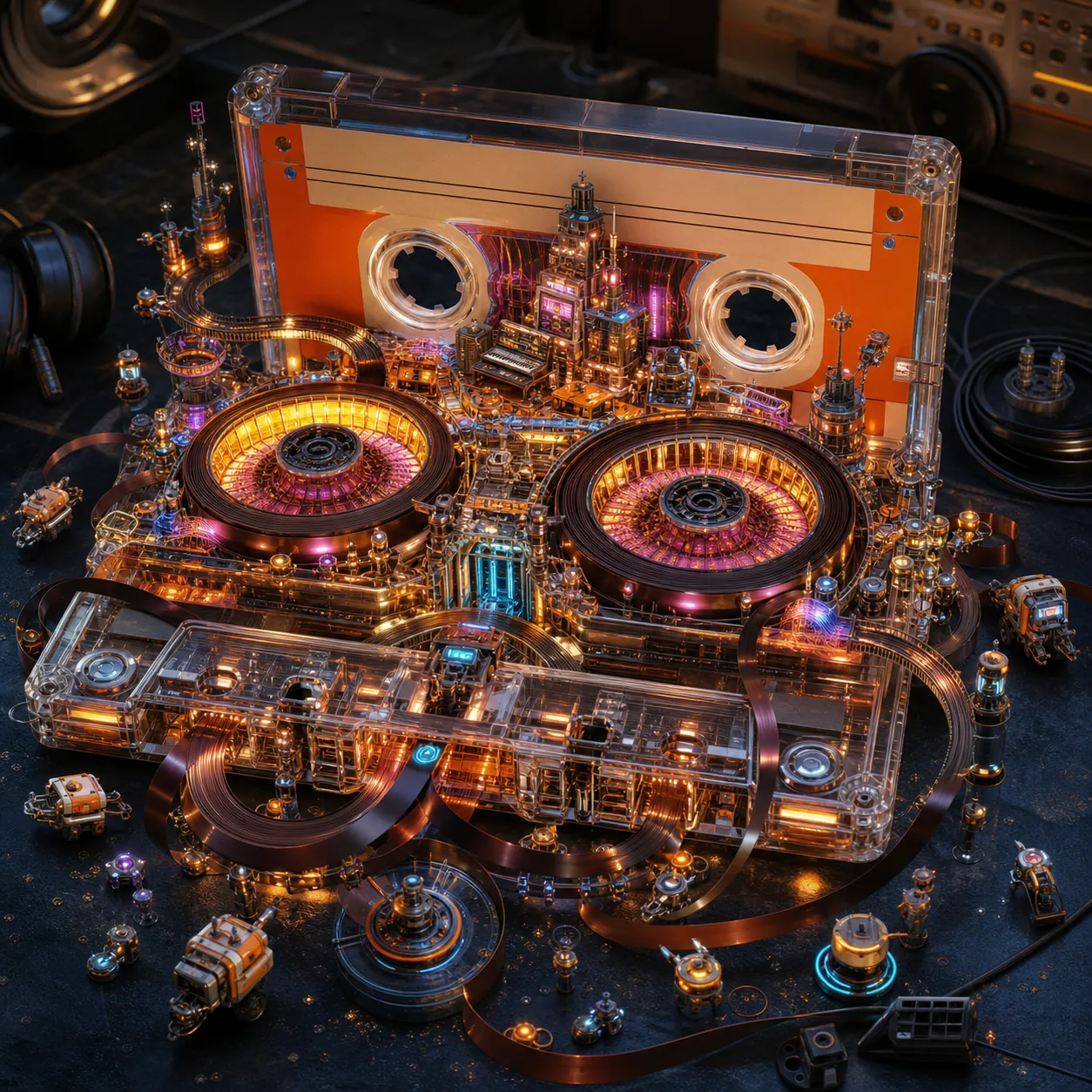
Eingabe
Cinematic 3D composition centered on a vintage orange-and-cream cassette tape, frozen at the instant it releases something far bigger than itself. From within it, an entire retro-futurist recording-studio metropolis unfolds, spilling outward into sweeping environments, towering forms, and dynamic motion that suggests this world was hidden there all along. The cassette becomes part of the world: its transparent shell opens into architectural terraces, the two circular spools become illuminated concert halls, the magnetic tape path becomes looping elevated roads and glowing sound-wave bridges, and small mechanical details grow into towers, studios, and antennae. Small non-humanoid maintenance robots, vehicles, and recording machines navigate the scene, adding life, scale, and narrative without becoming portrait subjects. The moment balances between dream and physics, where visual logic holds even as reality stretches. Volumetric glow, theatrical haze, suspended dust, luminous particles, and curling ribbons of magnetic tape amplify the rupture and emergence. A subtle hint of the real world remains visible around the edges as a dark tabletop and soft studio shadows, anchoring the spectacle in realism. Square 1:1 composition, cassette centered in a slightly elevated three-quarter view. Make the twin spools, shell, tape path, emerging architecture, and scale relationships immediately readable. Use vivid orange, cream, magenta, cyan, warm gold, and deep midnight blue. Hyper-detailed textures, dramatic lighting, cinematic depth, ultra-realistic 3D concept-art finish. Constraints: no people, human silhouettes, faces, hands, or human-like robots; no readable text, labels, logos, watermark, border, or UI; no water, liquid typography, word-as-object design, tea, packaging, poster, or watercolor style; no duplicated cassette, broken spool geometry, muddy darkness, or empty background.
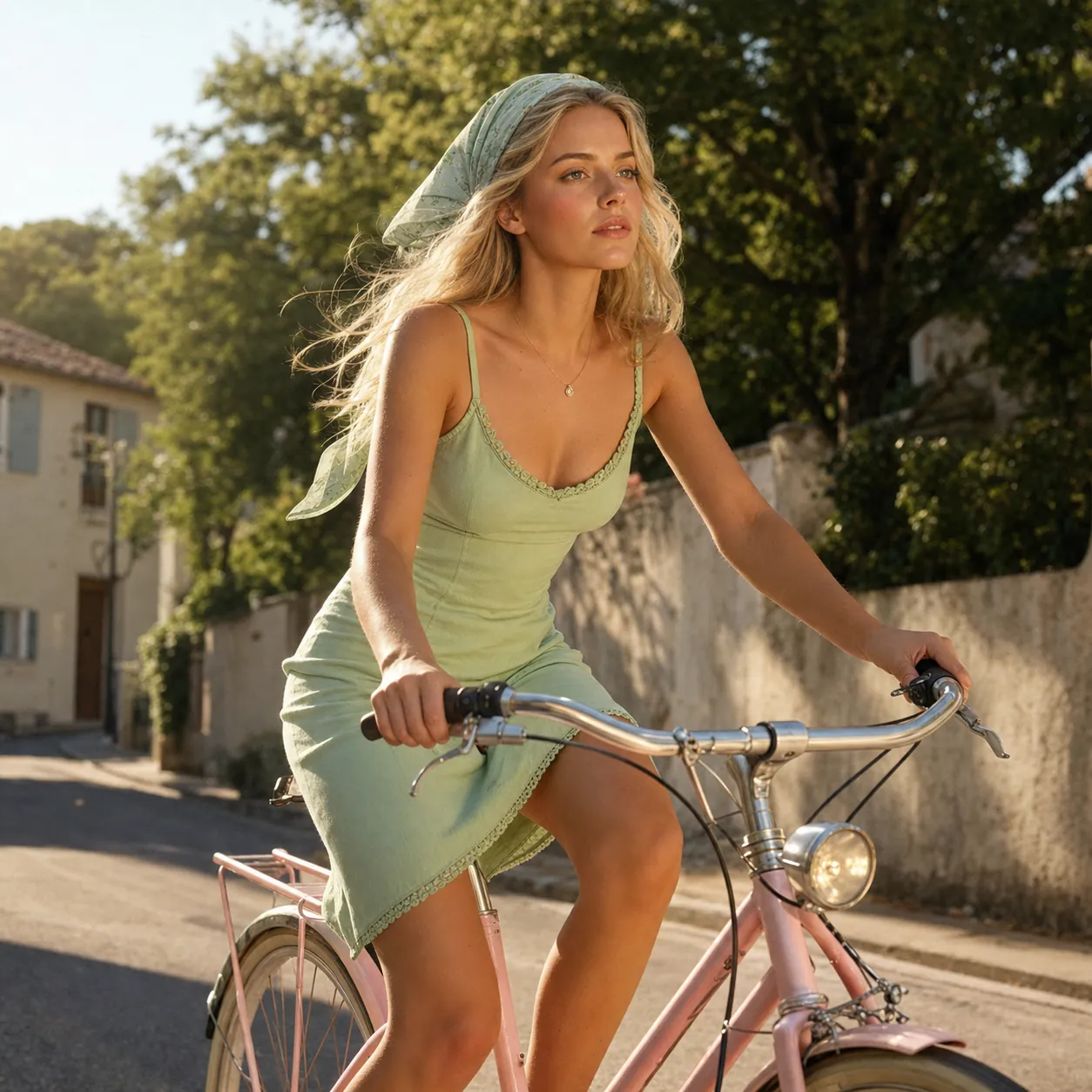
Eingabe
Create a square 1:1 sunlit lifestyle fashion photograph with soft cinematic realism and a refined summer editorial aesthetic. Subject: one adult blonde woman riding a pastel pink bicycle, wearing a light green fitted summer dress with subtle stitched border detail and no readable text, plus a matching headscarf. She leans slightly forward while gripping the handlebars, with a focused gaze directed ahead as if in natural motion. Environment: a quiet tree-lined European suburban street during golden hour, with soft background greenery and a clean, aspirational lifestyle atmosphere. Mood: youthful, serene, nostalgic and carefree. Warm golden-hour sunlight creates soft natural shadows and gentle highlights on skin and hair. Include rosy cheeks, a delicate small necklace, flowing wavy hair strands, smooth pastel fabric texture and authentic vintage bicycle details. Camera and composition: square 1:1 medium shot from a slightly low angle, shallow depth of field isolating the subject. Use rule-of-thirds balance and the diagonal bicycle frame as a leading line toward her face. Preserve believable anatomy, hands on handlebars, bicycle geometry and natural motion. Color palette: soft sky blue, warm natural skin tones, pastel pink, muted green and golden sunlight. Modern fashion editorial meets vintage summer photography and romantic lifestyle advertising. Ultra-detailed, photorealistic, high resolution with subtle film grain. Constraints: exactly one adult woman and one bicycle; no childlike appearance; no readable text, logo, watermark, border or UI; no extra limbs, malformed hands, duplicated wheels or distorted bicycle frame; no plastic skin, cartoon, illustration or CGI look.
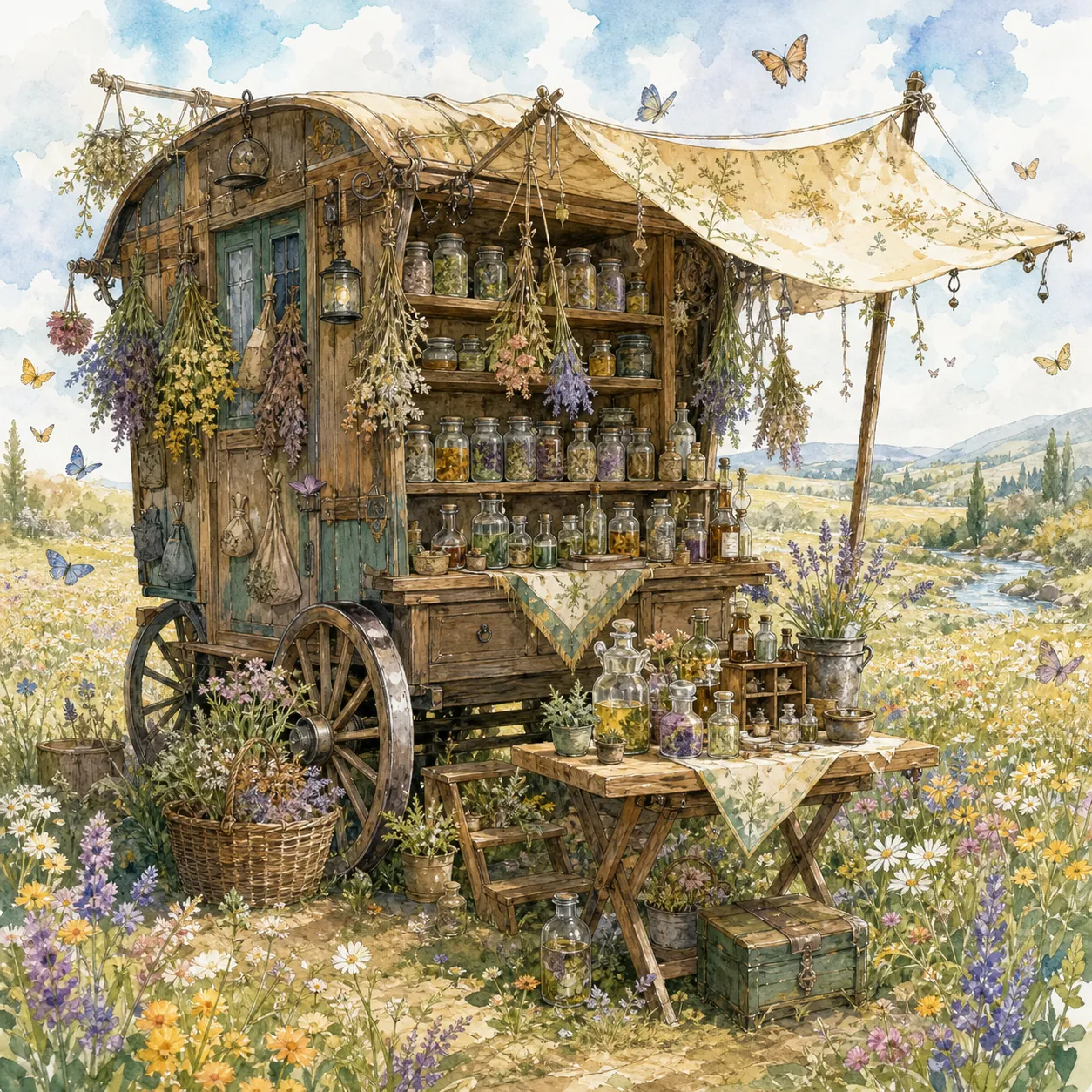
Eingabe
Create a square 1:1 illustration. Scene: A traveling herbalist's wooden wagon parked in a wide flower-filled meadow, shelves of glass jars and bundled dried herbs hanging from the sides, a small folding table covered in potions and plants, a canvas shade stretched overhead, and butterflies drifting lazily through the warm open field. The wagon is unattended; no character is present. Style: Fantasy hand-drawn watercolor illustration style. Traditional watercolor rendering with visible pigment splashes, fluid paint diffusion, and softly blended tonal transitions. Delicate hand-illustrated linework with expressive drawn detailing and organic sketch-like contours. Soft, gentle color palette emphasizing airy tones and subtle saturation rather than strong contrast. Painterly layered watercolor textures combined with illustrative fantasy art aesthetics. Decorative, richly illustrated environment with numerous small background details integrated into the composition. Elegant full illustration treatment prioritizing handcrafted visual charm, artistic softness, and classic storybook-inspired fantasy rendering. Constraints: no people, human figures, faces, silhouettes or hands; no readable text, logo, watermark, border or UI.
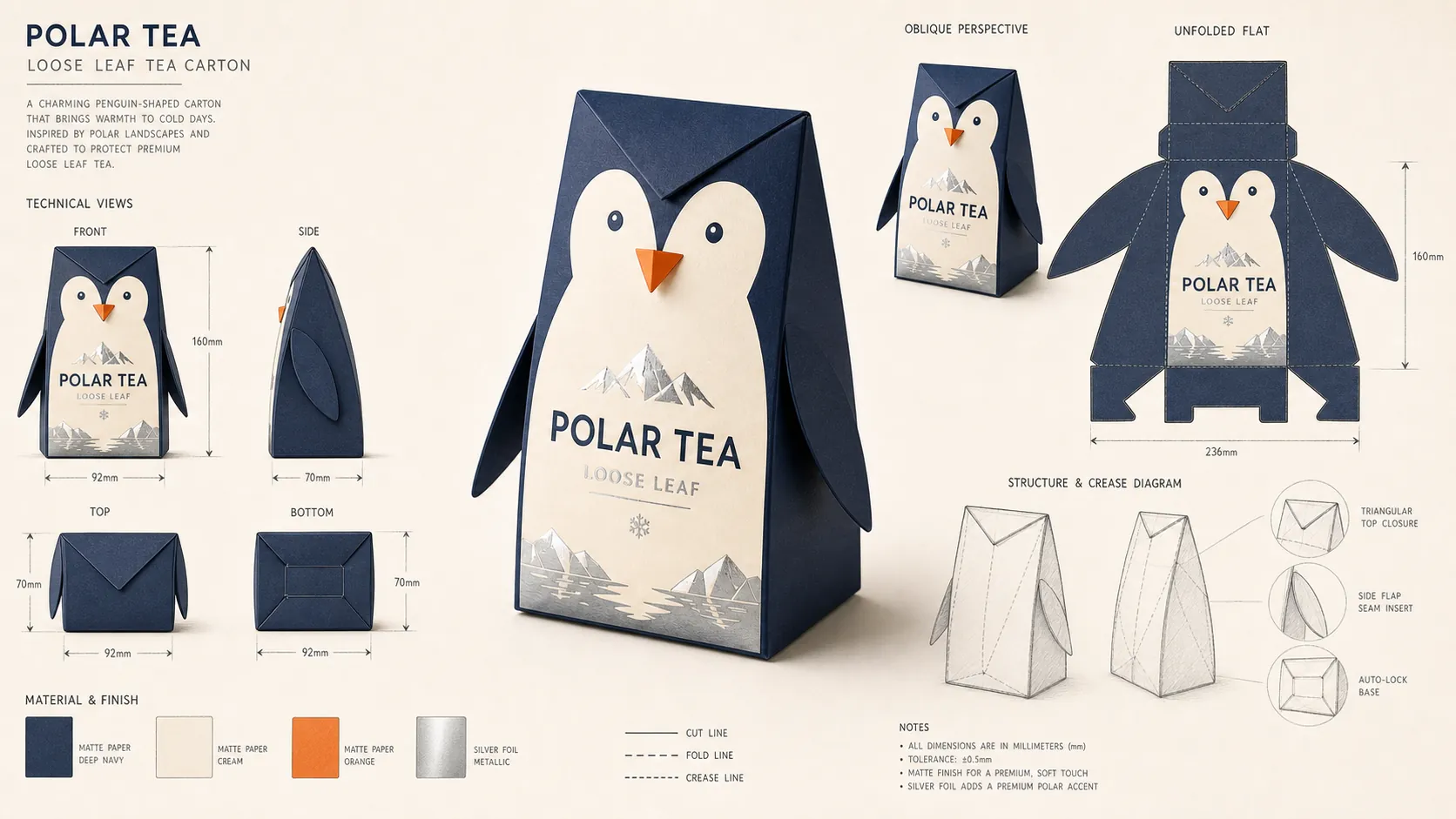
Verwandeln Sie eine einzelne Produktverpackung in eine konsistente Industriedesign-Präsentation mit mehreren Ansichten, Materialien und technischen Details.
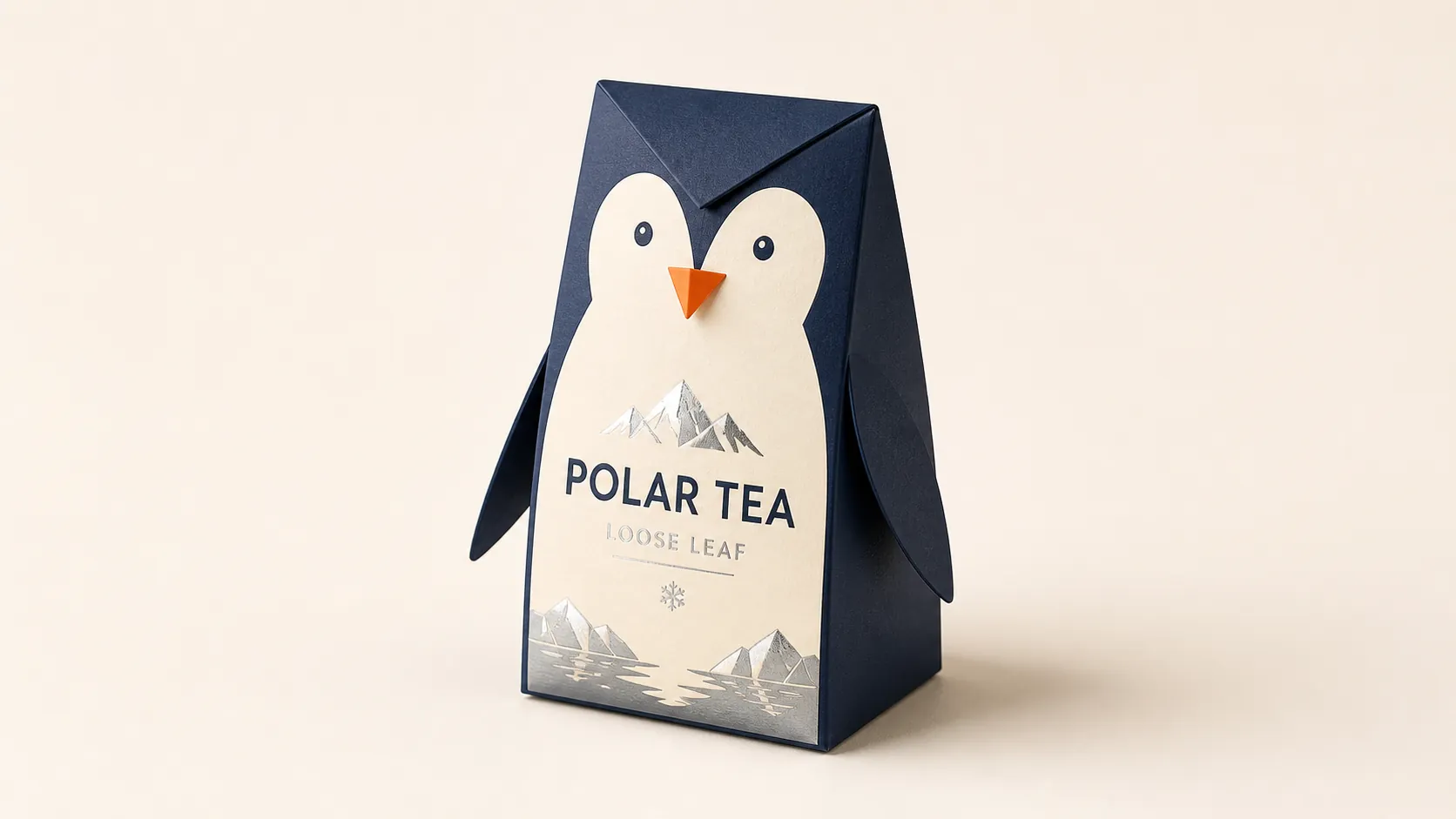
Original (Eingabe)
Create a clean 16:9 premium studio product photograph for a later image-edit demonstration. Show one freestanding penguin-shaped loose-leaf tea carton centered on a warm off-white seamless background. Its construction is distinctive and easy to preserve: a tapered folding-paper body, two small side flaps suggesting wings, a neat triangular top closure, and a stable flat base. Use matte deep-navy paper with a cream front panel, a small orange beak-shaped geometric accent, and restrained silver foil details. The front label must display the exact words "POLAR TEA" once, in large clean uppercase sans-serif lettering, with the smaller exact line "LOOSE LEAF" beneath it. Keep both lines sharp, correctly spelled and fully readable. Camera and lighting: slightly elevated three-quarter front view, soft commercial studio light, gentle contact shadow, realistic paper grain, crease lines and foil reflections. Leave generous negative space around the package. This is the simple before image only. Constraints: exactly one package; no people, human figures, faces or hands; no extra objects, loose sketches, technical views, measurement arrows or annotations; no extra text, brand logos, watermark, border or UI.
Generiert (Eingabe)
Using the provided package image, create a 16:9 professional industrial-design presentation sheet for the penguin-shaped loose-leaf tea carton. Preserve the package's exact penguin silhouette, tapered folding-paper body, side flaps, triangular top closure, deep-navy and cream color blocking, orange beak accent, silver foil details, and the exact readable label "POLAR TEA" with "LOOSE LEAF" beneath it. Place a centered heroic 3D rendering with realistic materials, soft studio lighting and commercial-quality finishes. Surround it with clearly organized technical views: front, side, top, bottom, oblique perspective and unfolded flat position. Include precise pencil sketches of the frame structure, crease lines, seam details and size arrows in millimeters. Add small material callouts for "MATTE PAPER", "SILVER FOIL" and "FOLD LINE", plus navy, cream, orange and silver color swatches. Use a clean warm-white sketchbook background, combining realistic product rendering with refined pencil-drawing details, subtle shadows and portfolio-ready spacing. Keep every view consistent with the same package geometry. Constraints: no people, human figures, faces or hands; no redesign of the package; no misspelled label, duplicated hero package, fake logos, watermark, border or UI.
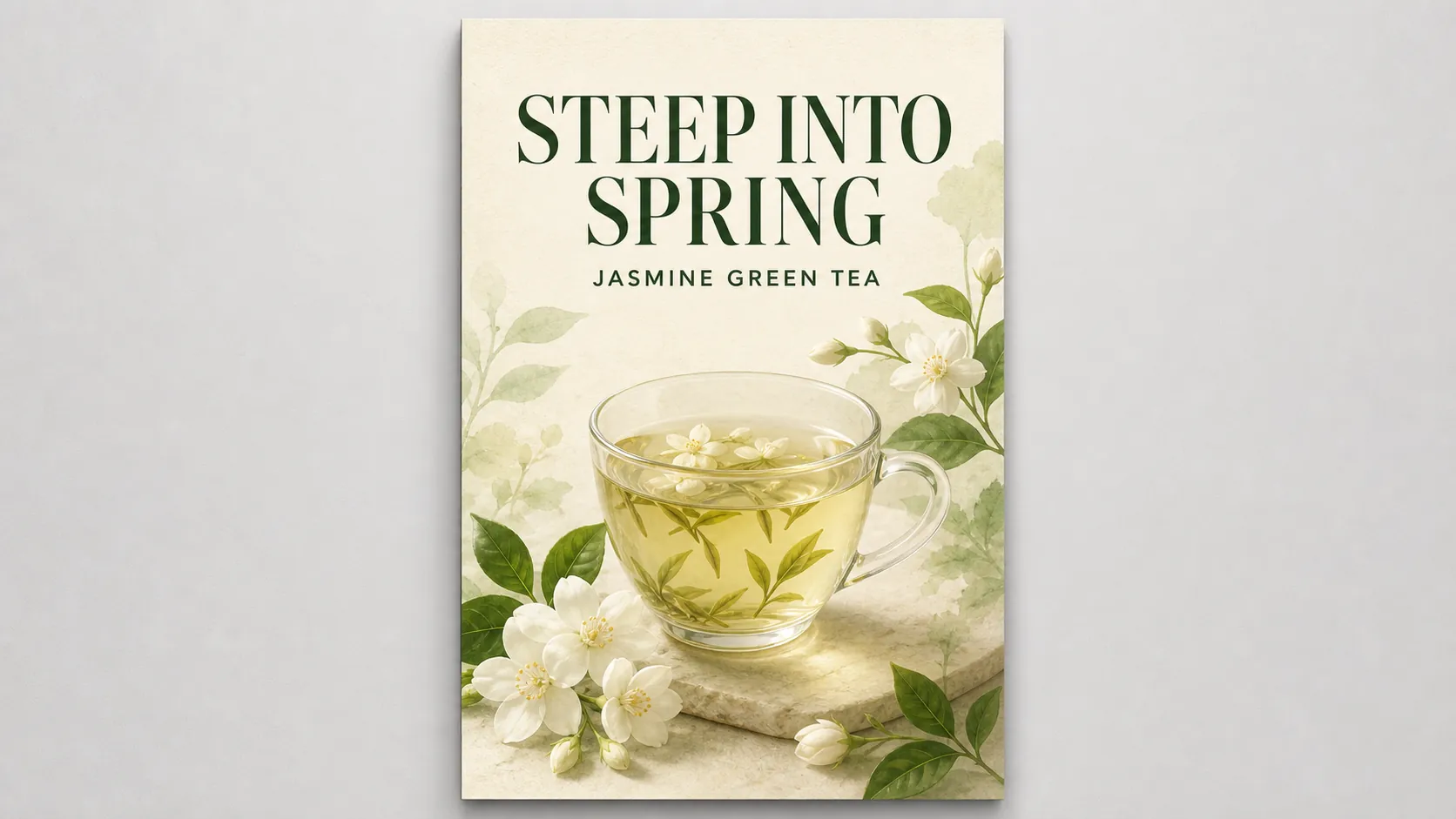
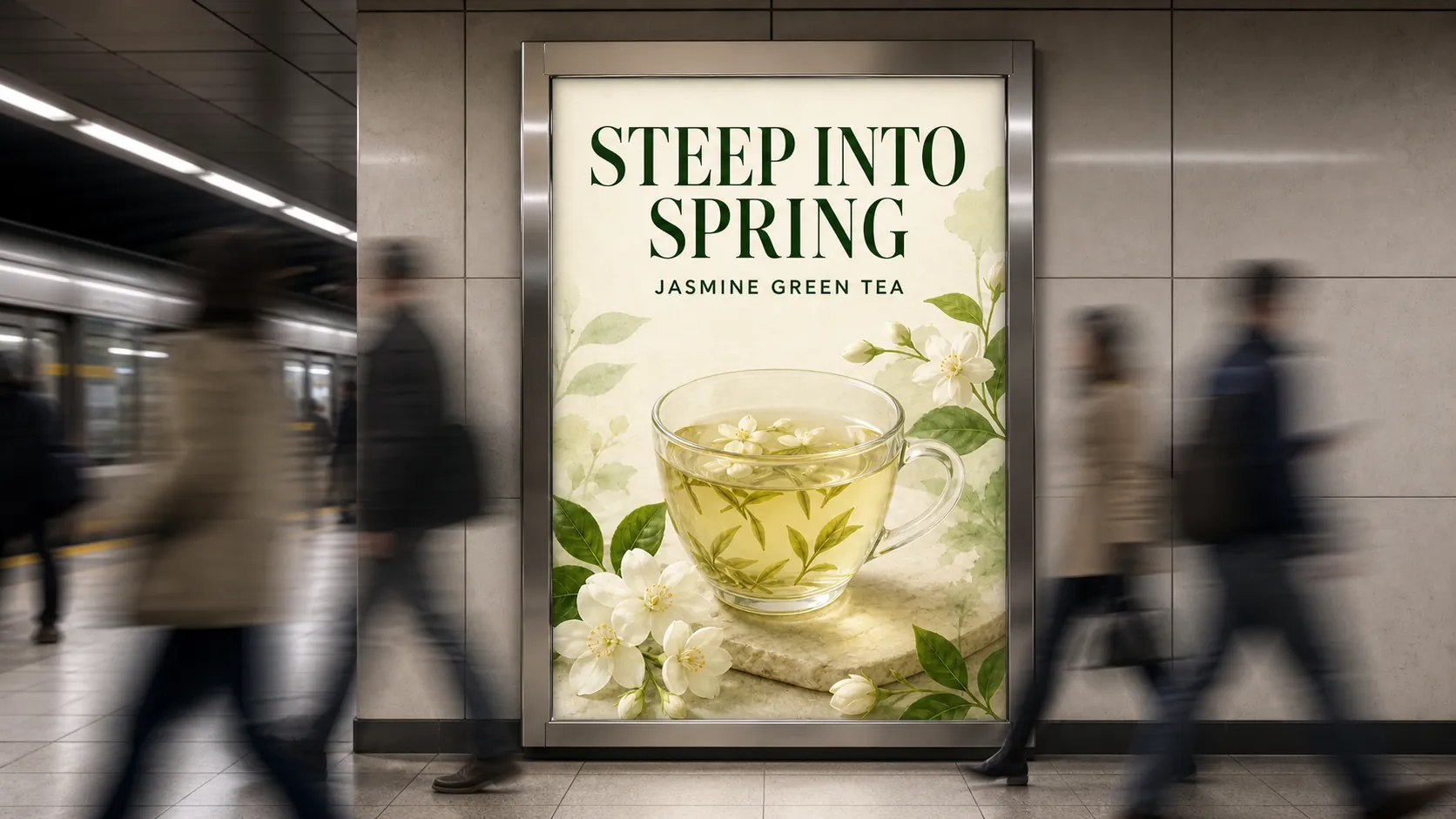
Platzieren Sie ein fertiges Poster in einer realistischen Werbeumgebung und bewahren Sie dabei Layout, Bildsprache, Farben und lesbare Botschaft.
Original (Eingabe)
Create a 16:9 design-review image containing one finished vertical tea poster centered on a plain light-gray presentation wall, with generous empty margins on both sides. The poster artwork features a clear glass cup of pale jasmine green tea, fresh jasmine flowers, delicate tea leaves and soft spring-green botanical shapes on a warm ivory background. Use an elegant premium editorial layout with refined spacing and a subtle paper texture. Render the exact headline "STEEP INTO SPRING" once at the top in large dark-green uppercase serif lettering. Render the exact smaller line "JASMINE GREEN TEA" once beneath it in clean uppercase sans-serif lettering. Both lines must be correctly spelled, sharp and fully readable. Add no other words. Keep the vertical poster perfectly straight, fully visible and easy to preserve in a later scene-compositing edit. Use neutral studio lighting and a soft realistic shadow against the wall. Constraints: no people, human figures, faces, hands or reflections of people; no extra text, logos, watermark, border or UI outside the poster.
Generiert (Eingabe)
Transform the provided 16:9 tea-poster image into a realistic metro-station lightbox advertising scene. Preserve the poster artwork, glass cup, jasmine flowers, tea leaves, botanical shapes, colors, layout and typography. Keep the exact headline "STEEP INTO SPRING" and exact smaller line "JASMINE GREEN TEA" unchanged, correctly spelled, fully readable and dominant. Do not redesign, crop, mirror or distort the poster. Show the vertical poster behind glossy glass in one illuminated advertising frame mounted on a clean contemporary subway-platform wall. Add a brushed-metal frame, subtle physically accurate reflections, pale stone floor tiles, restrained overhead transit lighting and realistic depth along the platform. Keep the camera in a wide 16:9 three-quarter view while the poster remains straight and legible. Add several anonymous commuters crossing through the immediate foreground directly in front of the lightbox. Render them as elegant long-exposure motion trails and semi-transparent walking silhouettes with directional blur, suggesting a busy station without becoming portrait subjects. Their bodies may briefly overlap the lower and side areas of the frame, but the headline and tea cup must remain clearly visible. No face, age or ethnicity may be recognizable. Constraints: no sharply focused person, identifiable face or identifiable ethnicity; no crowd blocking the advertisement; no extra signs or readable station text; no fake brand logos, additional posters, watermark, border or UI.
Die wichtigsten Vorteile des kostenlosen Bild-zu-Bild-Tools
Das kostenlose Bild-zu-Bild-Tool bietet Kreativen und Teams einen praktischen, referenzgeführten Workflow zur Transformation bestehender Visuals. Dadurch werden kreative Iterationen schneller, klarer und leichter wiederholbar.
Kreative Kontrolle durch Referenzbilder
Laden Sie ein Quellbild hoch und beschreiben Sie Komposition, Beleuchtung, Kamerawinkel, Materialien, Atmosphäre, Layout und Verwendungszweck des neuen Motivs.
Prompt-gesteuerte Bildtransformation
Laden Sie ein vorhandenes Bild hoch und erklären Sie, was sich ändern soll – vom Hintergrund und Styling bis zur Produktdarstellung, Kampagnenumgebung oder zum visuellen Format.
Wichtige visuelle Anker bewahren
Legen Sie fest, welche Motivmerkmale, Produktgeometrien, Farben, Typografie, Layouts, Kameraansichten oder Markendetails bei der Bearbeitung erkennbar bleiben sollen.
Schnellere kreative Iterationen
Generieren und verfeinern Sie Varianten für UGC-Anzeigen, Produktlistings, Social Posts, Poster, Thumbnails, Landingpages, Mockups und Kampagnenprüfungen, ohne jedes Konzept manuell neu aufzubauen.
Anwendungsfälle für das kostenlose Bild-zu-Bild-Tool
Das kostenlose Bild-zu-Bild-Tool unterstützt referenzgeführte Transformationen für UGC-Kampagnen, Produktwerbung, E-Commerce, Social-Media-Inhalte, visuelles Prototyping und alltägliche Design-Workflows.
UGC-Anzeigen und Produkt-Storytelling
Verwandeln Sie Creator-Fotos und Produktreferenzen in Anwendungsszenen, Kampagnenmotive, Vorher-nachher-Konzepte und Anzeigenvisualisierungen für TikTok, Reels, Shorts und bezahlte Social-Media-Tests.
E-Commerce- und Markenvisualisierungen
Optimieren Sie Produktaufnahmen, Verpackungskonzepte, Marketplace-Bilder, Werbebanner, Hero-Grafiken und Lifestyle-Szenen auf Grundlage vorhandener Produkt- und Markenreferenzen.
Systeme für Social-Media-Inhalte
Entwickeln Sie wiederholbare visuelle Richtungen für Thumbnails, Launch-Posts, Karussellkonzepte, Cover für Kurzformate, Content-Kalender und Kampagnenvarianten.
Design-Mockups und visuelle Prototypen
Erkunden Sie Posterlayouts, Produktetiketten, Präsentationstafeln, Landingpage-Grafiken, Mockups im UI-Stil, Moodboards und kreative Richtungen vor der finalen Produktion.
So verwenden Sie das kostenlose Bild-zu-Bild-Tool von UGC Maker
Transformieren Sie ein vorhandenes Bild in drei Schritten: Laden Sie ein Quellbild hoch, legen Sie die neue visuelle Richtung und die zu bewahrenden Details fest und generieren Sie das Ergebnis im gewünschten Seitenverhältnis.
Schritt 1: Quellbild hochladen
Laden Sie ein Produktfoto, Porträt, Poster, Mockup, Marken-Asset oder ein anderes Bild hoch, das Motiv und visuelle Grundlage für die Transformation vorgibt.
Schritt 2: Änderungen und zu bewahrende Details beschreiben
Beschreiben Sie die neue Szene, den Stil, die Komposition, Beleuchtung oder das Layout und benennen Sie klar, welche Motive, Produkte, Texte, Farben, Kameraansichten oder Geometrien erkennbar bleiben sollen.
Schritt 3: Seitenverhältnis wählen und generieren
Wählen Sie das für Ihren Verwendungszweck passende Bildformat, generieren Sie das Ergebnis und verfeinern Sie anschließend den Prompt oder das hochgeladene Bild für eine stärkere Variante.
Schritt 4: Ergebnis herunterladen und verwenden
Laden Sie das generierte Bild herunter, verfeinern Sie Prompt oder Upload für eine stärkere Variante und verwenden Sie das Ergebnis in kompatiblen Design-, Social-Media-, Kampagnen- oder Video-Workflows weiter.

Weitere KI-Tools zur Bilderstellung entdecken
Setzen Sie Ihre Arbeit nach der kostenlosen Bild-zu-Bild-Bearbeitung mit hochwertiger Bilderstellung, Bild-zu-Video, UGC-Anzeigentools, Produkt-Workflows und Prompt-Hilfen fort.



























