Curated prompt collections are useful because they turn trial-and-error into a repeatable workflow. Instead of typing vague ideas and hoping for a good result, you can start from proven structures, swap only a few variables, and learn which kinds of wording lead to cleaner compositions, stronger lighting, and more consistent edits. That is especially helpful with Nano Banana AI, which is designed for both image generation and image editing in one workflow.
Why These Nano Banana 2 Prompts Are Worth Saving
This guide gathers practical prompt types you can reuse for scenes, portraits, products, layouts, stories, and editing tasks. The goal is not to treat prompts like magic formulas. It is to show how prompt patterns work, why some structures are more reliable than others, and how to adapt them without breaking the result.
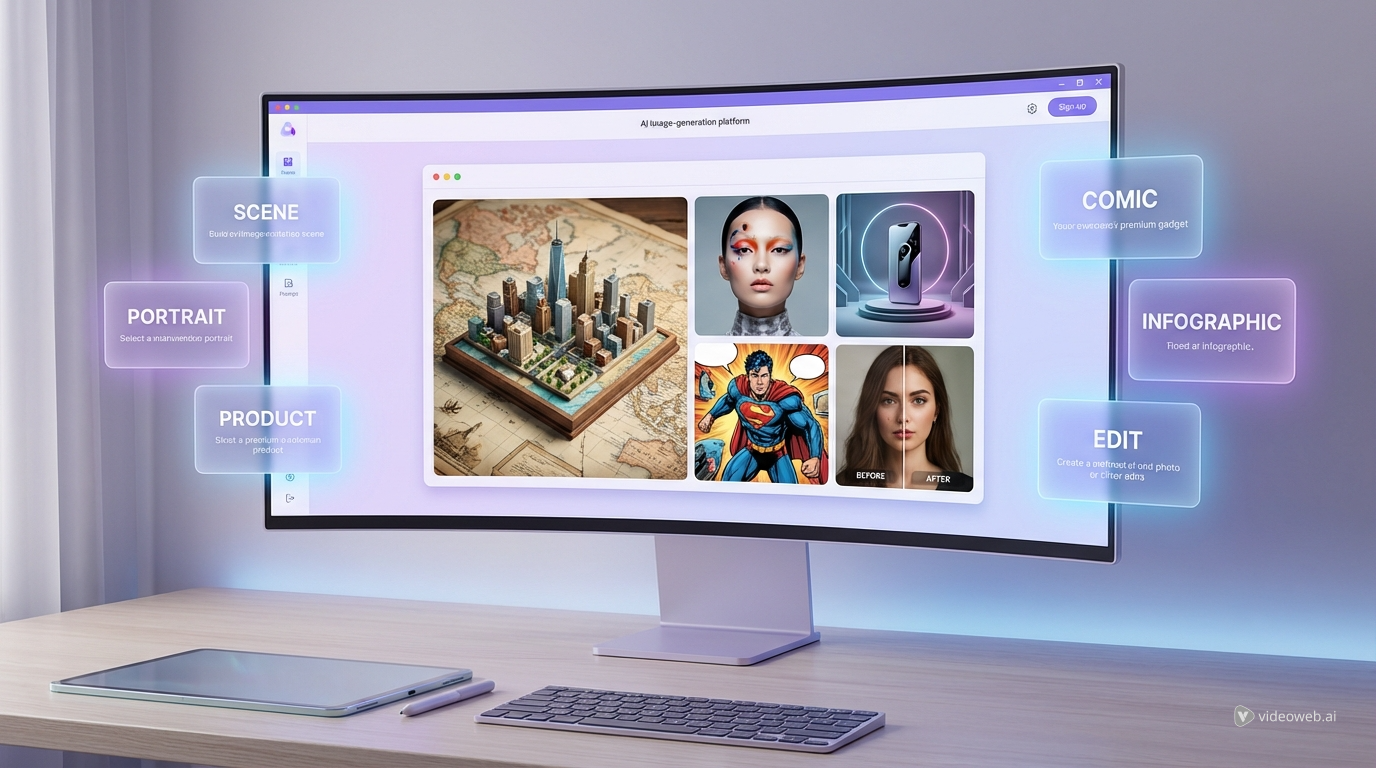
A simple way to test these ideas is to use Gemini Nano Banana 2 on UGC Maker AI. The workflow is straightforward: open the model page, choose the model, upload images if you want to edit or combine references, paste your prompt, and generate. If you want to compare outputs across models later, UGC Maker’s AI Image Generator is also a useful next step because it supports a wider model-selection workflow while keeping the same text-to-image and image-editing mindset.
For readers who want a quick hands-on walkthrough before diving into the examples, a good companion read is Nano Banana 2 on UGC Maker: Best Scenes, Prompt Ideas, and How to Use It.
The Basic Structure of a Strong Prompt
A good prompt usually includes six parts: subject, scene, composition, lighting, style, and intent. Subject tells the model what matters most. Scene places that subject in a world. Composition controls framing and balance. Lighting shapes mood and detail. Style helps guide texture and visual language. Intent explains whether the image is meant to feel editorial, cinematic, commercial, instructional, or purely artistic.
A strong Nano Banana 2 prompt does not need to be long for the sake of being long. It needs to be specific in the right places. When you are generating from scratch, clarity around subject, angle, and mood matters most. When you are editing, the key is to say what should change and what must stay the same. That is one reason many creators test both the base model and options like Nano Banana Pro later in the workflow: once the idea is solid, they want to compare how different models interpret detail, impact, and polish.
Scene-Building and Miniature World Prompt Examples
This category is great for visually rich compositions. These prompts work well when you want layered details, a sense of scale, or a diorama-like world that feels imaginative but still believable, which makes them a strong fit for testing on Nano Banana AI.
- Create a miniature Tokyo city built on top of an unfolded travel map, with cherry blossoms, a red tower, tiny trains, and soft spring daylight, photographed like a realistic tabletop diorama.
- Build a tiny medieval harbor town inside a teacup, with docks, fishing boats, lanterns, and morning mist, viewed from a close three-quarter angle.
- Show a desert kingdom rising from an old atlas page, with sandstone palaces, winding caravans, and drifting golden dust, cinematic sunlight.
- Design a floating island village above a paper blueprint, with bridges, windmills, and small gardens, rendered like a high-detail fantasy model.
- Create a snowy alpine town assembled on a wooden desk from folded map pieces, miniature cabins, ski tracks, and warm glowing windows.
- Build a rainy cyberpunk neighborhood emerging from a transit map, with neon signs, elevated rails, reflective puddles, and dense crowd energy.
- Generate a tiny coastal Greek island made from a travel brochure, white houses, blue domes, steep stairs, and bright Mediterranean light.
- Create a forest kingdom growing from an illustrated storybook page, with giant roots, hidden homes, and glowing lantern paths.
- Show an ancient temple district constructed on a rolled-open parchment map, with stone courtyards, statues, incense haze, and dusk lighting.
- Make a vibrant festival street scene rising from a folded city map, with food stalls, banners, string lights, and a lively crowd.
Portrait, Fashion, and Character Prompt Examples
Portrait prompts become stronger when they describe pose, lens feel, lighting direction, texture, and emotional tone. These examples are built to help readers get more consistent people-centered results, especially when exploring character-focused outputs with Gemini Nano Banana 2.
- Create a fashion editorial portrait of a woman in a structured cream suit against a muted lavender studio backdrop, medium-full shot, soft cinematic lighting, subtle film grain.
- Generate a close-up portrait of a young man in a rainy street at night, wet hair, neon reflections, shallow depth of field, moody cinematic look.
- Create a luxury beauty portrait with glossy skin, soft side lighting, minimal styling, and a clean warm background for skincare advertising.
- Show a confident artist seated in a sunlit loft studio, casual layered clothing, relaxed pose, realistic skin texture, documentary-style portrait.
- Create a monochrome studio portrait with sharp side lighting, deep shadows, visible skin texture, and a timeless high-contrast mood.
- Generate a retro-inspired portrait in an old café, warm afternoon window light, pastel tones, candid expression, analog-photo feeling.
- Create a polished actor headshot with balanced lighting, neutral background, natural expression, and crisp facial detail.
- Show a futuristic fashion portrait with metallic fabrics, clean sculptural styling, cool-toned lighting, and an editorial magazine feel.
- Create a multi-look character sheet showing the same woman in three outfits, consistent facial identity, front-facing compositions, studio background.
- Generate a cinematic fantasy portrait of a traveler in a weathered cloak, windswept hair, mountain light, and realistic costume texture.
Product, Branding, and Ad-Creative Prompt Examples
These prompts are useful when the goal is clarity, polish, and commercial presentation. They are especially good for testing product-focused workflows before moving into ad variations, and each one can serve as a practical Nano Banana 2 prompt template for brand visuals.
- Create a premium hero shot of matte-black wireless headphones on polished obsidian, soft top-left lighting, clean reflection, luxury advertising style.
- Generate a minimalist skincare flat lay on white marble with three products, folded linen, stones, and soft diffused daylight.
- Show a coffee bag labeled Morning Ritual standing on a wooden counter with warm café lighting, shallow depth of field, premium lifestyle feel.
- Create a sports bottle product photo with splashing water, sharp highlights, and a dark athletic backdrop.
- Generate a lipstick campaign image with the product centered, glossy texture, mirrored surface, and dramatic beauty lighting.
- Create a realistic smartwatch ad scene on a modern desk with subtle props, clean shadows, and a premium tech aesthetic.
- Show a candle jar on a bedside table at dusk, soft warm lamp light, calm home atmosphere, and cozy lifestyle styling.
- Create a perfume bottle commercial visual with glass reflections, luxurious gradient background, and elegant minimal composition.
- Generate a snack package mockup held in one hand outdoors, natural daylight, candid UGC-style framing, realistic product branding area.
- Create a fresh juice bottle ad with fruit slices, water droplets, bright lighting, and a clean summery color palette.
Infographic, Typography, Poster, and UI Prompt Examples
This group focuses less on atmosphere and more on structure. These prompts help when you want layouts, labels, poster logic, or design-oriented compositions, and they are also useful when comparing layout-heavy results with tools like Nano Banana Pro.
- Design a clean infographic explaining the water cycle, left-to-right layout, simple labels, hand-drawn arrows, light textured background.
- Create a vertical poster titled SCIENTIFIC METHOD with five numbered steps, geometric layout, white background, bold blue accents, modern educational style.
- Generate a minimalist poster where the word NEW YORK contains the city skyline inside the letterforms, black background, high contrast.
- Design a coffee brewing comparison chart with sections for pour over, french press, espresso, and cold brew, each with icons and brew times.
- Create a bilingual loyalty card for a tea shop with ten stamp circles, soft green and cream palette, readable typography.
- Generate a modern finance app promo layout with a phone UI on one side and a short headline area on the other, clean startup aesthetic.
- Design a museum-style information board for a famous landmark, blending photo sections with blueprint annotations and measured diagrams.
- Create a readable weekend weather card for a ski resort with icons, temperatures, snowfall, and clear visual hierarchy.
- Generate a storefront sign mockup with exact quoted wording, decorative floral border, and realistic hanging sign presentation.
- Design a minimalist event poster with a strong title block, date, venue, and modern grid layout, suitable for a cultural festival.
Storytelling, Comics, and Multi-Panel Prompt Examples
Story prompts work best when they repeat the key traits of each character while changing pose, emotion, and action from panel to panel. The aim is consistency without stiffness, which makes them helpful for longer-form testing with Nano Banana Pro 2.
- Create a 6-panel comic about three fluffy animal friends building a treehouse, consistent character designs, playful tone, happy ending.
- Generate a 4-panel tutorial comic showing a person planting herbs on a small balcony, step-by-step actions, clean visual storytelling.
- Create a children’s picture-book sequence of a fox discovering a lantern in the forest, soft watercolor feel, warm emotional arc.
- Show a 5-panel sci-fi story of an astronaut finding a glowing seed on a quiet moon, cinematic framing, consistent suit details.
- Generate a storyboard of a creator unboxing a skincare package, testing it, and smiling at the result, ad-friendly narrative structure.
- Create a comic strip of a rainy commute turning into a magical journey, same protagonist, escalating wonder in each panel.
- Show a 4-panel café romance meet-cute with expressive body language, cozy lighting, and visually consistent characters.
- Generate a fantasy quest sequence of a traveler entering ruins, solving a stone-door puzzle, and reaching a glowing chamber.
- Create an educational comic about recycling household waste correctly, friendly characters, clear step order, bright palette.
- Show a comedic office story where a cat keeps interrupting a designer’s workday, consistent desk layout and recurring visual jokes.
Editing, Transformation, and Reference-Image Prompt Examples
These prompts are practical because they start from an existing image and guide the model toward a focused improvement. The best edit prompts clearly separate what changes from what stays fixed, which is one reason they work especially well in a hands-on Nano Banana AI workflow.
- Replace the background with a bright modern office interior while keeping the subject’s pose, clothing, and facial identity unchanged.
- Remove the coffee cup from the table and reconstruct the missing surface naturally without changing the rest of the image.
- Transform the portrait into a winter holiday campaign scene with snow-covered pines, gift boxes, and warm string lights, preserving the face exactly.
- Turn the casual outfit into a tailored formal suit while keeping the body pose, expression, and camera angle the same.
- Combine a portrait and a separate sports car image into one realistic scene of the person driving along a coastal highway at sunset.
- Convert the daytime street image into a rainy neon-lit night scene while preserving architecture, framing, and subject placement.
- Clean up an old damaged photo by removing scratches, stains, and dust while preserving original facial details and proportions.
- Restyle the room into a minimalist Scandinavian interior, keeping the basic furniture placement and perspective consistent.
- Change the season from summer to autumn, adding golden leaves and softer light while preserving the original composition.
- Transform the product photo into a luxury campaign visual with richer reflections, premium lighting, and a more refined background while keeping the packaging unchanged.
Tips for Adapting These Prompts Without Weakening Them
The safest way to customize a prompt is to change one variable at a time. Start with the subject or setting, then test composition, then style. If you change everything at once, it becomes hard to tell which part improved the image and which part caused the problem. Keep the camera and layout language intact until the base idea works.
When an image feels generic, add one stronger detail rather than ten extra adjectives. When the result feels cluttered, simplify the scene before changing the style. When text-based layouts become messy, shorten the wording and make the hierarchy clearer. For editing, always separate the instruction into two layers: what to modify and what to preserve.
If you already have a reference image and do not want to write from scratch, a good shortcut is to use HeyDream’s free image to prompt generator to turn visuals into reusable prompt language. If you want a faster prompt-starting workflow for this specific model family, HeyDream also offers a free Nano Banana prompt generator. Those tools are useful for brainstorming, while UGC Maker is a strong place to test the final prompt directly in production-style image workflows.
Final Tips, Conclusion, and Recommendations
The real value of a prompt library is not the number of examples. It is the ability to recognize structures you can reuse. Once you see how scene prompts differ from portrait prompts, how product prompts differ from layout prompts, and how edit prompts need preservation language, you can write faster and with more control.
A practical next step is to test these examples on Nano Banana AI, then compare workflows in UGC Maker’s broader AI Image Generator if you want more model options. That is also where tools like Nano Banana Pro 2 become useful in context: not as a replacement for good prompting, but as another model choice once your prompt structure is already solid. If you are exploring a more polished or campaign-forward look, trying Nano Banana Pro after the base examples can be a sensible next experiment.
For a platform-specific guide focused on scenes, usage flow, and prompt ideas, read Nano Banana 2 on UGC Maker: Best Scenes, Prompt Ideas, and How to Use It.
Related Article
- Nano Banana 2 on UGC Maker: Best Scenes, Prompt Ideas, and How to Use It
- Seedream 5.0 vs Nano Banana 2 AI: Which Image Model Should You Use?
- UGC Image Generator User Guide: How to Create Better UGC-Style Product Visuals Faster
- How to Make UGC Images in Minutes with UGC Maker (2026 Guide)
People Also Read
- HeyDream AI Image Generator Guide: Best Models for Text-to-Image and Image-to-Image
- Free AI Image to Prompt Generator
- Free Nano Banana Prompt Generator
- Text to Image AI Generator with Hey Dream AI
- Photo to Video with DreamMachine AI
- AI Image Generator on VideoWeb AI
- Photo to Cartoon on SeaImagine AI
- AI Clothes Changer on AIFacefy